
Guides
Guide
AdministratorDeficiency reports administration
Administrator
Citizens can report deficiencies, and every deficiency report reaches the responsible office.
Turn on and set up deficiency reports
Your goal
Citizens can report deficiencies, and every deficiency report reaches the responsible office.
Open “Configuration”
What you need
- Only administrators can change the “Deficiency reports” switch. You can do all other steps as a deficiency reports administrator.
How to do it
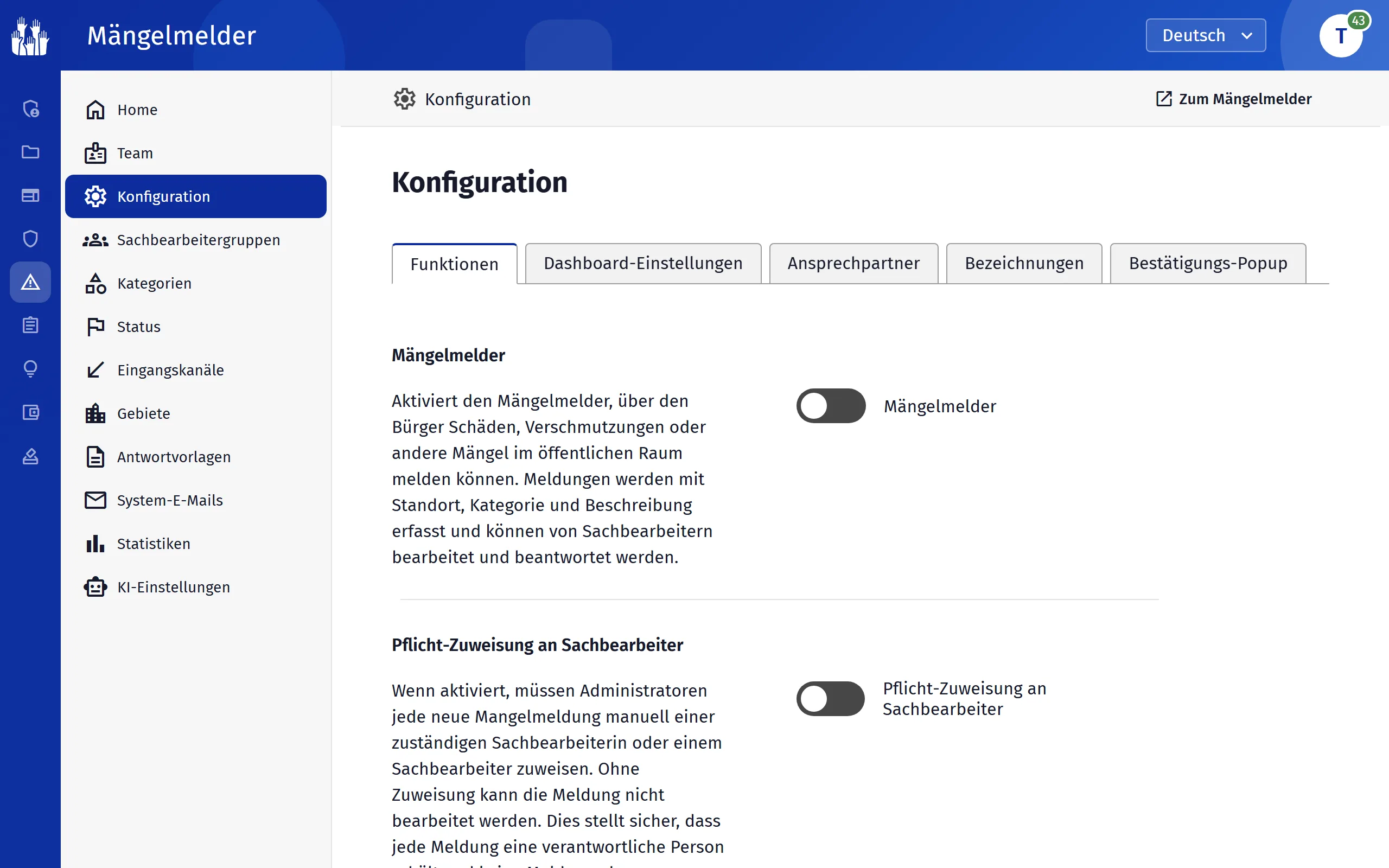
- In Deficiency reports, open “Configuration”, go to the “Features” tab, and turn on “Deficiency reports”.
- Create the case officers under “Team”. Group them under “Officer groups”, each group with a “Default email”.
- Create the categories under “Categories”, each with a “Default officer”.
- Create the processing statuses under “Statuses” and put them in order by drag and drop.
- Create the channels under “Intake channels” and mark one as the “Default channel”.
- In the “Features” tab, set the remaining switches.
The decisions
- Public right away or only after review?
- “Administrator approval”: New deficiency reports are public only after they are approved.
- Who sees which deficiency reports?
- Without “Required assignment to officer”, every case officer sees and handles all deficiency reports. With the switch on, they see only their own. “Visibility for case workers and groups” also lets them read all of them. Decide who sees which deficiency reports
- Who is responsible?
- By location under “Areas”, by topic in the category and subcategory. A new deficiency report goes first to whoever is responsible for the area, then for the subcategory, then for the category. Set responsibilities
- What does the report form offer?
- “Image upload”, “Additional documents”, “Embed external video” and “Show map”. “Require map location” makes the location mandatory. Design the report form and overview
- Should the AI choose the category?
- “AI categorization in the report form”: The AI assigns the category and subcategory itself, and the category fields disappear from the form. This works only if AI is available on your platform. Use AI in Deficiency reports
Next steps
- Add Deficiency reports to the navigation as a system page. Design the homepage and navigation
- With “Report button on the homepage” in the “Features” tab, a button to the report form appears in the header of the homepage.
- Create reply templates and customize the emails.
Pitfalls
Only people who already have an account can become case officers. Search for them under “Team” with their full email address. There is no invitation by email here.
The top status is the status of every new deficiency report. You cannot delete categories, subcategories, statuses and intake channels that still have deficiency reports assigned to them.