
Decide who sees which deficiency reports
Your goal
You want to decide whether case officers see and change all deficiency reports or only their own, and whether new deficiency reports become public only after review.
Open “Configuration”
What you need
- You are an administrator or a deficiency reports administrator.
How to do it
- In Deficiency reports, open “Configuration”, tab “Features”.
- Use “Required assignment to officer” to decide whether case officers work only on their own deficiency reports.
- Use “Visibility for case workers and groups” to decide whether they may still read the others.
- Turn on “Officer groups only for assignment” if deficiency reports should go only to groups.
- Turn on “Administrator approval” if new deficiency reports should become public only after review.
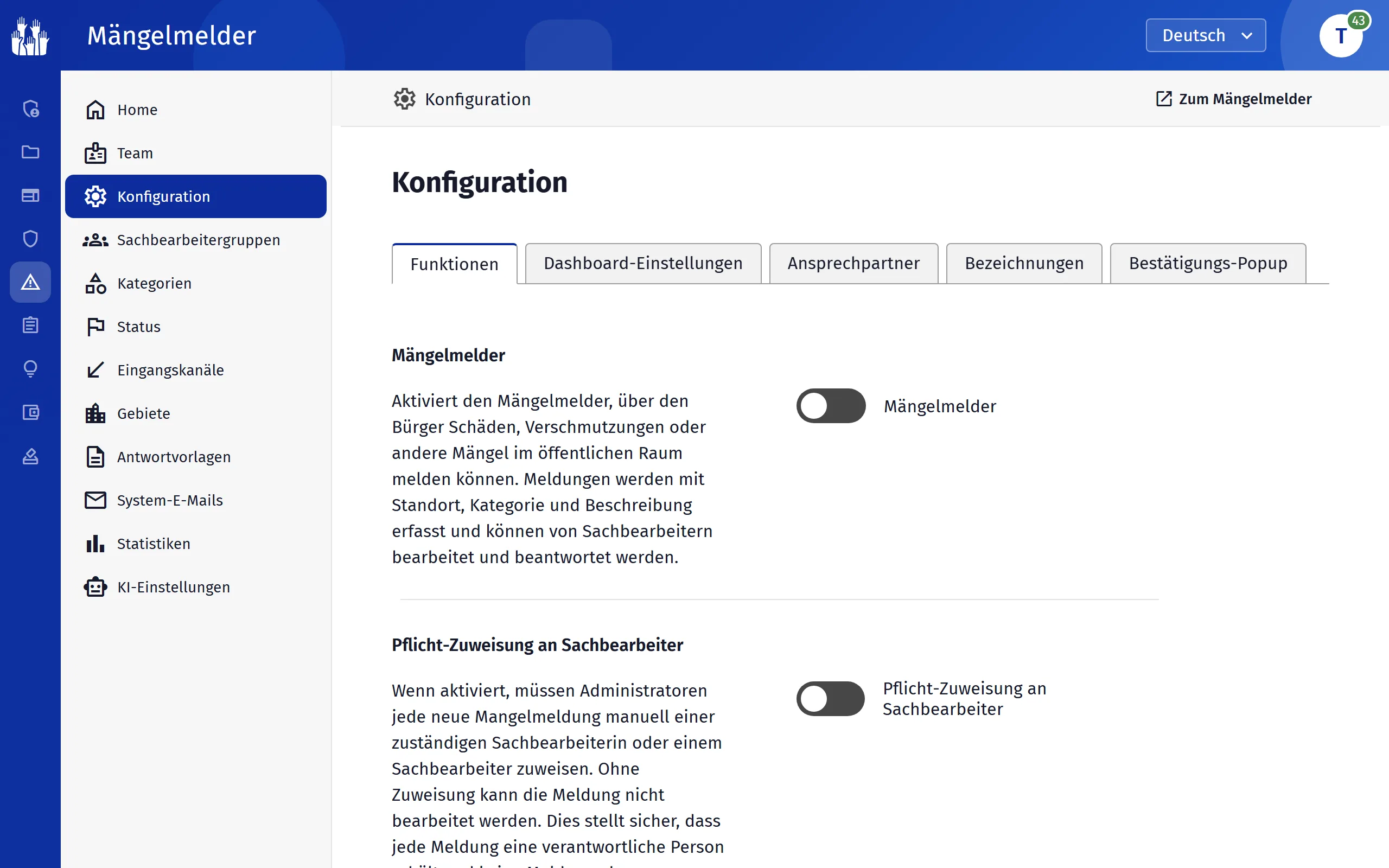
The decisions
- Without “Required assignment to officer”
- Every case officer sees and edits all deficiency reports.
- With “Required assignment to officer”
- Case officers see only deficiency reports that are assigned to them or their group, or that they watch. They can change only the assigned ones.
- Additionally “Visibility for case workers and groups”
- Case officers read all deficiency reports and add internal notes. They can still change only the assigned ones. In the table, they get the filter “Assigned to me”, “Watching” and “All reports”.
- “Administrator approval”
- New deficiency reports are public only after someone turns on “Approval”. Administrators, deficiency reports administrators and case officers with “Manage all” can do this.
Pitfalls
Case officers with “Manage all” are exempt from required assignment. They always see and change all deficiency reports.
With “Required assignment to officer”, the platform still assigns new deficiency reports automatically. If it finds no one responsible, no case officer sees the deficiency report until someone assigns it. This applies as long as “Visibility for case workers and groups” is turned off.
The person who reported the deficiency sees their report even before approval. The confirmation of receipt tells them that the report is not public yet.