
Guides
Guide
Deficiency reports administration
Deficiency reports administration
The public deficiency report form should ask for exactly what your administration needs and use your own wording.
Design the deficiency report form and overview
Your goal
The public deficiency report form should ask for exactly what your administration needs and use your own wording.
Open “Configuration”
What you need
- You are an administrator or a Deficiency reports administrator.
How to
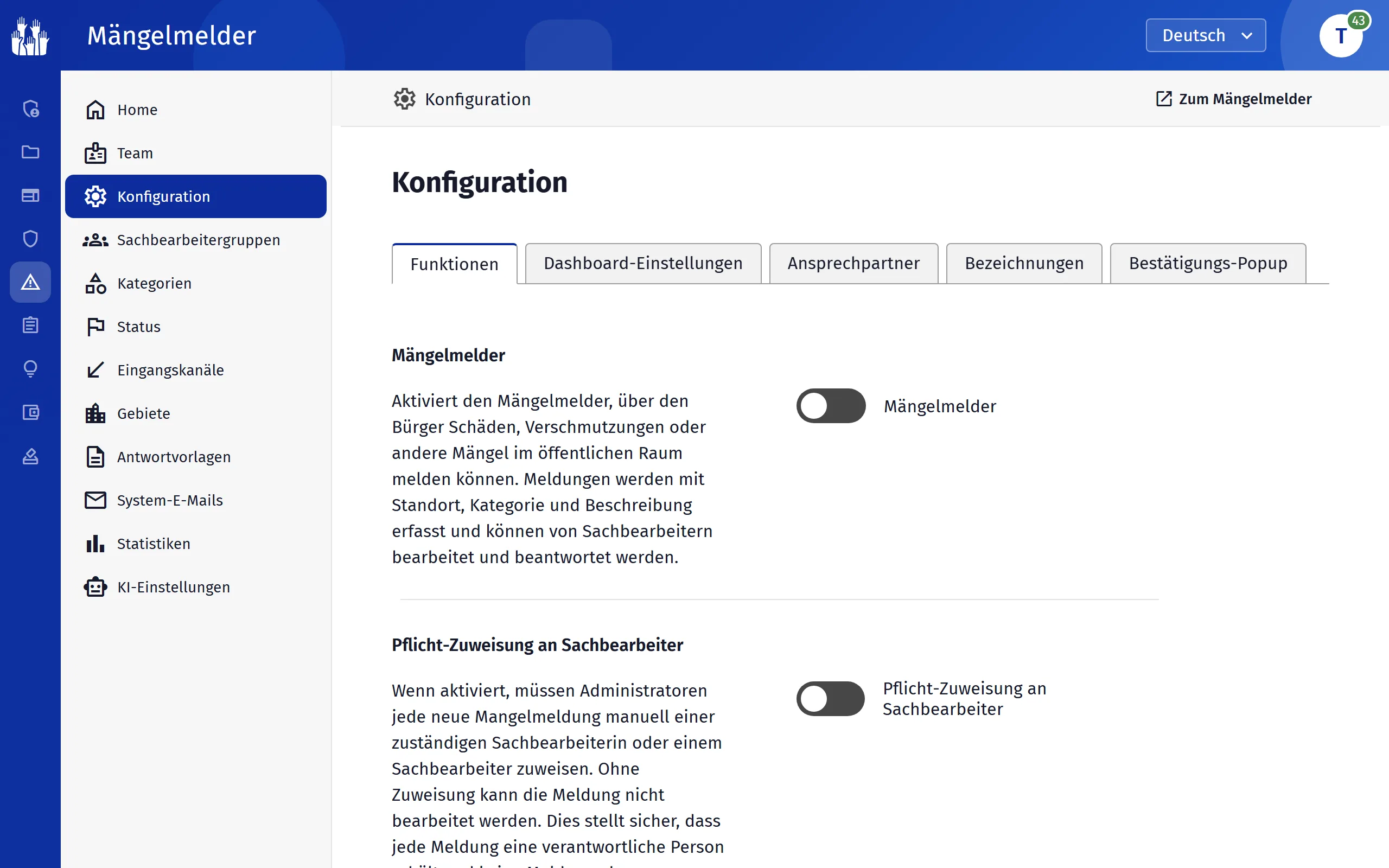
- In Deficiency reports, open “Configuration” and go to the “Features” tab.
- Decide what the form offers: “Image upload”, “Additional documents”, “Embed external video” and “Show map”.
- Use “Require map location” to decide whether the location is mandatory.
- Use “User rating per deficiency” and “Comments” to decide what visitors can do with existing deficiency reports.
- Switch to the “Naming” tab and enter your own texts if you need to, for example “Notice portal” as the “Feature name”.
- If you need to, set up a question that appears before the form in the “Confirmation popup” tab.
- Open the public page of Deficiency reports and try out the form.
The decisions
- Make the location mandatory?
- With a mandatory location, every deficiency report has a place, and responsibility by area can take effect. Without it, reports without a location also come in.
- Ask a question up front?
- The “Confirmation popup” asks something before the form. Answers with the option “Block and show flash notice on the index” stop the person and show them a notice instead.
- Allow ratings and comments?
- With ratings, the overview can also sort by “Most active”. Comments open a public exchange under each deficiency report.
Pitfalls
Turn on “Require map location” only together with “Show map”. Without a map, the mandatory location can’t be set in the form.
The switches also apply to the “New report” form in the admin area. Anyone who enters reports there sees the same fields.
Empty fields under “Naming” use the default texts, for example “Report a deficiency” for the report button.
Whether a category must be chosen depends on AI categorization. If it is turned on, the category fields in the public form are dropped. Use AI in Deficiency reports