
Reference
Reference
Citizens' guide
Citizens' guide
With Deficiency reports, you tell the administration about damage and problems in public spaces, such as potholes or damaged park benches. You describe the issue and mark the location on a map. The administration handles your deficiency report. You can see the processing status on the page of the deficiency report.
Deficiency reports
With Deficiency reports, you tell the administration about damage and problems in public spaces, such as potholes or damaged park benches. You describe the issue and mark the location on a map. The administration handles your deficiency report. You can see the processing status on the page of the deficiency report.
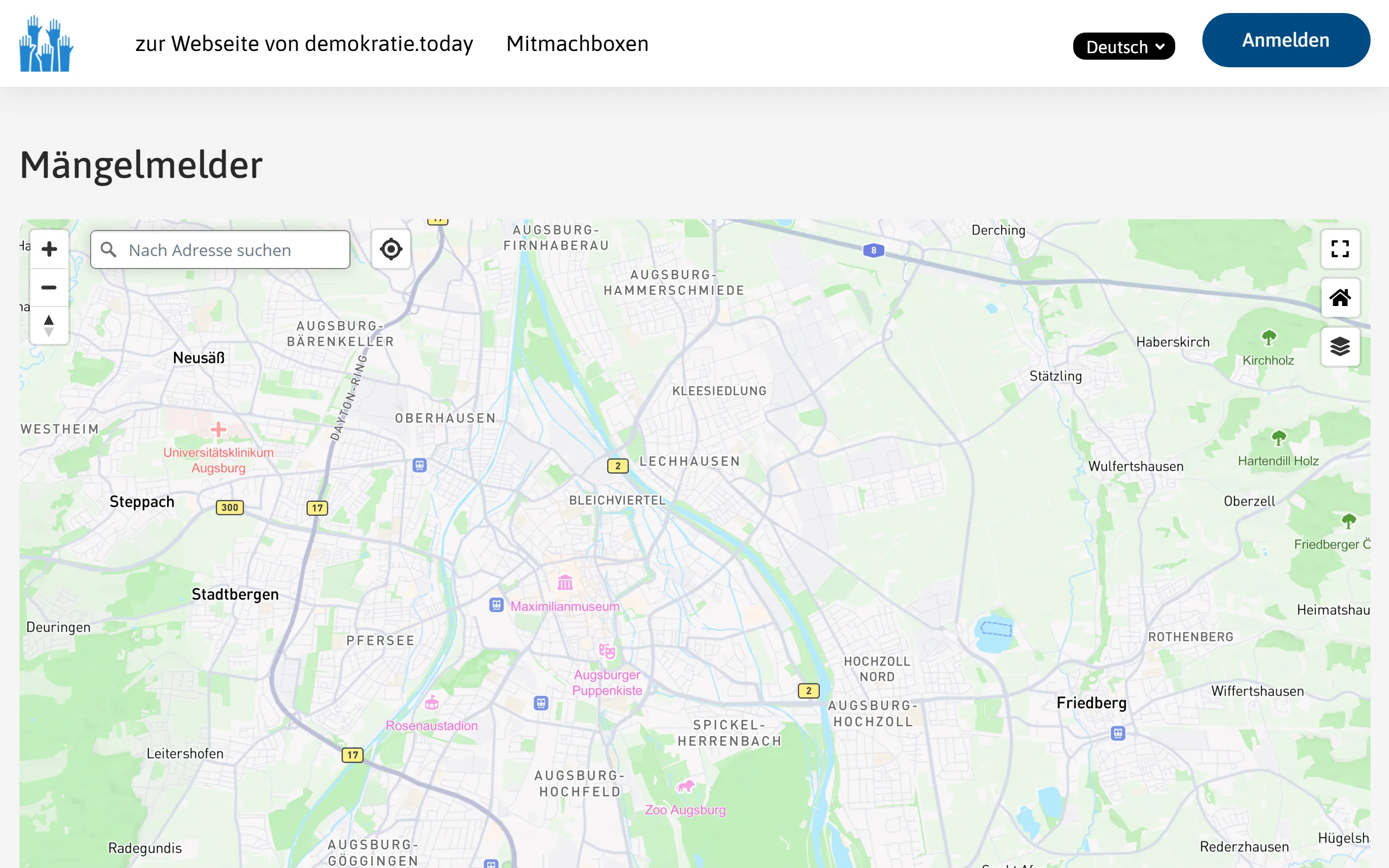
Deficiency reports does not belong to any participation project. Your municipality can give it its own name, for example “Hinweisportal” (notice portal).
Report a deficiency
- Open Deficiency reports. The overview shows a map and the list of earlier deficiency reports.
- Log in with your user account. Without logging in, you can only view deficiency reports.
- Click “Report a deficiency”. Your municipality can label the button differently. If a window with a question opens first, choose the answer that fits.
- Enter a clear title, for example “Pothole in XY Street in front of number 123”.
- Describe what the problem is and where it is. Do not include personal data of third parties.
- Add a cover image if needed. Depending on the setup, you can also attach documents or add a link to a YouTube or Vimeo video.
- Choose a “Category” and, if offered, a “Subcategory”. For some categories, a notice window appears. Read it before you continue. If your municipality assigns deficiency reports automatically, this step does not apply.
- If the form shows a map, place a pin to mark the exact location. Without a pin, you cannot submit the deficiency report, unless your municipality has turned off this requirement.
- Agree to the terms under “Privacy Policy & Terms of Use” and click “Submit now”. You receive a confirmation of receipt by email.
Depending on the setup, a voice assistant at the top of the form helps you describe your issue.
Find and rate deficiency reports
- Search and filter
- Use the search field and the filters “Categories”, “Statuses” and “Archive”.
- Sort
- By “Newest first” or “Most commented”. If ratings are turned on, “Most active” is added.
- Rate
- If ratings are turned on, you rate a deficiency report after logging in with “I agree” or “I disagree”.
- Comment
- If comments are turned on, you comment on deficiency reports on their detail page.
After you submit
- Your administration sets the statuses, for example “Open”, “In progress” or “Done”. If the status of your deficiency report changes, you receive an email.
- If someone in the administration entered your issue for you, for example after a phone call, you only receive the emails about the confirmation of receipt, the status and the official response if your email address was entered.
- Depending on the setup, the administration reviews new deficiency reports before they appear publicly. Your confirmation of receipt tells you whether your deficiency report is already visible. You can always see your own deficiency report.
- The administration can publish an “Official response” to your deficiency report, including documents. It appears on the page of the deficiency report. You also receive an email with the text of the response.
- Closed deficiency reports are archived seven days after they are closed. You can find them with the “Archive” filter under “Archived”.
- Depending on the setup, you receive an email after closing with a link to a short feedback form. There, you rate how satisfied you were with how your deficiency report was handled.
As long as there is no official response, you can take back your deficiency report with “Remove your support”. You cannot edit a deficiency report afterward.
Good to know
- The administration sets the categories. You cannot create your own categories.
- If the administration is temporarily not accepting deficiency reports, you see the notice “New reports cannot be submitted at the moment.”