
Reference
Reference
Citizens' guide
Citizens' guide
Many participation projects have scheduled events, such as workshops or town hall meetings. You find them in the project’s events tab. For some events, you register right there.
Events
Many participation projects have scheduled events, such as workshops or town hall meetings. You find them in the project’s events tab. For some events, you register right there.
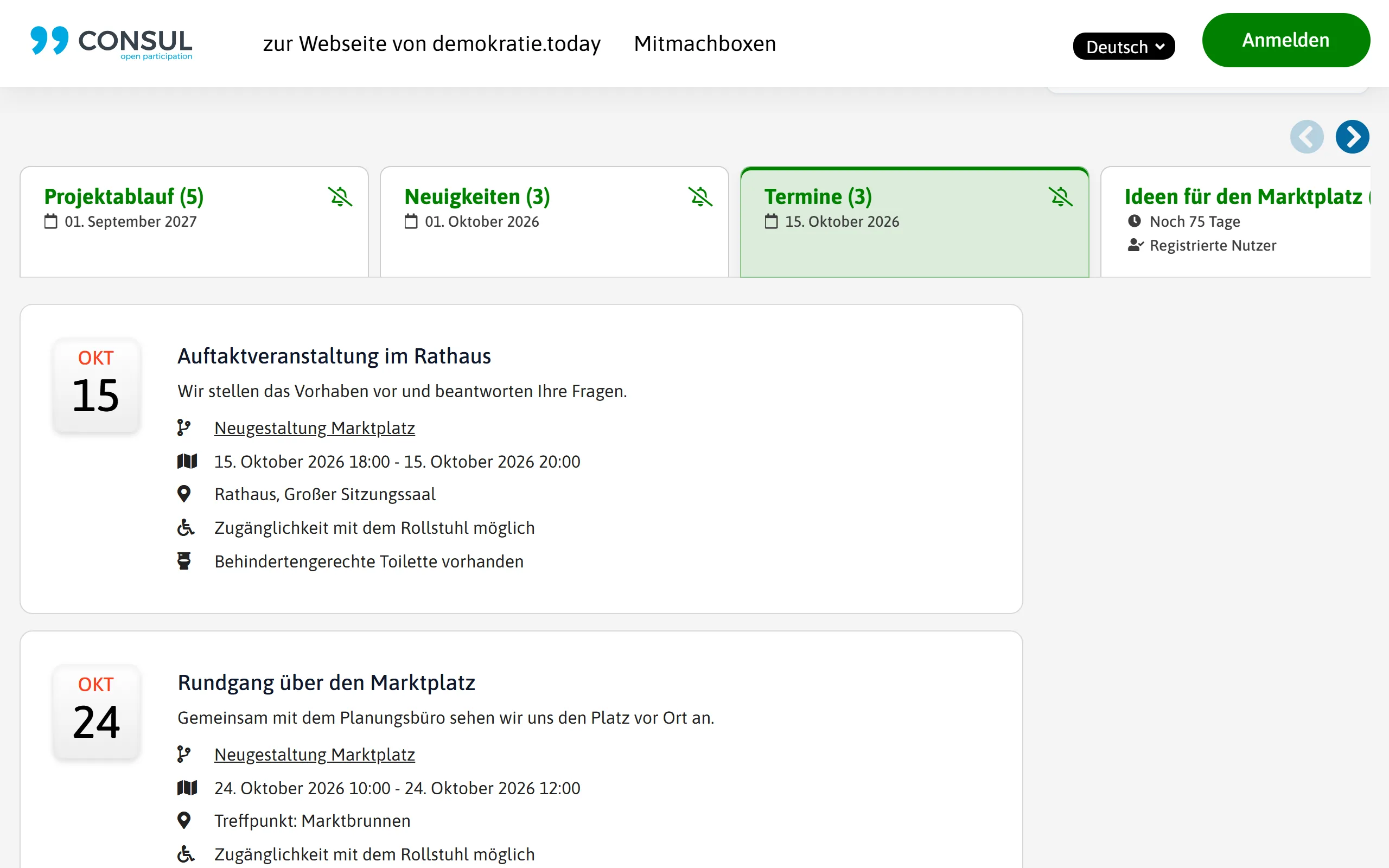
What an event shows
- Date and place Date and time, with an end time or “Open end” if applicable, plus the location and a web link.
- Description and image What the event is about and how it runs.
- Language and accessibility The language of the event and what the venue offers, such as “Wheelchair accessible”.
- Available spots For events with registration and a limited number of participants, for example “12 von 30 Plätzen verfügbar” (12 of 30 spots available) or “Fully booked”.
Registering
- Click “Register another person” at the event.
- Enter your first name, last name and email, and click “Sign in”.
- Confirm your registration using the link in the email, if you receive one.
Step by step: Register for an event
Good to know
- You don’t need an account to register.
- Some platforms also have an “Events” calendar with the dates of all projects.
- If an event is fully booked, click “Join waitlist” to get on the waitlist. When a spot opens up, you move up in the order of registration.
- You can’t register once the event has started.
- To cancel your registration, click “Cancel”.
- The platform emails you about new events if you have subscribed to the project and the administration sends the notification.