
Reference
Reference
Citizens' guide
Citizens' guide
In a poll, you answer questions that your administration asks in a participation project. Depending on the question, you choose one or more answers, distribute votes, rate on a scale, or place pins on a map. Some polls are also held on site.
Polls
In a poll, you answer questions that your administration asks in a participation project. Depending on the question, you choose one or more answers, distribute votes, rate on a scale, or place pins on a map. Some polls are also held on site.
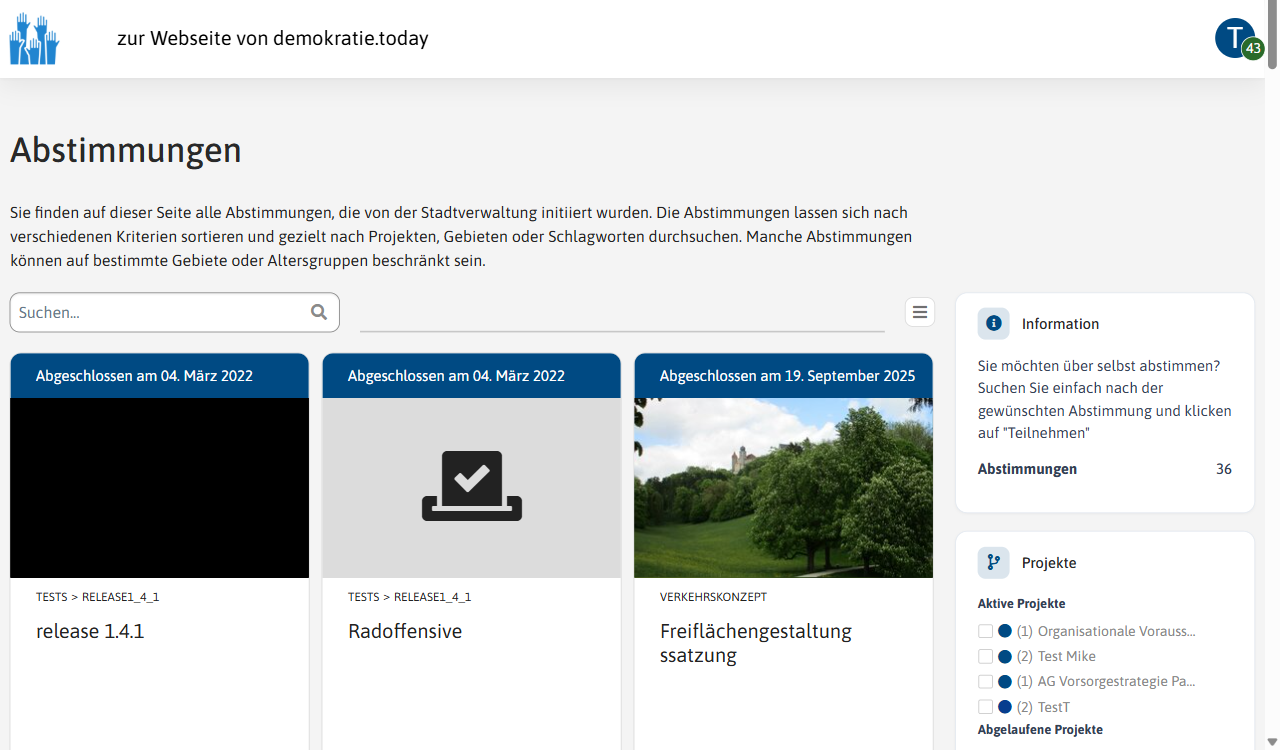
How to vote
- Open the project and select the poll’s tab there. Alternatively, you can find polls on the “Polls” overview page.
- Click “Participate” on the poll you want. Before the poll starts, the button reads “Preview”. After it ends, the button reads “Results”. The administration can change the label.
- Read the note above the questions. It tells you whether you must log in, register or verify your account first. Some polls do not require registration.
- Answer the questions. Your vote is saved right away and confirmed with “Your vote was counted!”.
- When you are done, click “Complete”. The final page appears. Your answers are already saved at this point.
How to answer the questions
- One answer
- Click an answer to cast your vote.
- Multiple answers
- Choose answers up to the stated maximum.
- Weighted votes
- Distribute your votes across several answers by weight.
- Scale
- Choose a level on the scale.
- Map question
- Click on the map to place a pin. Below the map, you see how many pins you can still place. Pins outside the permitted area are not accepted.
- Open answer
- Write your text in the text field. It is saved automatically.
A note box above the answers can explain how many votes you may give for this question. Use “More info” to open more details about an answer.
Required questions and flow
- Questions with an asterisk are required. You can only continue once you have answered a required question.
- If the questions appear one at a time, switch between them with “Next question” and “Previous question”.
- Depending on your answer, the poll can skip a question, show a matching follow-up question, or end right away.
- The order of questions or answers can be different for each person. Your own order stays the same each time you open the poll.
Change your answers
You can change your answers until the poll ends. To withdraw a vote, click the answer again. To remove a pin, click it.
After the poll ends, you can no longer participate.
Good to know
- If you have already voted on site, you cannot also take part online. On site, polling officers record your vote for you.
- Organization accounts cannot vote.
- Some polls are limited to certain areas, age groups or groups. The note on the poll page then states the restriction.
- The administration decides whether and when you see stats and results, even during the poll. Released sections appear as “Stats”, “Results” and “AI analysis”.
- If comments are turned on, you can discuss the poll with others below it.