
Reference
Reference
Citizens' guide
Citizens' guide
In municipal plans, your municipality presents its ongoing and planned projects. For each plan, you see the current status, the next steps, the districts affected and a contact person. You do not need an account to read plans or submit notices.
Municipal plans
In municipal plans, your municipality presents its ongoing and planned projects. For each plan, you see the current status, the next steps, the districts affected and a contact person. You do not need an account to read plans or submit notices.
Municipal plans are only available if your municipality has turned them on. It can add them to the main menu.
Find plans
- Search
- The search field looks through the titles and texts of the plans, for example for “market square”.
- Filter
- By “District”, “Topic”, “Citizen participation” and “Label”. The list reloads with each box you check. You confirm the period under “Updated on” with “Apply filter”. On the map, click a district to filter by it.
- Sort
- By the order set by the administration, by update date, title, category or location.
- Labels
- “new entry” for plans added in the last 30 days, “updated entry” for recently changed ones. Also “formal citizen participation” and “informal citizen participation”.
- Archive
- Find completed plans via “Go to the municipal plans archive”. They keep all their details but are no longer updated.
A plan’s page
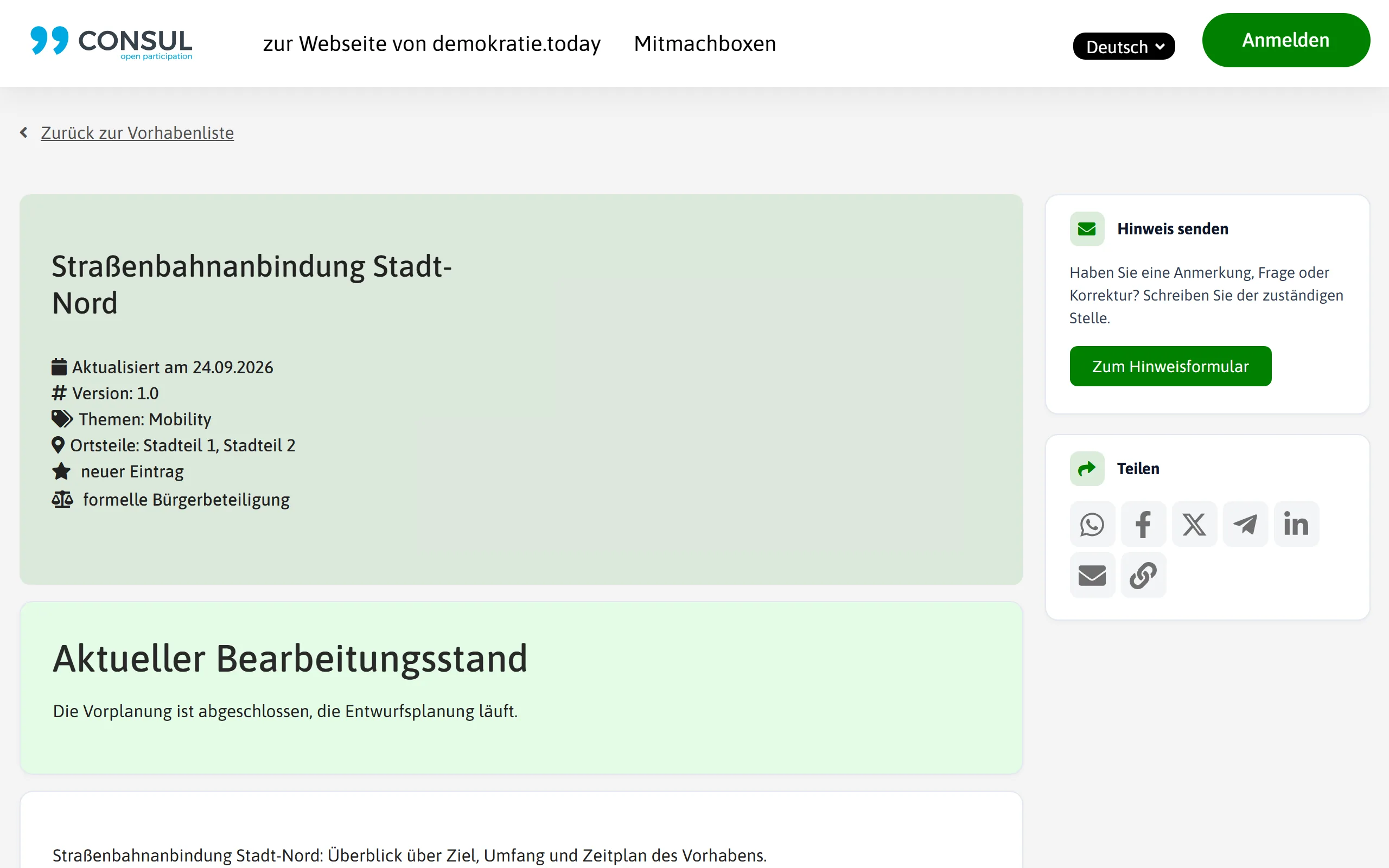
- “Worum es geht” (what it is about) summarizes the plan.
- “Where does the plan stand?” shows the latest decision, the current status and the next steps.
- “Citizen participation” tells you whether formal or informal participation is planned. If a participation project is running for the plan, “Go to the project” takes you there.
- The sidebar shows the contact person, “At a glance” and “Links & documents”.
- “Updated at” and the version show how current the information is.
Submit a notice
- On the plan’s page, click “Submit a notice”.
- Enter your “Email” and “Your notice”. You can give your name, but you do not have to.
- Click “Send notice”. Your notice goes directly to the responsible department.
The administration receives your notice by email, together with your email address. It does not appear publicly. You can no longer submit a notice for archived plans.