
Reference
Reference
Deficiency reports
Deficiency reports
In the Deficiency reports module, citizens report damage and problems in public spaces, for example potholes or broken streetlights. It is a standalone module and does not belong to any participation project.
Deficiency reports
In the Deficiency reports module, citizens report damage and problems in public spaces, for example potholes or broken streetlights. It is a standalone module and does not belong to any participation project.
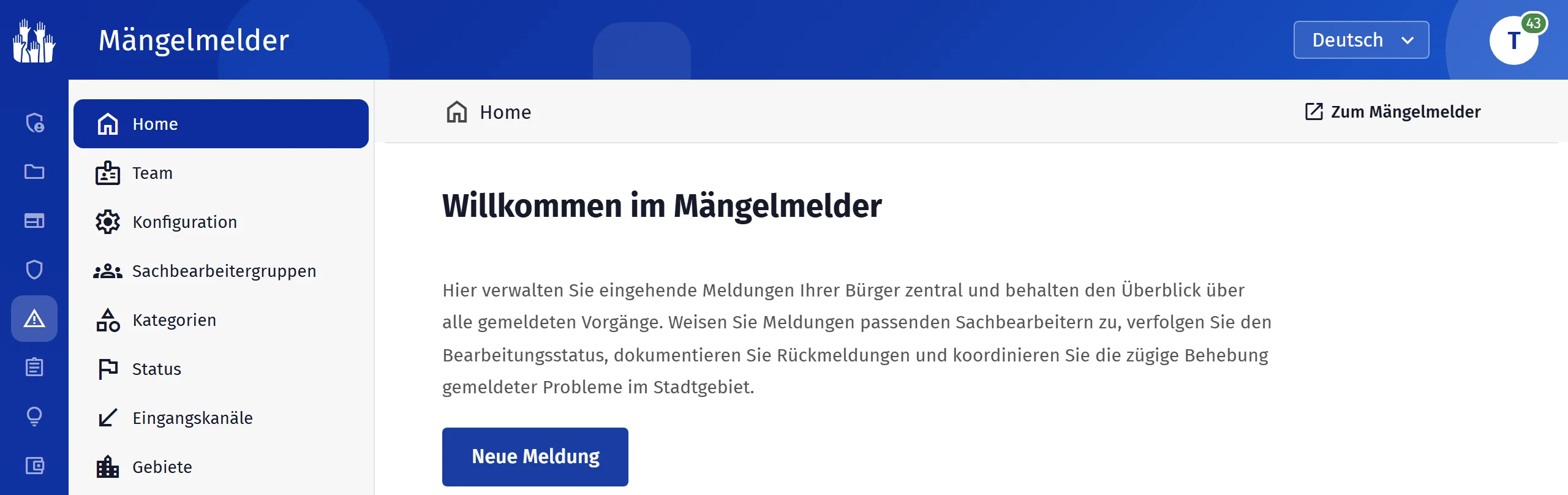
In the administration area, Deficiency reports has its own dashboard with its own menu. The home page is called “Welcome to the deficiency reporter”. A custom name under “Configuration” replaces “Deficiency reports”.
How a deficiency report is handled
- A citizen submits the deficiency report. It gets the top status and the default intake channel.
- The platform assigns it automatically: by area, subcategory, or category. The people responsible receive an email.
- The case officer sets the status, writes internal notes, and writes an official response. The person who reported the deficiency receives the official response by email.
- A status with “Archive” closes the deficiency report. Seven days later, it is archived.
The details are in Day-to-day operations.
Who sees what?
- Administrators See all menu items and all deficiency reports. Only they turn on Deficiency reports and change the sender address of the emails.
- Deficiency administrators Have the same rights in Deficiency reports, except for these two. The administrator assigns the role. Go to the role
- Case officers Process deficiency reports. In the menu, they see “Home” and “Response templates”.
- Case officers with “Manage all” See all deficiency reports and all menu items except “System emails”. They cannot change the switches and texts under “Configuration”.
The menu
- “Home” Key figures, the table of all deficiency reports, and “New report”. Also the intro text, notice, contact persons, “activities”, and “Team”. Day-to-day operations
- “Team” Create case officers and give them “Manage all”. Team and groups
- “Configuration” All settings for Deficiency reports, in five tabs. Setup and configuration
- “Officer groups” Case officers as a group, for example “Civil engineering office”, with a shared address. Team and groups
- “Categories” Categories, subcategories, and their default responsibility. Categories and responsibility
- “Statuses” Processing stages, reminder deadlines, and the email to the person who reported the deficiency. Statuses and reminders
- “Intake channels” How requests come in, for example phone or email. Intake channels
- “Areas” Responsibility by location. Categories and responsibility
- “Response templates” Text blocks for official responses. Response templates and emails
- “System emails” Subject and text of all emails, sender, and footer. Response templates and emails Only administrators and deficiency administrators
- “Statistics” Key figures, satisfaction, trends, and detail tables. Statistics
- “AI settings” The voice assistant for the deficiency report form. AI in Deficiency reports