
Response templates and emails
Response templates are text blocks for official answers. Use “System emails” to customize the automatic emails sent by Deficiency reports.
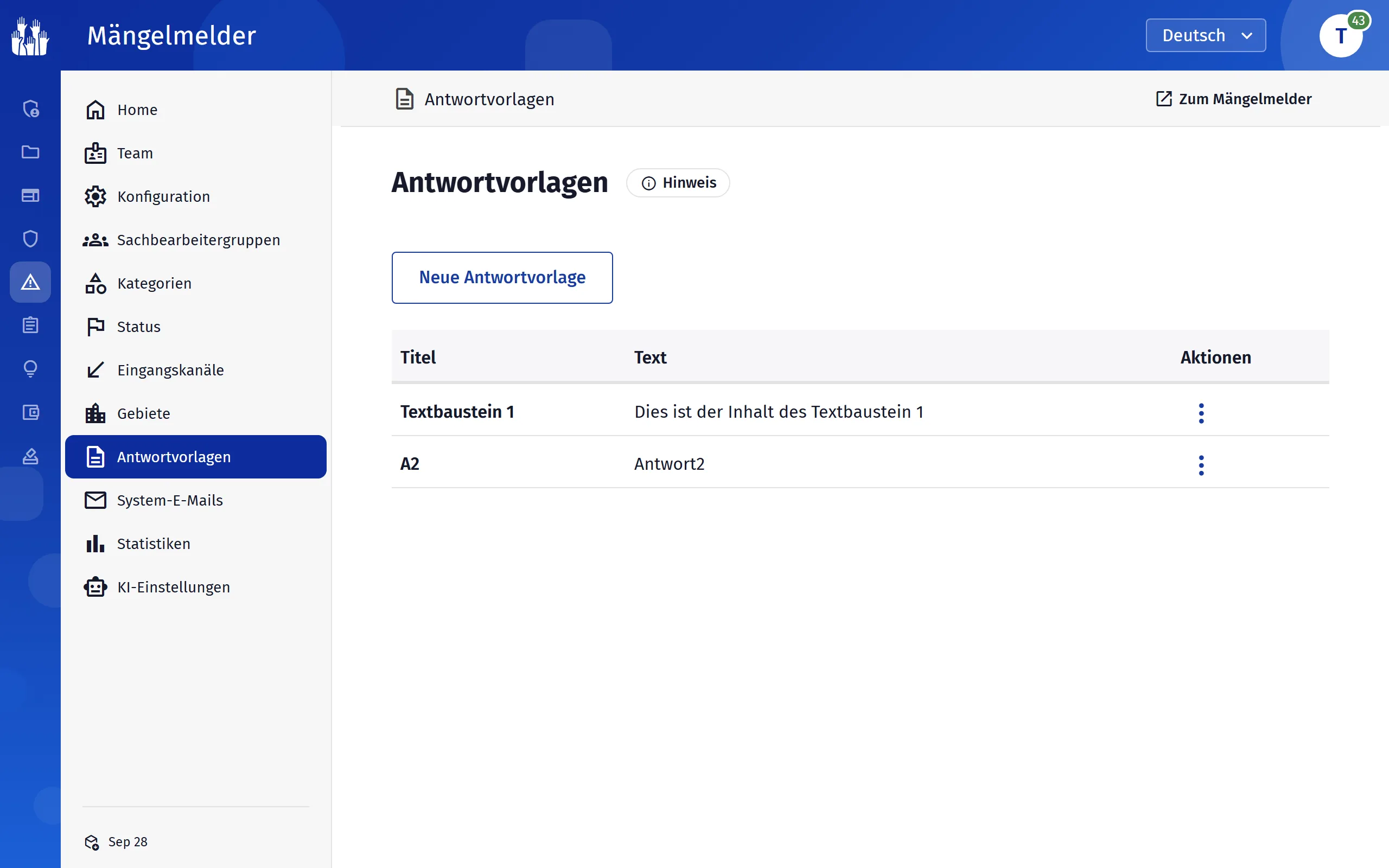
“Response templates”
All case officers see this menu item, as do administrators and deficiency report administrators. Use “New response template” to create a text block.
- “Title”
- Internal name in the selection list, for example “Standard response: road damage”.
- “Text”
- Is inserted into the answer field when someone chooses the template. After the answer is saved, the text is public.
In a deficiency report, the “Response template” field appears above the official answer as soon as at least one template exists. Step by step: Create response templates
Choosing a template replaces all the text in the answer field.
“System emails”
Only administrators and deficiency report administrators see this menu item. It has the tabs “Templates” and “Settings”. Step by step: Customize the Deficiency reports emails
“Templates” tab
The emails are in two groups: “Emails to citizens” and “Emails to staff”. You expand each email individually.
- “Trigger”, “Recipients”
- When the email goes out and to whom.
- “Default template”
- The preset text, as long as you change nothing.
- “Subject”, “Content”
- Your own text. Under “Available variables” you find placeholders like
{{ deficiency_report_title }}, which are replaced when the email is sent. - “Customized”, “Send test email to me”
- After you save, the email carries the “Customized” marker. Then “Send test email to me” sends it to your own address, with the placeholder names instead of real values.
An empty template keeps the default text.
The emails to citizens
- “Deficiency report submission confirmation”
- Sent after someone submits a report through the public form. It also says whether the report is already public. For a report created through “New report” in the admin area, it goes out only if an account of the reporting person is linked to the report.
- “Deficiency report status change”
- Sent at every status change, with the “Email notification text” of the new status.
- “Official answer to a report”
- Sent to the reporting person as soon as the official answer is added or changed. It contains the text of the answer. It does not go out for a report that someone created in the admin area for themselves.
- “Deficiency report feedback request”
- Sent 24 hours after the report moves to a status with “Archive”, if “Send feedback form” is turned on.
The emails to staff
- “New deficiency report (staff)”
- Sent for every new report, from the public form or through “New report”, to all deficiency report administrators and to administrators with the account setting “Email notification on each new Deficiency Report”.
- “Deficiency report assigned to officer”
- Sent to the responsible case officers, when a new report is assigned automatically and with every manual assignment.
- “Deficiency report assigned to officer group”
- Sent to the “Default email” of a group when a report is assigned to it.
- Sharing email, subject “Anliegen mit Ihnen geteilt” (report shared with you)
- Sent to each person someone shares a report with through “Share”.
- Email to watchers, subject “Änderung an einem beobachteten Anliegen” (change to a watched report)
- Sent to everyone who watches a report, when it gets a new assignment, a new status, a changed official answer or a new internal note. The person who made the change does not receive it.
- “Overdue deficiency reports” and overview, subject “Overview of overdue reports”
- The reminders, described under Status and reminders.
- “Unassigned deficiency reports”
- Also see Status and reminders.
“Settings” tab
- “Sender address for deficiency report emails”
- Sender of all emails from Deficiency reports. Citizens see it as the contact address. Only administrators can change this address.
- Footer
- A shared closing for all Deficiency reports emails. If you fill it in, the greeting in the default texts is dropped.