
Guides
Guide
Administrator
Administrator
You want to know how many people use the platform and where participation takes place, for example for a report.
Reading the platform statistics
Your goal
You want to know how many people use the platform and where participation takes place, for example for a report.
Open “Statistics”
What you need
- You are an administrator.
How to do it
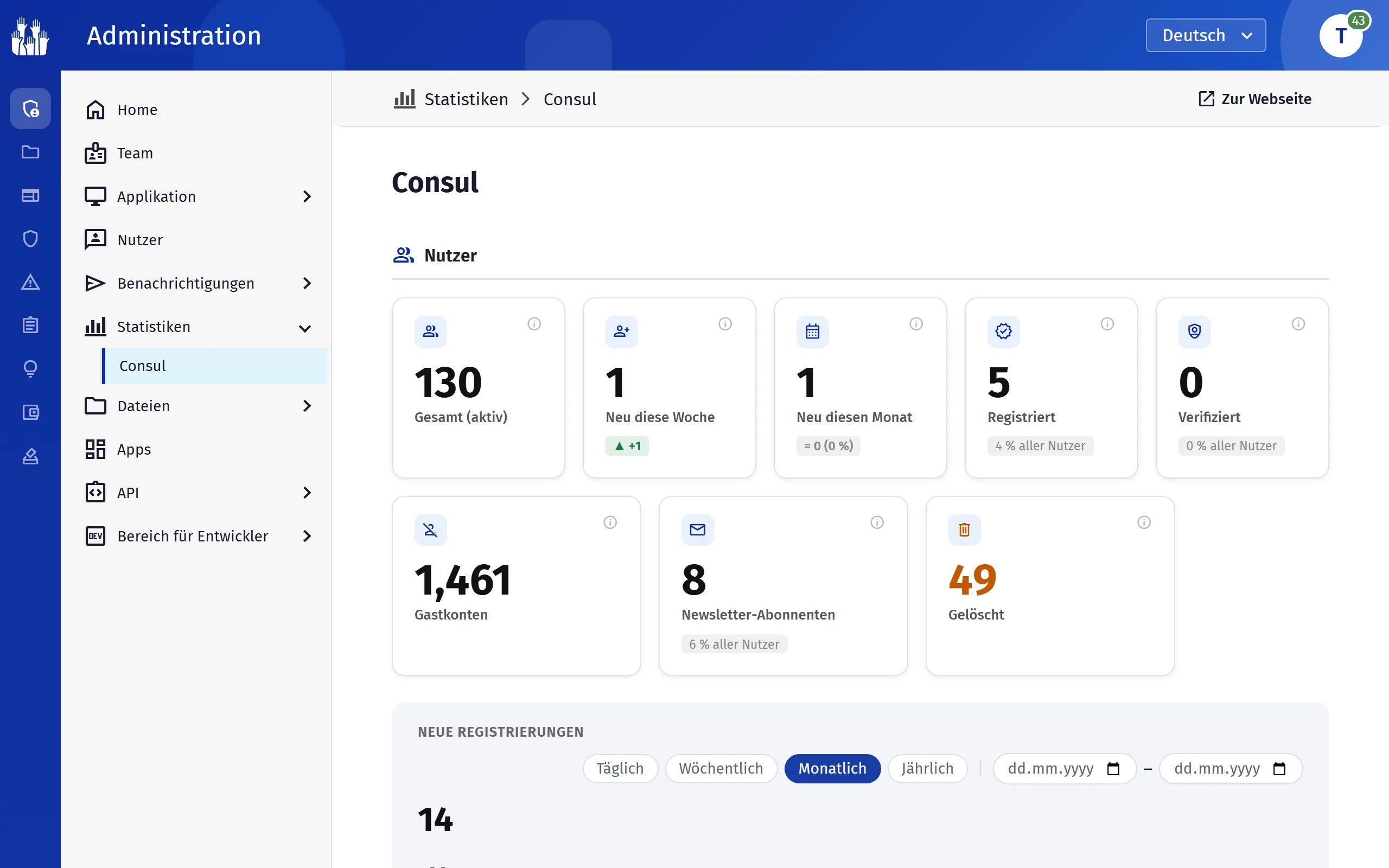
- Under “Statistics”, open “Consul”.
- Under “Users”, read the total number and the new registrations. The trend compares with the previous period.
- In the “New registrations” chart, set the resolution, for example “Monthly”. For a reporting period, enter “From date” and “To date”.
- Under “Participation phases”, check which phase types were used how often and how many contributions came in.
- Hover over a tile to see exactly what it counts.
The decisions
- Platform or project?
- The statistics count across the whole platform. You can find figures for a single project in its evaluation.
- Accounts or visits?
- “Consul” counts accounts and contributions. “Matomo” shows how many people visit the pages, if it is turned on for your platform.
Pitfalls
“Level two users” counts accounts with a verification date, not all accounts with a confirmed email address. “Total (active)” shows all active accounts.
“New this month” counts from the same day of the previous month, not from the first day of the month.
With “Reset”, the chart shows the default period again. A period can span ten years at most.