
Statistics
Under “Statistics” you see at a glance how the platform is used. “Consul” counts accounts, projects and contributions. “Matomo” shows visitor numbers.
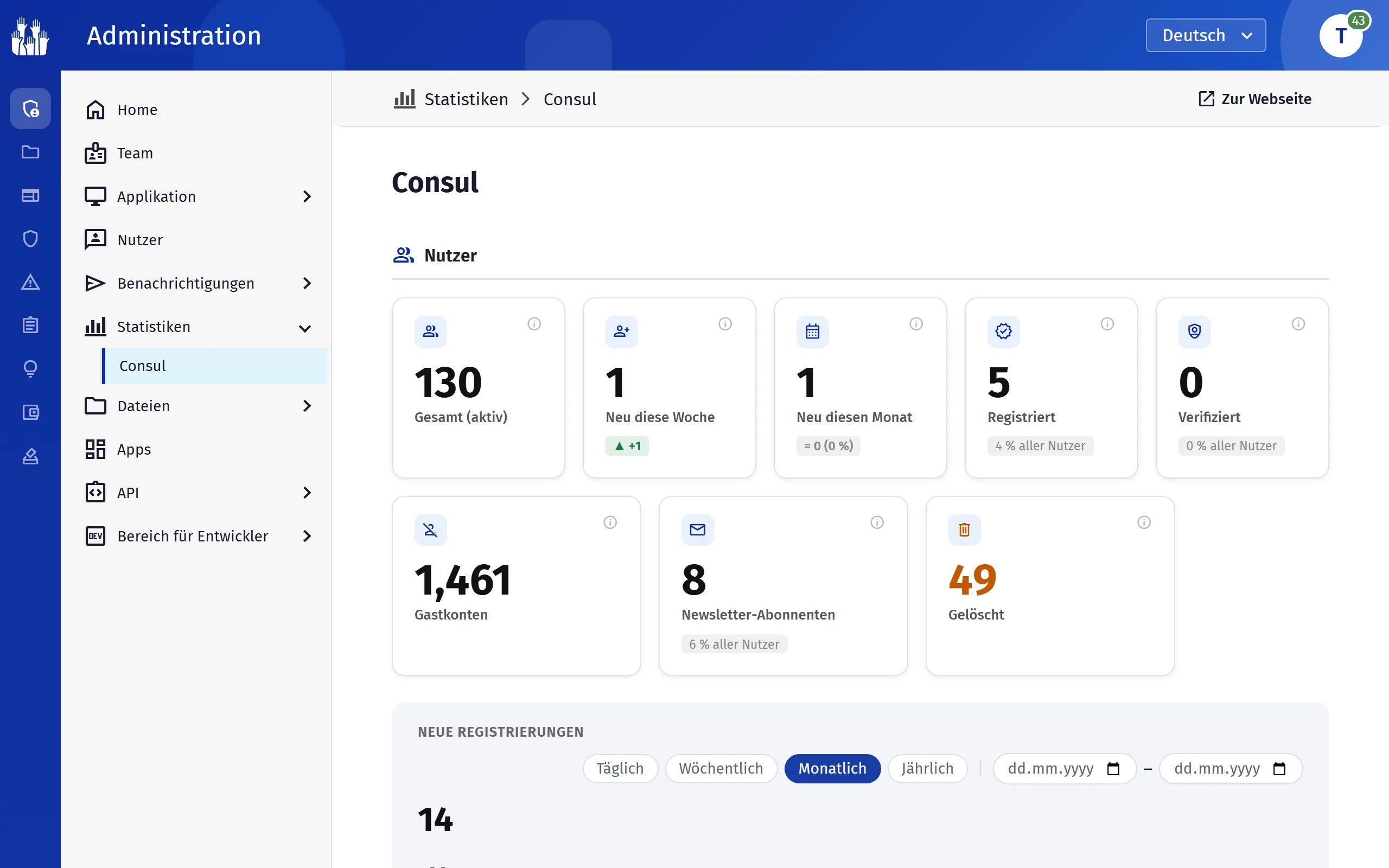
Step by step: Read the platform statistics
Consul
Each tile explains what it counts when you hover over it. The numbers cover the whole platform.
- “Users”
- “Total (active)”, “New this week” and “New this month”, with the trend compared to the previous period. Also “Level two users”, “Verified”, “Newsletter subscribers”, “Guest accounts” and “Deleted”.
- “New registrations”
- Chart of new sign-ups. Choose “Daily”, “Weekly”, “Monthly” or “Yearly”, and narrow the range with “From date” and “To date”, up to ten years.
- “Projects”
- “Total”, “Active”, “Expired” and “Subscriptions”.
- “Participation phases”
- For each phase type, how often it was used and how many contributions, votes or replies came in.
- “Deficiency reports”
- “Total”, “Open” and “Unassigned”. Only if Deficiency reports is switched on.
- “User demographics”
- “Gender” and “Areas (Top 10)”, as far as users have provided this information.
- “Activity (last 12 months)”
- Comments and new proposals per month.
“Total (active)” counts accounts with a confirmed email address, excluding guests and deleted accounts. “Level two users” counts accounts with a verification date. “Verified” counts accounts with a complete identity check.
Matomo
This menu item only appears if Matomo is switched on for your platform. It embeds the Matomo dashboard, set to the week of the previous day.
If the credentials are missing, it says “Matomo is not configured.” demokratie.today handles the setup.