
Reference
Reference
Administration
Administration
Under “Files” you find all images and documents of the platform in one place. You upload files, rename them, add alt text, and delete what you no longer need.
Files
Under “Files” you find all images and documents of the platform in one place. You upload files, rename them, add alt text, and delete what you no longer need.
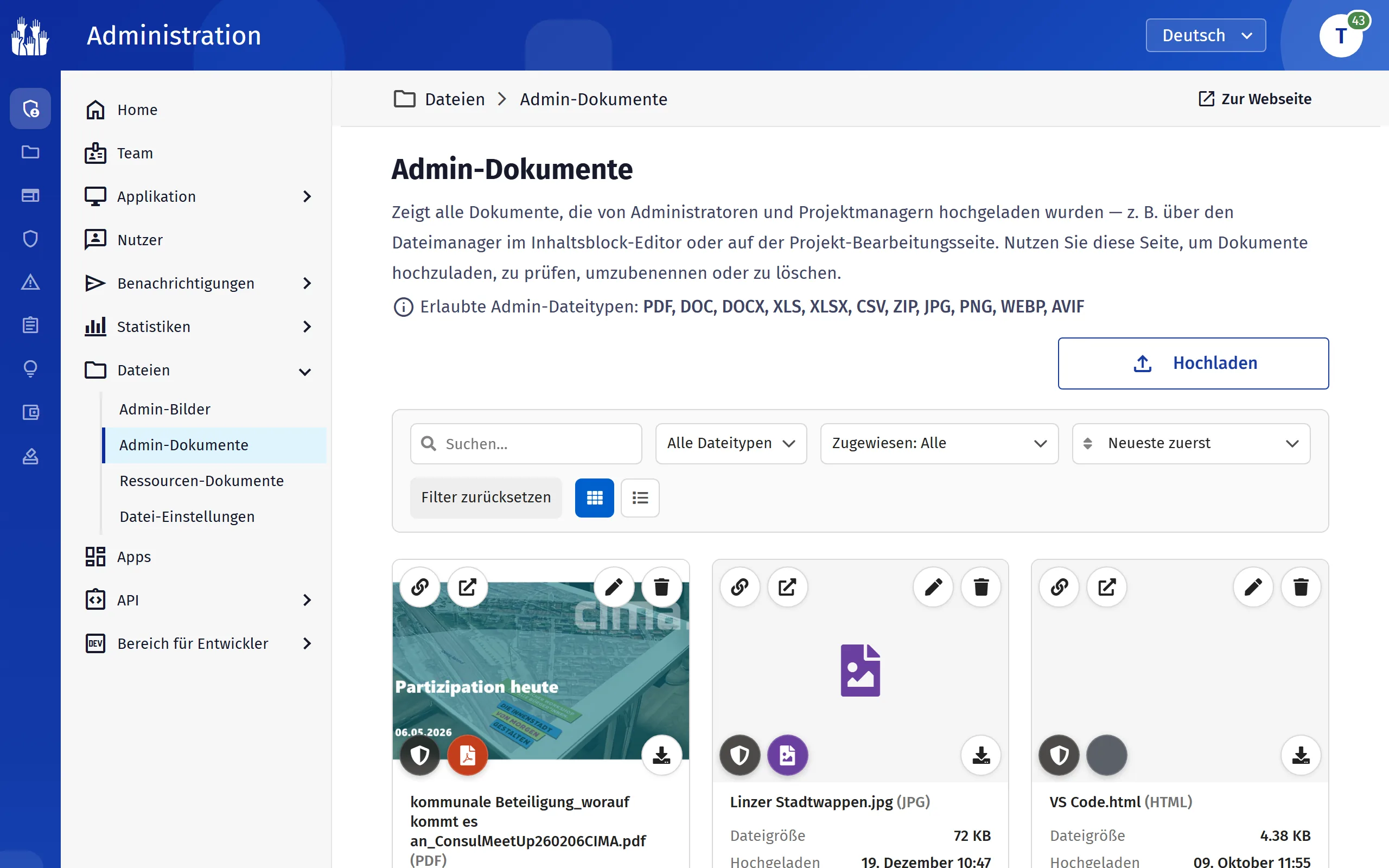
Step by step: Upload and link files
The subpages
- Admin-Bilder (admin images) Images uploaded by administrators and project managers, for example in the file manager of the content block editor. Upload with “Upload” or “Upload with crop”.
- Admin documents Documents uploaded by administrators and project managers. Upload with “Upload”.
- Ressourcen-Dokumente (resource documents) Documents attached to content, such as attachments to proposals or milestones. They arrive through the forms of that content. You cannot upload here.
- Datei-Einstellungen (file settings) What users may upload, see below.
Search and sort
- Search field “Search…”
- Searches the files on the page.
- Filters
- Among others “File type”, “Min size (MB)”, “Max size (MB)”, “Created from” and, for documents, “Assigned to”. “Clear filters” removes them all.
- “Sort”
- For example “Newest first”, “Name A–Z” (by name, A to Z) or “Largest first”.
- “Map view”, “List view”
- Tiles with a preview, or a table.
Edit a file
- “Edit”
- Change the title. For images, you can also change the “Alt text” for screen readers. Images without alt text show a notice.
- “Copy link”
- For documents: copies the address of the file, for example for a link in a text.
- “Open file”, “Download”
- In the detail view of a file.
- “Delete”
- Removes the file after a confirmation prompt.
If you delete a file, it is missing everywhere it is embedded or linked.
File settings
- “Maximum image size”, “Maximum document size”
- In megabytes. Larger files are rejected on upload.
- “Allowed image formats”, “Allowed document formats”
- Which file types users may upload.
- “Minimum image title length”, “Maximum image title length”
- The image title serves as alt text.
- “Maximum number of documents”
- The most documents a post can have.
The file settings apply to uploads by users, for example on proposals. For administrators and project managers, each page above lists the allowed file types.