
Reference
Reference
Administration
Administration
Under “System pages” you maintain the imprint, the privacy policy and the other pages in the footer. Under “GDPR” you set the platform’s privacy-related defaults.
System pages and data protection
Under “System pages” you maintain the imprint, the privacy policy and the other pages in the footer. Under “GDPR” you set the platform’s privacy-related defaults.
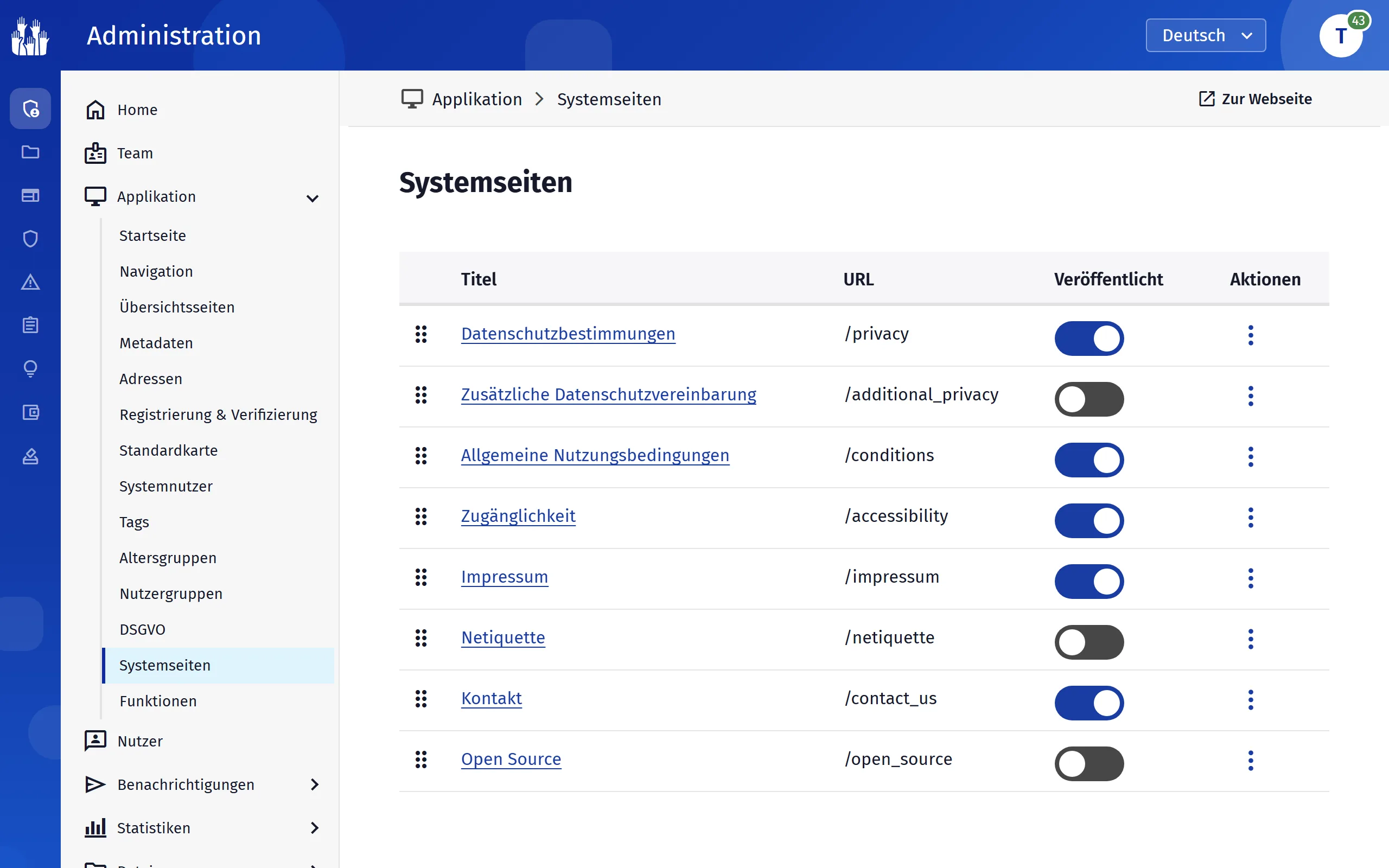
Step by step: Maintain the imprint and privacy policy
System pages
The platform creates eight fixed pages: “Privacy Policy”, “Additional privacy agreement”, “Terms and conditions of use”, “Accessibility”, “Imprint”, “Netiquette” (online etiquette rules), “Contact” and “Open source”. You can’t add other pages here, and you can’t delete any of them.
- “Published”
- Switch in the table. Only published pages are publicly accessible and appear in the footer.
- Handle on the left
- Changes the order of the links in the footer.
- “Edit”
- The “Title”, “URL slug”, “Statuses” and “Content” of the page.
- “Open page”
- Shows the page on the platform.
If you change the “URL slug”, links to the old address stop working.
GDPR
- “GDPR-compliant defaults”
- New accounts start with no newsletter, no emails about comments, replies and direct messages, no email summary, and with activity set to not public. Existing accounts don’t change.
- “Warning on external links”
- A notice appears before users leave the platform through an external link.
- “Two-click solution for iframes”
- Embedded videos and iframes load only after a click. Until then, no data flows to the provider.
- “Duration of user sessions in minutes”
- After this time, inactive users are logged out. This also applies to administrators. A value below 1 counts as 30 minutes.
- “Verification link validity in days”
- This setting currently has no effect.
Defaults on a new platform: GDPR defaults, link warning and two-click solution are on, and sessions last 30 minutes.