
User groups, age groups and addresses
Three subitems of “Application” provide the basis for limiting projects and participation phases to a group of people: by group, by age and by place of residence.
You set the restriction in the project under “Visibility & display” and in the participation phase under “Beteiligungsbeschränkung” (participation restriction).
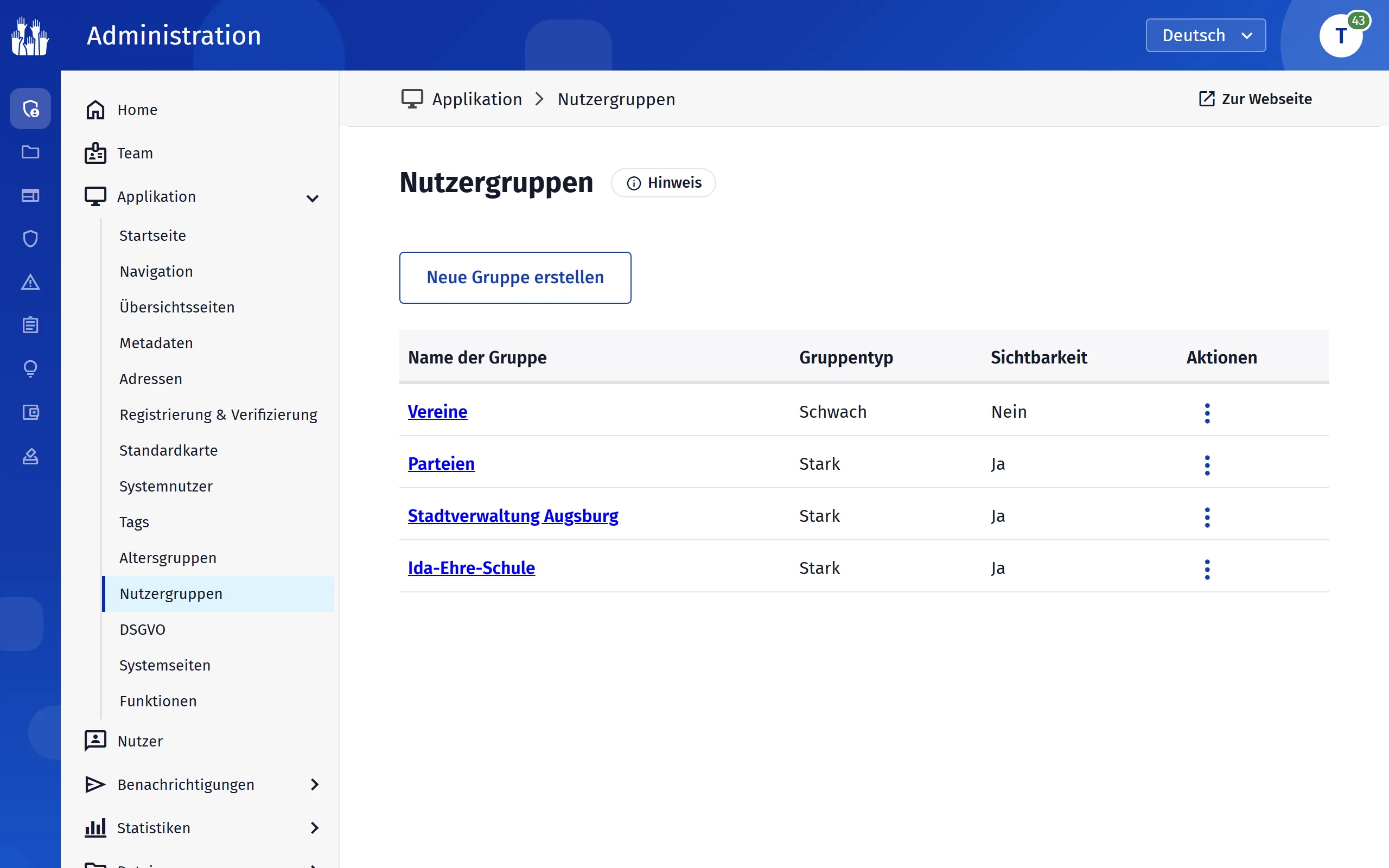
User groups
A user group has values, and users belong to one or more values. Example: the group “Department” with the values “Building department” and “Urban planning”. Step by step: Create user groups for restrictions
- “Kind” “Strong”
- You assign the members. Only strong groups are available when you restrict the visibility of a project. Members see their membership in their account but cannot change it.
- “Kind” “Weak”
- Users choose their values themselves, in their account and at registration. You assign members here just as you do for strong groups.
- “Visible”
- Only visible groups are available for selection in projects and participation phases. Weak groups appear in the registration form only if they are visible.
- “E-mail pattern”
- On the value, starting with “@”, for example
@stadt-musterstadt.de. All accounts with this ending are added to the value automatically, including accounts created later. - Members of a value
- Individually through search, as a CSV list, or as an email address without an account. People without an account are added as soon as they register.
In the participation phase, the field is called “Restriction to strong groups”, but it shows all visible groups, including weak ones.
Age groups
Two tabs separate the uses: “Age restriction” for taking part in participation phases, “Age groups for statistics” for analysis.
- “Create new age group”
- Name, “Minimum age” and “Maximalalter” (maximum age). “Nur für Statistiken” (statistics only) sets the use and cannot be changed after you create the group.
- Order
- By drag and drop within a tab. This is how the groups appear in selection lists and reports.
Age restrictions need the users’ date of birth. It is requested in the “Erweiterte Registrierung” (extended registration).
Addresses
Your municipality’s address directory with city, postal code, street, house number, area and other groupings such as electoral districts. You can view, search and sort it here.
- The areas and groupings are available for selection in participation restrictions.
- With stored addresses, users select their address from lists during extended registration.
demokratie.today imports the addresses from a CSV file. Updates also go through demokratie.today.