
Guides
Guide
Administrator
Administrator
You want to set the header image, title and content of the homepage and build the main menu.
Set up the homepage and navigation
Your goal
You want to set the header image, title and content of the homepage and build the main menu.
Open “Homepage”
What you need
- You are an administrator.
How to do it
Homepage
- Under “Application”, open the “Homepage” page.
- Upload “Background image for desktop” and “Background image for mobile”, plus “Logo (white background)” and “Logo (transparent background)”.
- Enter “Application title” and “Application subtitle”.
- Under “Content cards”, turn on the cards you want and drag them into the right order. Change the title and number with the pencil icon.
Navigation
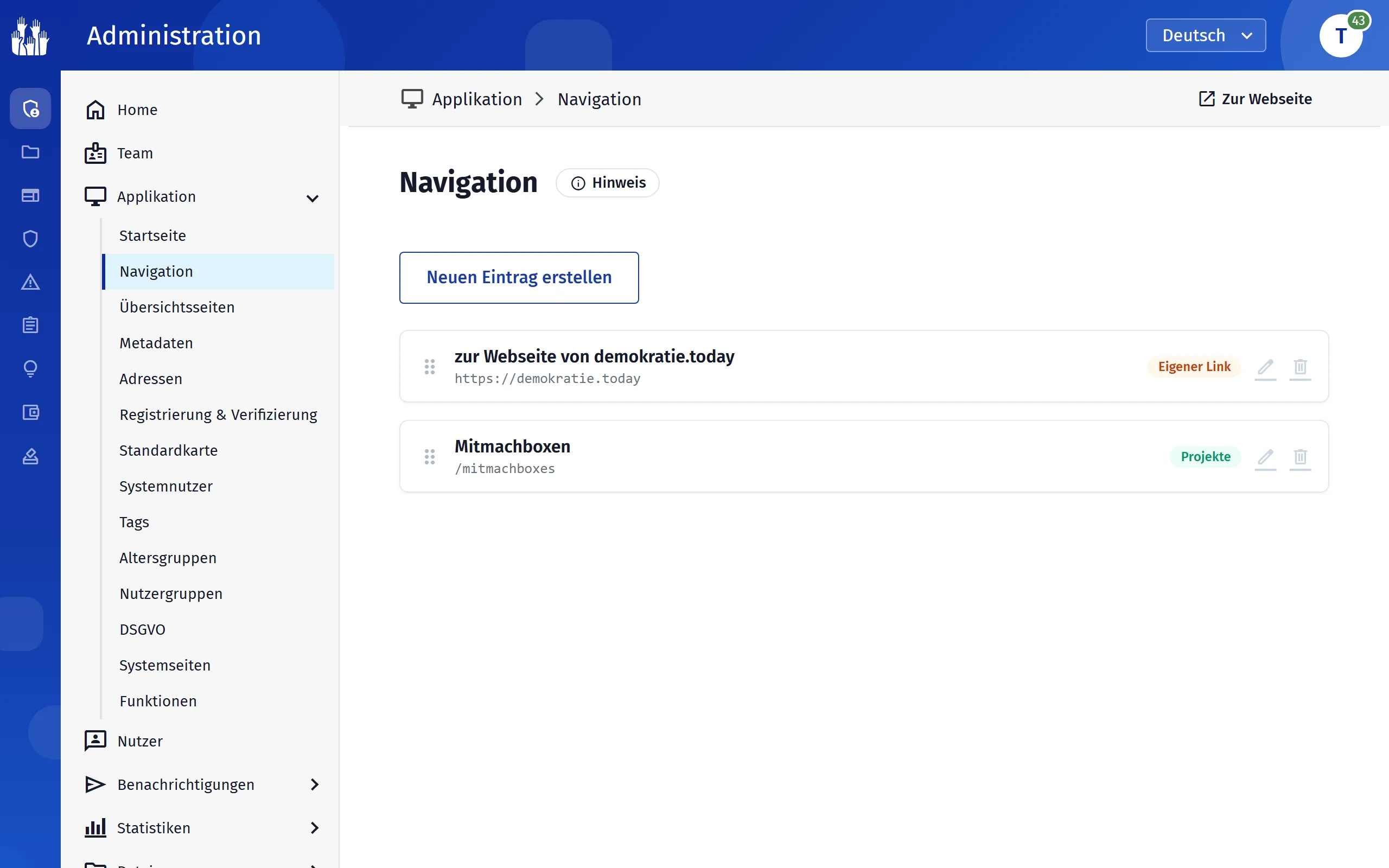
- Under “Application”, open the “Navigation” page and click “Create new entry”.
- Choose the type: “System pages”, “Projects”, “Topic pages” or “Custom link”.
- Select the page or enter the link. Use “Display name (optional)” to change the label.
- Click “Create navbar item”.
- Arrange the entries by drag and drop. If you drag an entry under another one, it becomes a submenu.
The decisions
- Image or video in the homepage header?
- “Background video for desktop” and “Background video for mobile” play in a loop without sound. Visitors can pause the video with a button.
- A button in the homepage header?
- “Homepage button text” and “Homepage button link” create a button, for example to a running project. “Project search” shows a search field for projects.
- Show platform figures?
- “User overview” shows the number of registered users. “Platform statistics” shows key figures such as projects, proposals and comments. “Newsletter signup” shows a signup for the newsletter.
- What belongs in the menu?
- Overview pages of the platform, individual projects, topic pages and external links. A submenu has no further level below it.
Common pitfalls
A “Homepage button link” must start with “/”, “http://” or “https://”. Otherwise the button does not appear. External links open in a new tab.
The subtitle only appears if an “Application title” is also entered.
A system page is only available to select if its module is turned on, such as the Deficiency reports module. If you delete an entry that has a submenu, its entries move up to the top level.
Topic pages have their own navigation. You manage it in the topic page itself.