
Guides
Guide
Administrator
Administrator
You want to find a user account, review it, and block it for rule violations.
Find and block users
Your goal
You want to find a user account, review it, and block it for rule violations.
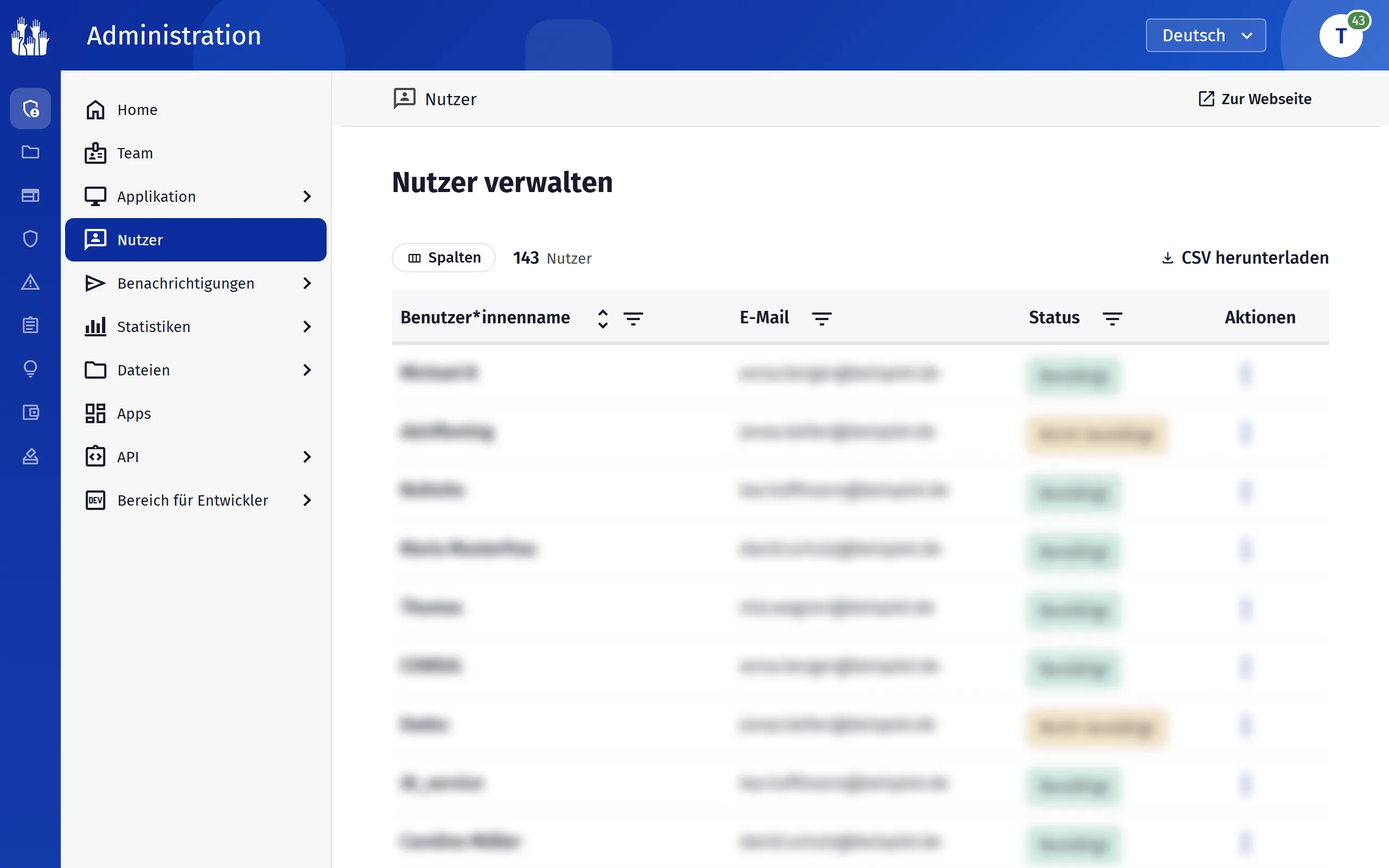
Open “Users”
What you need
- You are an administrator.
How it works
- In the administration, open “Users”. Search by name or email address using the column headers. Show more columns, such as address or “Roles”, with “Columns”.
- Use the actions in a row to verify or edit the account. The “Change log” shows the changes made to the account.
- To block someone, open “Nutzer blockieren” (block user) in moderation and search for the person by email address or username.
- Click “Hide” or “Block” and confirm.
The decision: hide, block, or delete?
- “Hide”
- The person is hidden. Their contributions remain.
- “Block”
- The person is hidden along with all their contributions (including ideas and deficiency reports) and comments. They also lose the roles of administrator, moderator, and assessor.
- “Delete permanently”
- Under “Users”: The account and all personal data are deleted irreversibly.
“Verify” sends the person an email confirming their verification. “Remove verification” undoes it.
“Download CSV” exports the current view with all filters. You receive the download link by email.
Common pitfalls
Moderation has no button to undo hiding or blocking. Before you click, check that you picked the right person.
Hidden and blocked accounts have the status “Hidden” in the user list.
You cannot hide, block, or delete your own account. Administrator accounts cannot be deleted permanently.