
Guides
Guide
Moderation
Moderation
You want to hide a person who repeatedly breaks the rules from the platform.
Block a user account
Your goal
You want to hide a person who repeatedly breaks the rules from the platform.
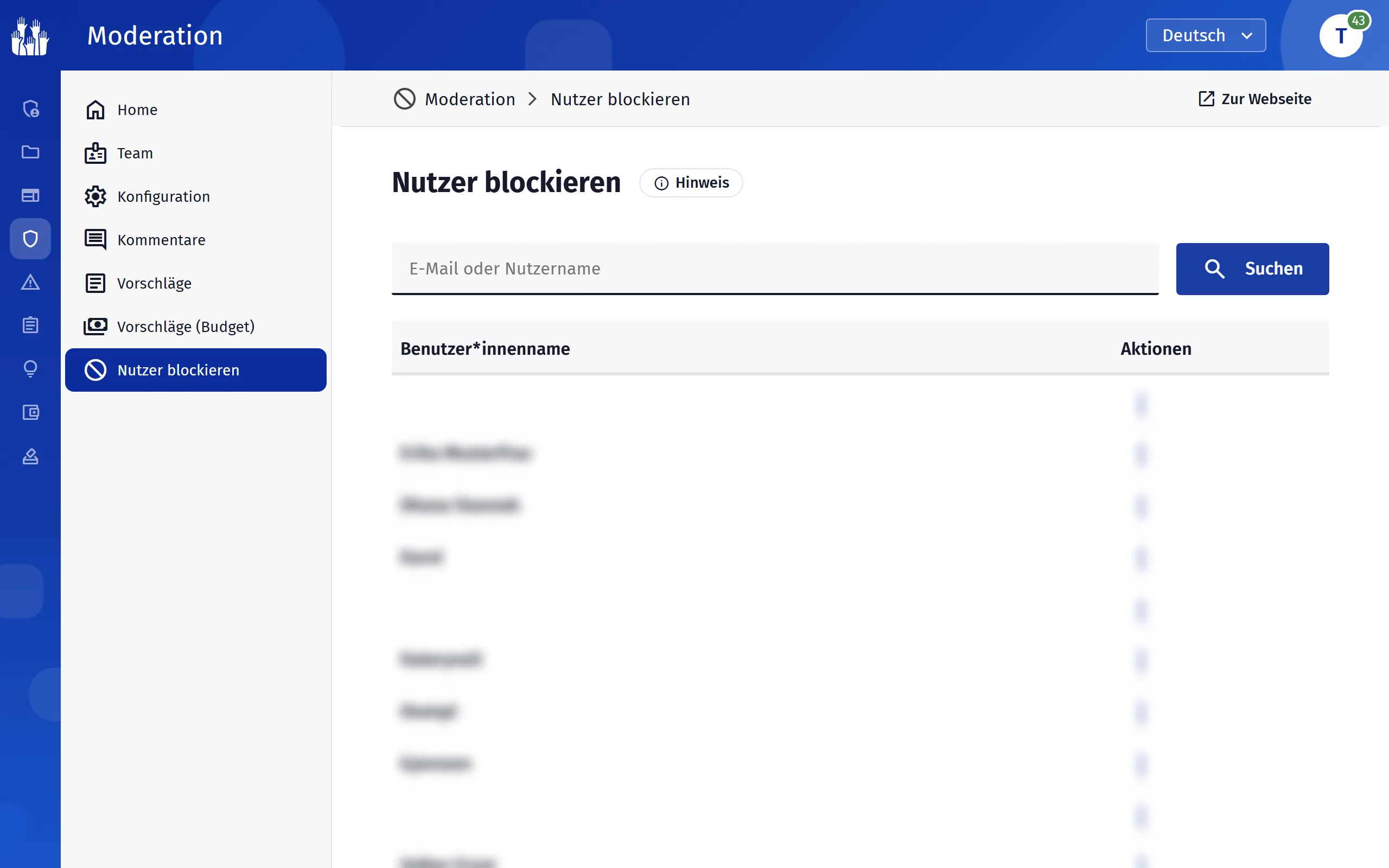
Open “Block users”
What you need
- You are a moderator or administrator.
How to do it
- In the moderation area, open “Block users”.
- Enter the email address or username and click “Search”. A part of it is enough.
- For the person, choose “Hide” or “Block”.
- Confirm the security prompt. The list then shows “Hidden” or “Blocked”.
The decision
- Should the person’s posts stay visible?
- Then choose “Hide”. The person is hidden, but their content is kept.
- Should their posts disappear too?
- Then choose “Block”. The person is hidden along with their proposals, budget proposals, debates and comments.
A person’s ideas and deficiency reports stay visible when you block them.
Pitfalls
In the moderation area, you can’t undo either “Hide” or “Block”. Check first that you found the right person.
“Block” also removes the person’s roles, such as administrator, moderator or assessor.
If only individual posts are a problem, remove those specifically: Review reported posts.
You can’t hide or block your own account.