
Guides
Guide
Project manager
Project manager
You want to tell everyone who subscribed to your project about some news.
Notify the subscribers of a project
Your goal
You want to tell everyone who subscribed to your project about some news.
Open project area
What you need
- The project exists.
- You have the “Administer project” right in the project.
How to do it
- In the project, open the “Beteiligungsphasen” (participation phases), click “Create new phase” and choose “Notifications”. Do this as early as possible in the project.
- On the project page, check that the “Notifications” box appears in the sidebar. This is where citizens subscribe to the project.
- If needed, adjust the text of the “Notification of new project announcement” in the “System emails” tab and check it with “Send test email to me”.
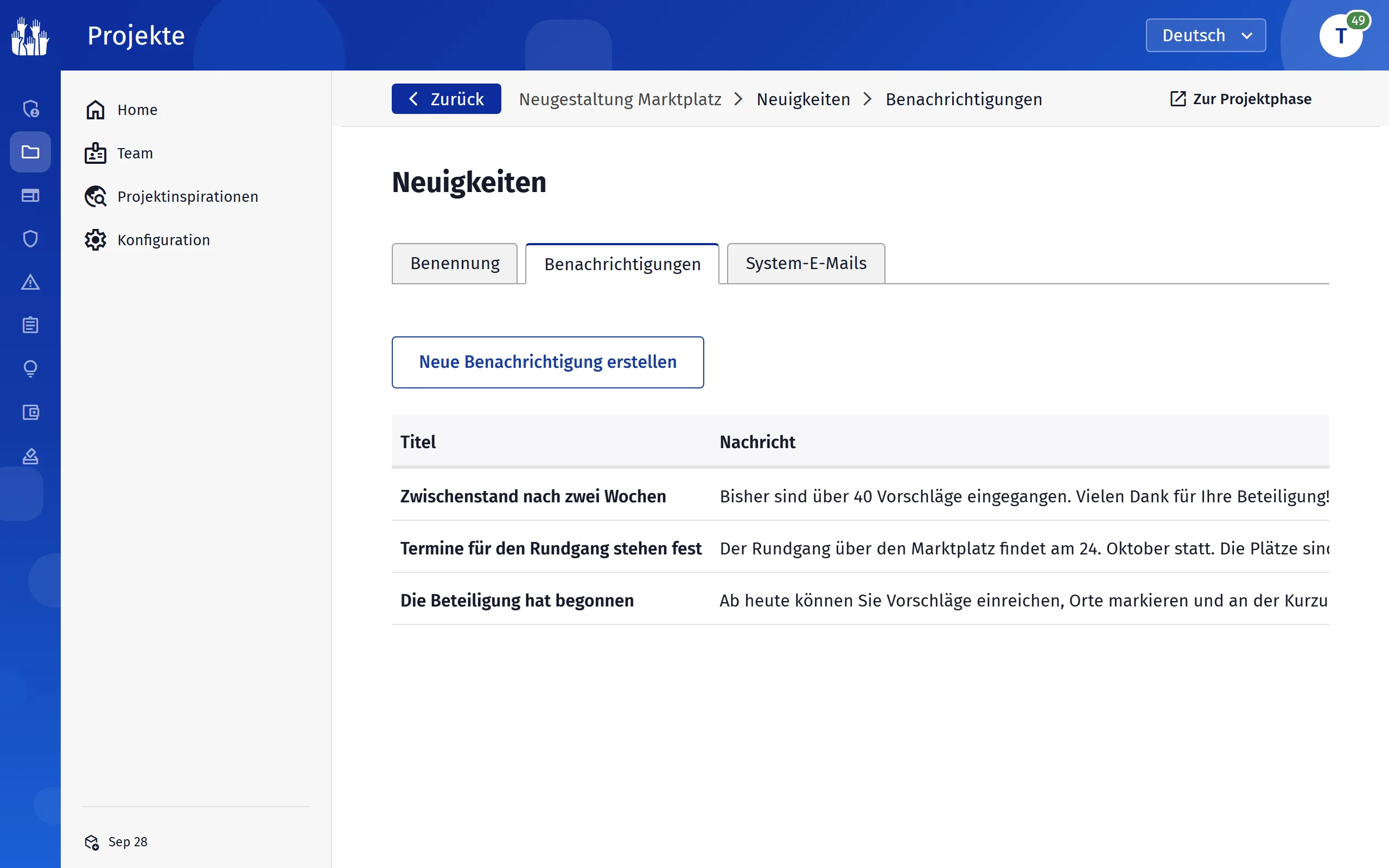
- When you have something to share, click “Create new notification” in the “Notifications” tab.
- Enter “Subject” and “Message” and click “Create”. Subscribers get an email right away.
Decisions
- Announcement or newsletter?
- The announcement reaches the subscribers of the phase and stays on the project page permanently. Administrators send a newsletter with its own content to the recipient group “Projekt subscribers (sidebar toggle)”. Send a newsletter
- What about dates and milestones too?
- These phases reach their own subscribers. Milestones notify subscribers automatically when you save them. For events, click “Send notifications”.
- And livestreams?
- A livestream also reaches its own subscribers. For livestreams, click “Send notifications”.
Pitfalls
Subscribing to the project covers the phases that already exist when you switch it on. Anyone who subscribed earlier does not receive announcements from a phase created later.
The email contains a link to the phase, not the text of the announcement. Subscribers read the text on the project page.
If you edit an announcement afterward, it is not sent again. The button is still labeled “Send notification” when you edit.