
Guides
Guide
Project manager
Project manager
Citizens submit proposals for a fixed budget, support them, and vote on them.
Set up a participatory budget
Your goal
Citizens submit proposals for a fixed budget, support them, and vote on them.
Open project area
What you need
- The project has been created.
- You have the “Administer project” right in the project.
How it works
- In the project, open “Beteiligungsphasen” (participation phases), click “Create new phase”, select “Participatory budgeting”, and click “Create phase”.
- Open the phase. The “Phases” tab lists nine budget phases, each one month long, starting today.
- For each phase, click “Edit” and enter a “Start date” and an “End”. If you like, add your own “Phase label”. Turn off phases you don’t need under “Enabled”.
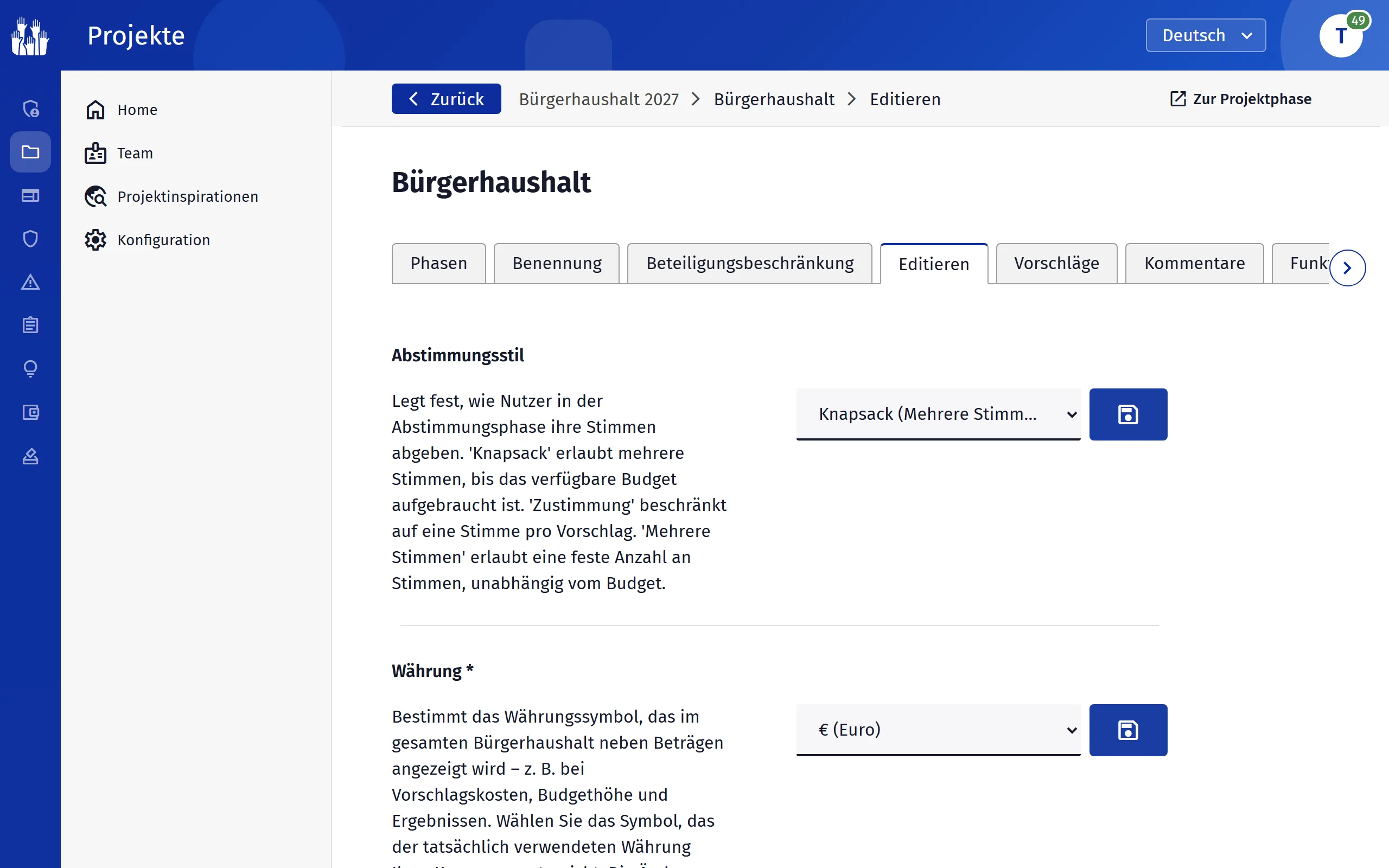
- In the “Edit” tab, set “Participatory budgeting” and “Final voting style”. Under “Administrators” and “Valuator”, select the people in charge.
- Set “Participation restriction”, “Form author”, and “User functions”.
- Check the texts in the “System emails” tab. Use “Send test email to me” to see what recipients get.
The decisions
- Which phases do you need?
- All nine are enabled by default. If you don’t want a separate support phase, turn off “Supporting phase”, for example. The next active phase then starts earlier.
- How do participants vote?
- “Final voting style”: “Knapsack” (several votes until the budget is used up), “Approval” (one vote) with “Votes allowed” as the upper limit, or “Multiple votes”.
- Review all proposals or only the most popular?
- “Preselected”: A number above 0 means that after the support phase, only that many proposals go into the review. Leave it empty if all proposals are reviewed.
- Who reviews the proposals?
- You do, in the evaluation of each proposal, or assessors whom you select in the “Edit” tab.
- What do submitters have to provide?
- “Form author” tab: for example “Cover image”, “Map”, “Implementation”, or “Cost estimate”.
- Who can take part, and how often?
- Use the “Participation restriction” tab for user status, area, or age. In the “User functions” tab, you limit “Maximum supports per user”. In “Form author”, you limit “Maximum submissions per user”.
- With or without amounts of money?
- “Hide money amount for this budget” in the “Edit” tab hides all amounts. Pricing in the evaluation is then dropped as well.
A proposal made with AI or by voice needs AI to be enabled. The settings are in the “AI flow assistant” and “AI voice assistant” tabs.
Common pitfalls
The budget phases follow one another without gaps. If you change a date, the neighboring enabled phase shifts with it. Check the whole table afterward.
If you enter a number above 0 under “Preselected”, all submitters automatically receive an acceptance or rejection by email when the support phase ends.
“Administrators” and “Valuator” each have their own save button. Save each selection separately.