
Guide a participatory budget through its phases
Your goal
You want to review submitted proposals, admit them to the poll, and determine the winners at the end.
Open project area
What you need
- A “Participatory budgeting” phase is running in the project.
- You have the “Administer project” right in the project.
How it works
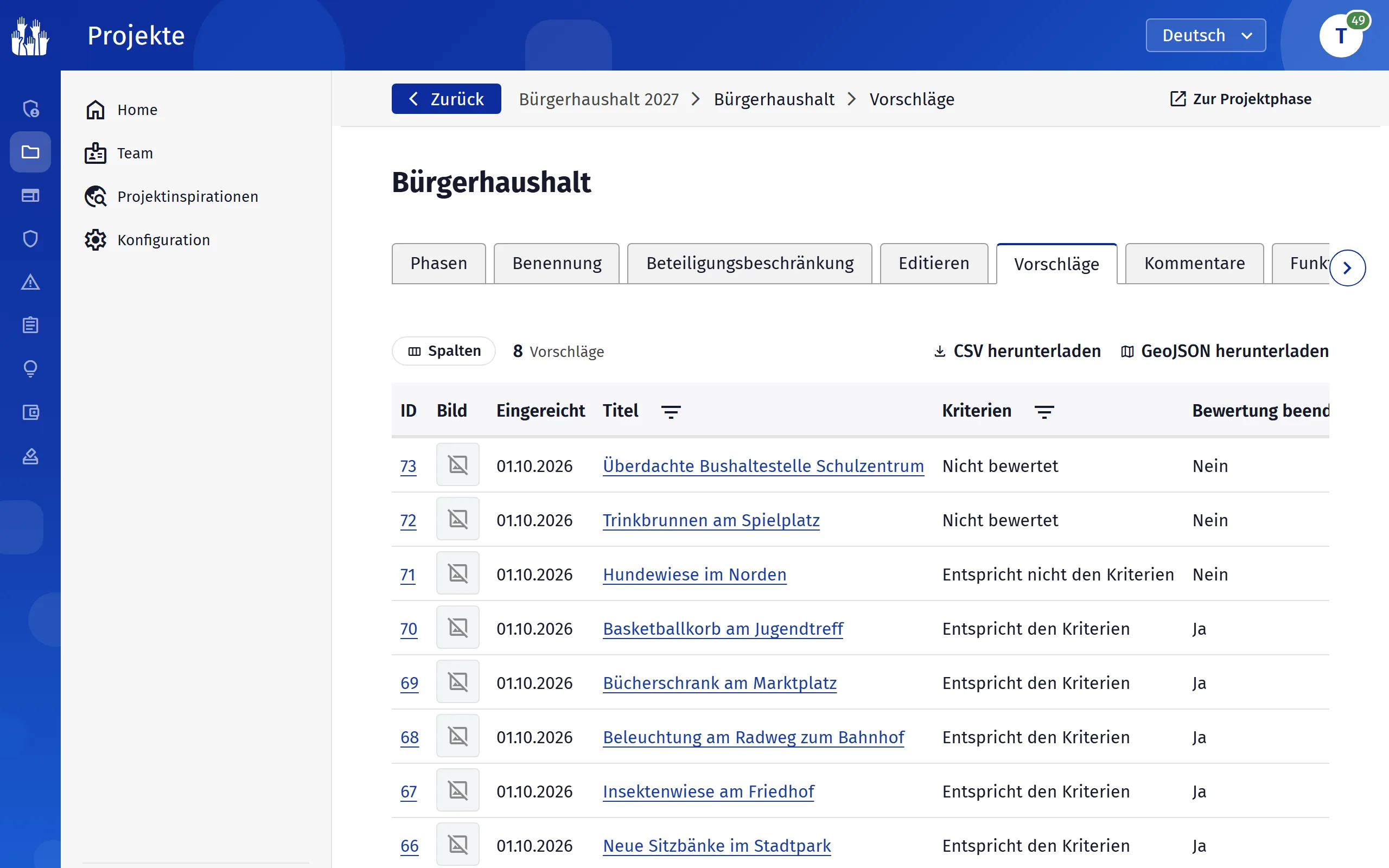
- Open the budget phase and go to the “Proposals” tab. Use “Manage” to open a proposal. The “Valuation” area shows the “Current phase”.
- From phase 2: Under “Feasibility”, choose “Feasible” or “Unfeasible”. Write an “Explanation” and set “Valuation finished” if the result should become public.
- From phase 5: Enter the “Total cost” under “Phase 5: Pricing”. For proposals that meet the criteria, you can do this earlier.
- From phase 5 (from phase 3 if the pricing phase is turned off in the budget): Under “Phase 6: Admission to voting”, decide whether the proposal goes to the poll.
- From phase 7: In the “Proposals” tab, click “Determine winners”. The calculation runs in the background.
- After the poll: If needed, exclude individual proposals under “Phase 8: Winners list” and click “Recalculate winners”.
- In the “Edit” tab, turn on “Results” so the winners are public after the last phase.
The decisions
- Review proposals yourself or have them assessed?
- Use “Valuators & administrators” to assign assessors to a proposal. They evaluate it in the Budget assessment. Assign people directly: An assessor group alone does not open the proposal for its members there.
- When do you set “Valuation finished”?
- Only when the result is final. The result then becomes public together with the explanation, and the person who submitted the proposal gets one email. Assessors can then no longer change their assessment.
- Which proposals go to the poll?
- Only those you admit under “Phase 6: Admission to voting”. All others are not available to vote on in phase 7.
- Does one winner conflict with another?
- “Mark as incompatible” removes the proposal from the calculation. Then click “Recalculate winners”.
You show the implementation status of a proposal with “Milestones” and “Progress bars” in the “Proposals” table.
Pitfalls
Once a review result is saved, the person who submitted the proposal can no longer edit it. Proposals that don’t meet the criteria can’t be supported in the support phase.
If you choose “Unfeasible” with “Valuation finished”, the explanation is required, and comments on the proposal are closed.
If “Hide money amount for this budget” is turned on, the “Phase 5: Pricing” section is missing. Locked sections show “Not yet available” until the budget phase is reached.
You remove proposals with “Hide”. Reported proposals also have “Mark as viewed”. You moderate the comments in the “Comments” tab.