
Guides
Guide
Project manager
Project manager
You want to get a quick snapshot of opinion with a few questions and fixed answers.
Set up a short survey
Your goal
You want to get a quick snapshot of opinion with a few questions and fixed answers.
Open project area
What you need
- The project has been created.
- You have the “Administer project” right in the project.
How it works
- In the project, open “Beteiligungsphasen” (participation phases), click “Create new phase”, choose “Short survey”, and click “Create phase”.
- Set “Duration” and “Participation restriction”.
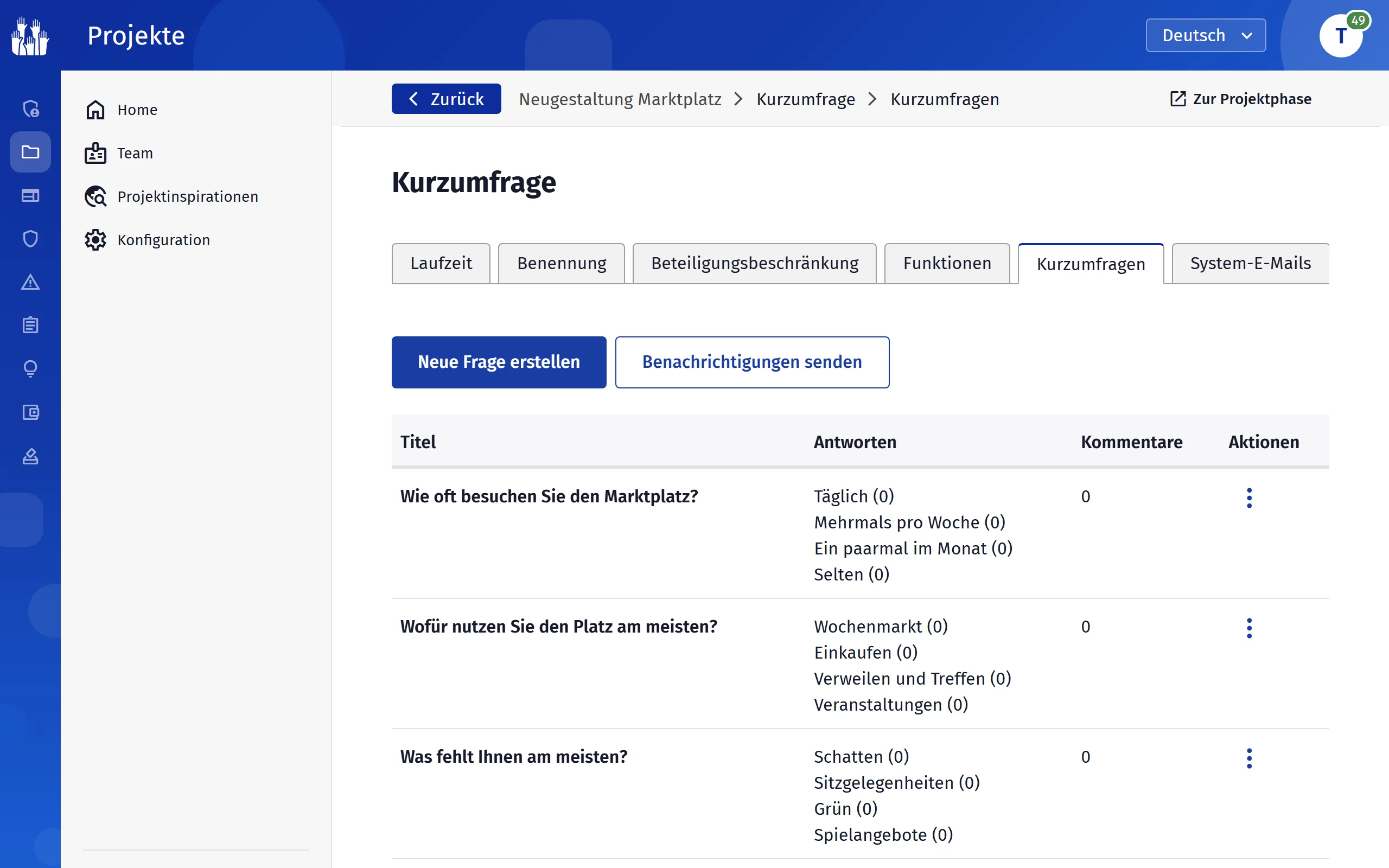
- In the “Quick polls” tab, click “Create new question”. Enter the “Question” and add the answers with “Add option”.
- Decide on “Show answer count” and “Open answer”, then save the question.
- Create more questions the same way. If you have several questions, you can turn on “Activate projekt questions overview” in the “Features” tab.
- Notify the subscribers of the phase with “Send notifications”.
The decisions
- Short survey or poll?
- A short survey allows only one answer per question. For several votes, scales, map questions, or votes cast on site, run a poll.
- Show the result right away?
- “Show answer count” shows next to each answer how often it was chosen. Leave it off if you don’t want to influence anyone beforehand.
- Also allow answers in their own words?
- “Open answer” opens the “Open answers” section below the question. There, participants write free text and rate the answers of others.
- One question at a time or as a list?
- Without the overview, the phase starts with the first question, and you move on with “Next question”. With the overview, visitors choose the question from a list.
- Who can answer?
- “Participation restriction” tab: guests without registration, registered or verified users, and if you want, by area or age.
Evaluating the results
In the “Quick polls” tab, the number of times each answer was chosen appears in brackets next to it. The “Comments” column counts the open answers.
Pitfalls
If you delete a question, all answers and open answers to it are deleted too.
The questions appear in the order in which you created them. You cannot reorder them later.
“Send notifications” reaches only the subscribers of the phase, not all users of the platform.