
Guides
Guide
Project manager
Project manager
Citizens can comment on a topic, reply to each other and rate contributions.
Open a discussion on a topic
Your goal
Citizens can comment on a topic, reply to each other and rate contributions.
Open project area
What you need
- The project has been created.
- You have the “Administer project” permission in the project.
How to do it
- In the project, open “Beteiligungsphasen” (participation phases), click “Create new phase”, select “Comments” and click “Create phase”.
- In the “Duration” tab, set when people can comment.
- In the “Naming” tab, enter a “Tab label”. Use “Title of comment form” to ask the question you want people to discuss.
- In the “Participation restriction” tab, set who can take part.
- In the “System emails” tab, check the “Notification of new comment”.
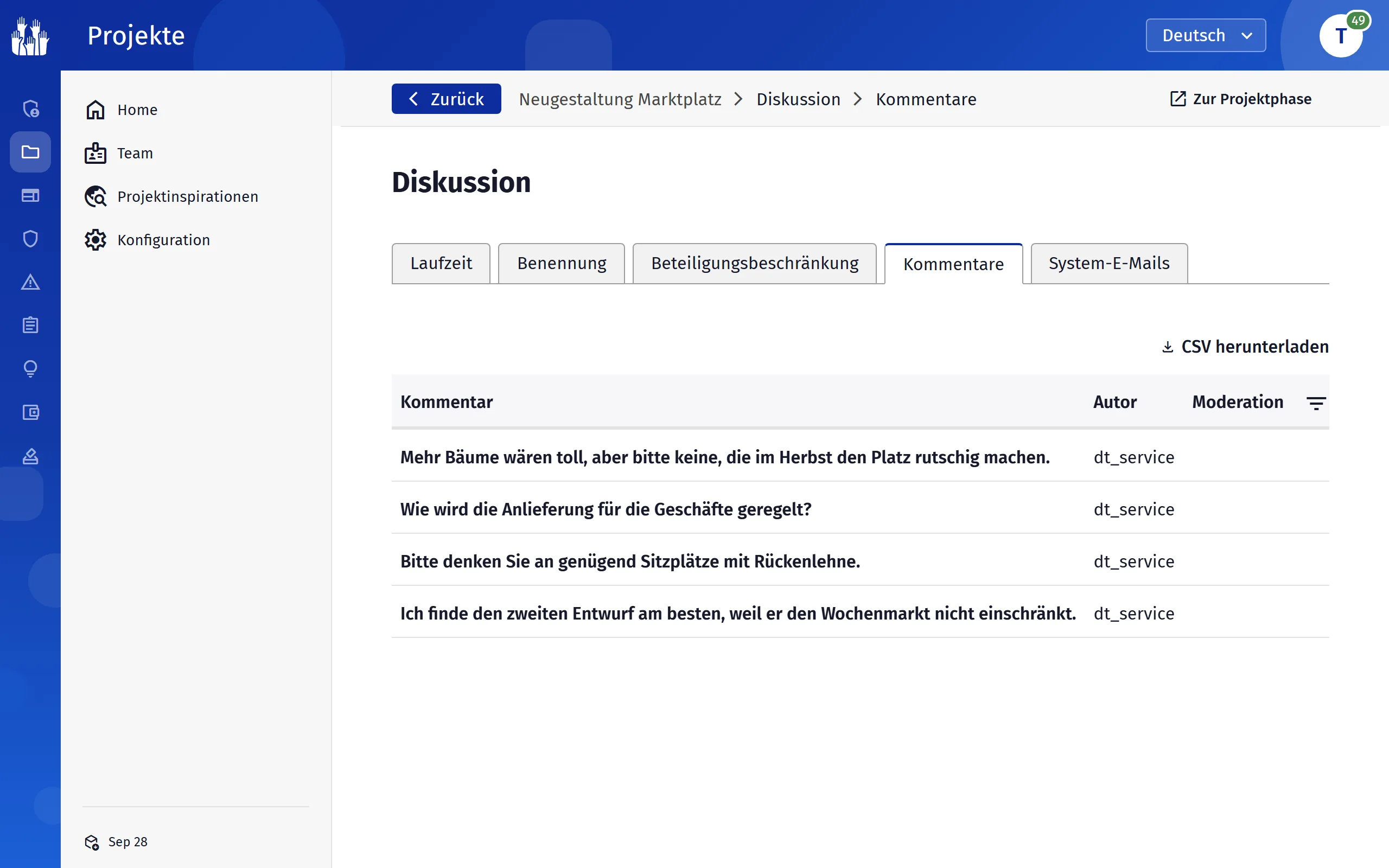
Your choices
- Comments or proposals?
- “Comments” is a single shared conversation thread. If you want citizens to submit their own ideas with a title that others can support, use proposals.
- Who can take part?
- “Guests (no registration required)”, “Registered users” or “Verified users”, optionally by area or age.
- What is the button called?
- “Comment form button text”. The default is “Publish comment”.
During the phase
- In the “Comments” tab, you see all contributions. Narrow down the list by moderation status.
- Remove inappropriate comments with “Hide”. Bring them back with “Restore”. When you hide a comment, the author gets an email, provided an email address is on file.
- For flagged comments, select “Ignore flag” if everything is fine.
- Export the comments with “Download CSV”.
Common pitfalls
The former “Debates” module is no longer available. To open a discussion, use the “Comments” phase.
Subscribers to the phase receive emails about new comments. You receive them with the “Receive notifications” permission and the matching setting in your account.