
Submit a contribution for someone
Your goal
A proposal reaches you by mail, by phone or at an information booth. You want to post it on the platform in the person's name.
What you need
- A phase with proposals is running in the project.
- You have the “Create contributions on behalf of others” right in the project, or you are an administrator or moderator.
How to do it
- Open the project page, choose the phase with the proposals and click “Create proposal”. The button may have a different name in your project.
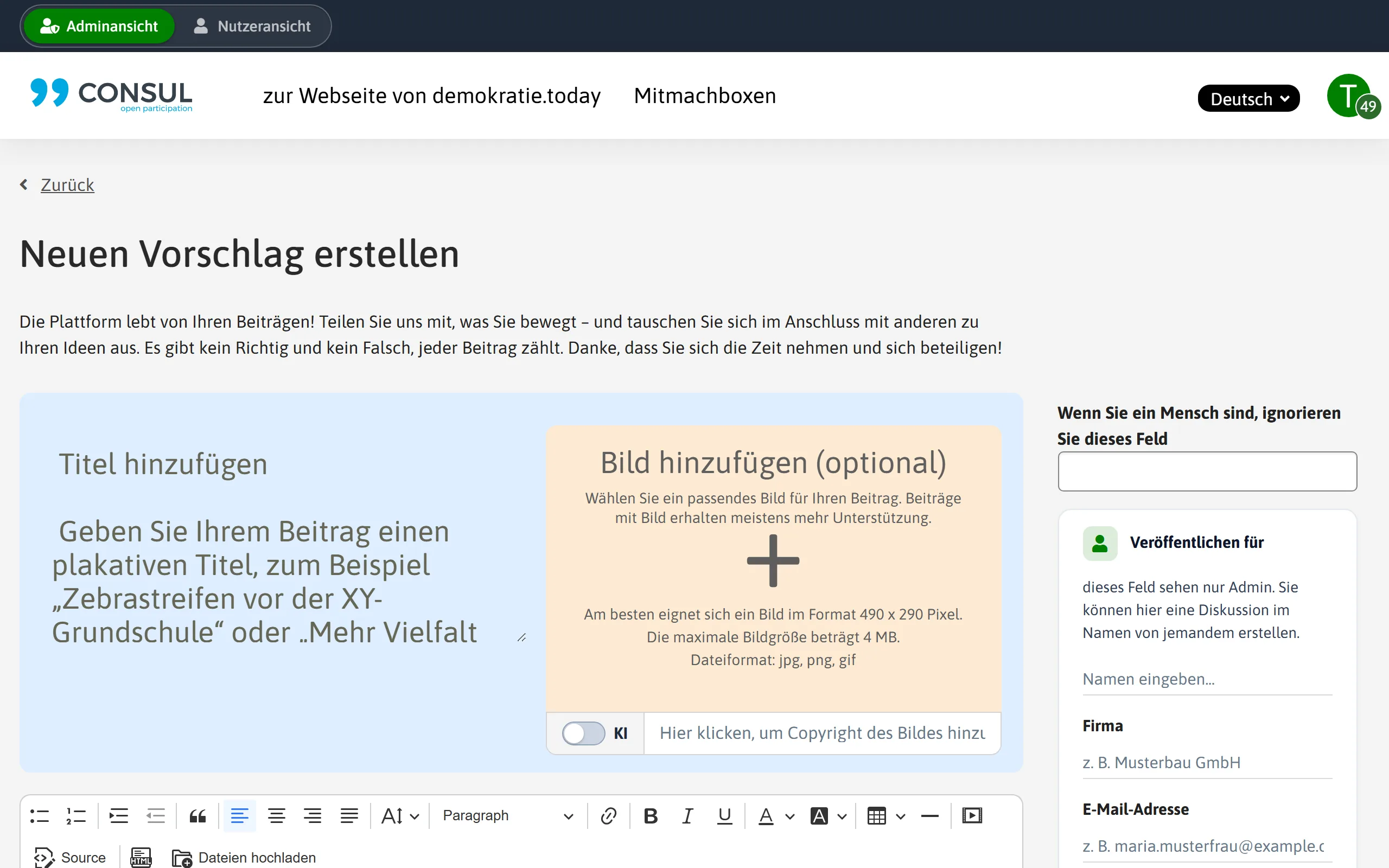
- Enter the title and description the way the person described their idea. Add an image, a location or documents if you have them.
- In the “On behalf of” card, enter the person’s name.
- If needed, fill in “Company” and “Email address”.
- Accept the privacy policy and terms of use and click “Submit now”. If “Check for similar contributions” is turned on in the phase, the platform first compares the proposal with existing contributions. If it finds similar ones, a notice appears. In it, choose “Submit anyway” or keep working via “Back to the form”.
The decisions
- With or without an email address?
- Without an address, the proposal stays in your account. Publicly, the name you entered appears as the author.
- What happens with the address?
- The proposal is assigned to the account with that address. If none exists yet, the platform creates one, activates it and sends the person “Your account has been created” with a “set a password” link.
- What about other contributions?
- The same fields are in the participatory budget form.
Case officers enter deficiency reports. See Enter a deficiency report for someone.
Common pitfalls
Entering the email address creates an activated account in the person’s name if they don’t have one yet. An existing account is only linked. The person then gets no email.
The “Participation restriction” of the phase applies to you too, unless you have “Administer project”. For example, if the phase is limited to “Verified users”, you need a verified account yourself.
If “Submit proposals” is turned off in the phase, only people with “Administer project” can create proposals.
If the address belongs to a blocked account, the platform rejects the submission: “Für diese E-Mail-Adresse existiert ein gesperrtes Benutzerkonto.” (A blocked account exists for this email address.)