
Guides
Guide
Project manager
Project manager
You want to show a YouTube or Vimeo broadcast on the project page and ask the audience questions.
Embed a livestream
Your goal
You want to show a YouTube or Vimeo broadcast on the project page and ask the audience questions.
Open project area
What you need
- The project has been created.
- You have the “Administer project” permission in the project.
- The video has been set up on YouTube or Vimeo.
How it works
- In the project, open “Beteiligungsphasen” (participation phases), click “Create new phase” and choose “Projekt livestream”.
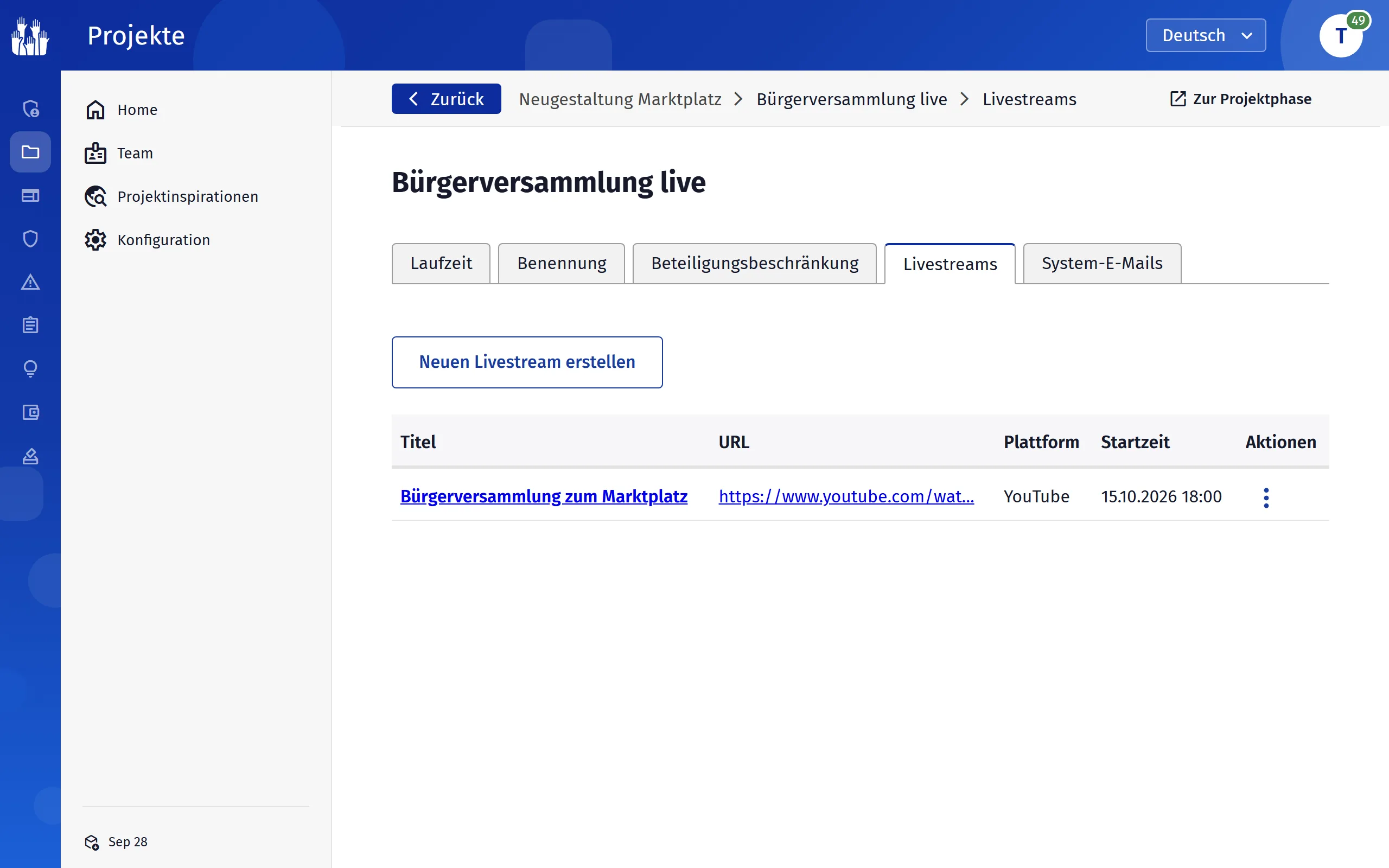
- In the “Livestreams” (livestreams) tab, click “Create new livestream” and enter the “Video URL”.
- If you leave “Title,” “Start” and “Description” empty, the platform takes them from YouTube or Vimeo. Your own entries take precedence. Click “Create.”
- Open the livestream with “View” and add questions with “Add question.” Each question needs a “Question” and “Answer options.”
- Set “Duration” and “Participation restriction” so that people can answer the questions during the broadcast.
- In the list, click “Send notifications” to alert the phase’s subscribers to the date.
The decisions
- Show results right away?
- With “Show answer count,” the audience sees how others voted after giving their own answer. You see the numbers for each answer in the livestream view.
- Free text too?
- “Open answer” adds a text field below the answers.
- Several broadcasts?
- Create one livestream for each broadcast. The project page shows the one with the latest start and links to the others under “Livestreams.”
Pitfalls
A new livestream doesn’t notify anyone on its own. “Send notifications” sends the email again with every click.
Questions you add during the broadcast are announced on the project page with “Neue Frage: …” (new question: …).