
Guides
Guide
Project manager
Project manager
Citizens read a draft, such as a bylaw, and comment on individual passages.
Put a text up for comment
Your goal
Citizens read a draft, such as a bylaw, and comment on individual passages.
Open project area
What you need
- The project has been created.
- You have the “Administer project” permission in the project.
How to do it
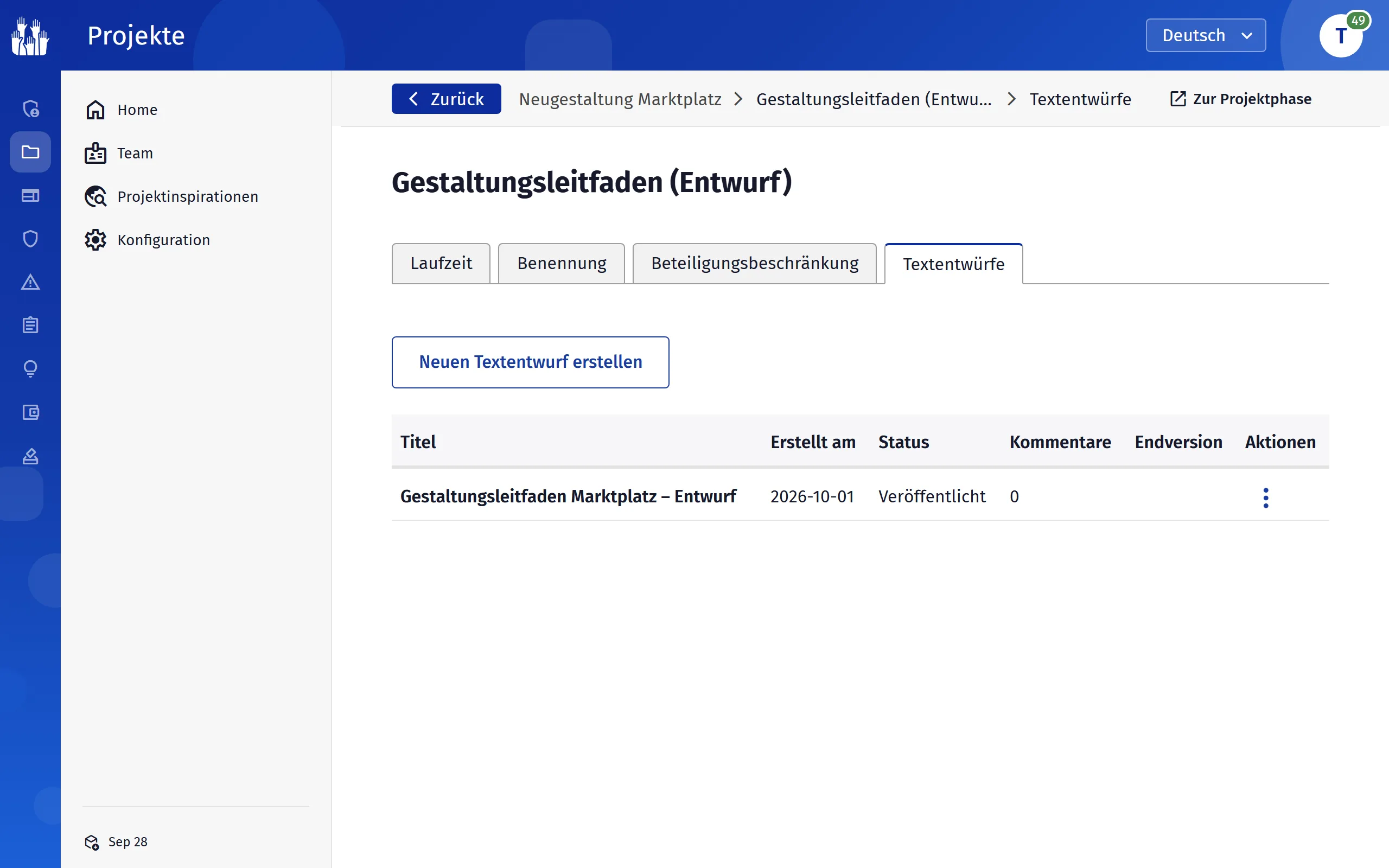
- In the project, open “Beteiligungsphasen” (participation phases), click “Create new phase”, select “Text editing” and click “Create phase”.
- In the phase, set “Duration” and “Participation restriction”.
- In the “Drafts” tab, click “Create new draft”. Enter a “Version title”, leave the “Publication status” set to “Draft” and save.
- Open the draft in the list with “Edit” and switch to the “Draft text” tab. Write or paste the text and click “Save”.
- Check the text in the preview on the right. Then, in the “Edit” tab, set the “Publication status” to “Published”.
The decisions
- How do you structure the text?
- With Markdown headings like
# Heading 1or## Heading 2. These create the table of contents “Content” on the website. - One version or several?
- For a revised version, create another draft and describe in the “Changelog” what changed. Visitors choose the version under “You’re seeing draft version”. The most recently created version is the default.
- When does commenting end?
- When the “Duration” ends, or earlier for each version with “Lock commenting”.
- Who can comment?
- “Participation restriction” tab: registered or verified users, optionally by area or age. Only people who are signed in can comment.
Common pitfalls
A draft with the status “Draft” is not visible on the website. If no version is published, the tab on the project page shows no text.
With “Lock commenting”, the website shows the version without comments and without “See all comments”.
The phase has no separate tab for moderating comments. In the “Drafts” tab, you only see how many comments a version has.