
Guides
Guide
Citizens
Citizens
You want to leave a comment on a specific passage of a draft, such as a bylaw.
Comment on a draft text
Your goal
You want to leave a comment on a specific passage of a draft, such as a bylaw.
What you need
- A draft text is published in the project.
- You are signed in.
How to do it
- Open the project and select the tab with the text. The administration decides what the tab is called.
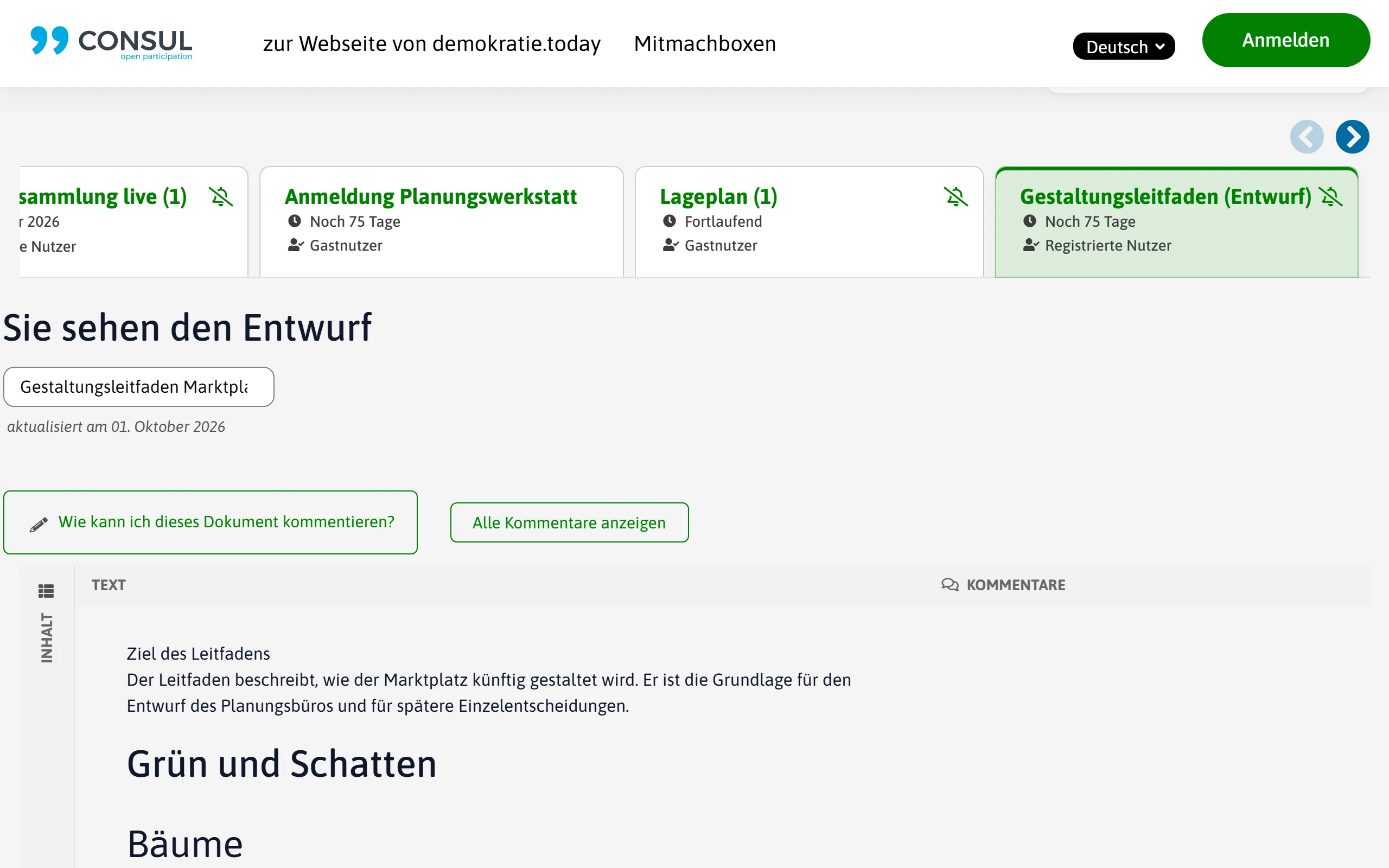
- Under “You’re seeing draft version”, select the version you want to comment on.
- Select the passage with your mouse and click the pen button.
- Write your comment and click “Publish comment”. Click “Cancel” to discard it.
Good to know
- “How can I comment this document?” shows short instructions with a video.
- Use “Content” to jump to a section of the text.
- “see changes summary” appears when the administration has described what changed from the previous version.
- “See all comments” lists all commented passages. Use “See in context” to go back to the passage in the text.
- If a passage already has comments, you can add to them by clicking “Publish comment” in that passage’s comment area.
Pitfalls
If the administration has locked commenting on a version, you can only read the text. Once the phase has ended, you can no longer comment either.
You see a notice instead of the input field if you first need to sign in or verify, or if participation is limited to a certain area or age. Organization accounts can’t comment.