
Guides
Guide
Citizens
Citizens
You want to add a place to the map in a participation project, for example a favorite spot.
Mark a place on the map
Your goal
You want to add a place to the map in a participation project, for example a favorite spot.
What you need
- The project has a “Points of interest” phase running.
- You are logged in, if the project requires it.
How it works
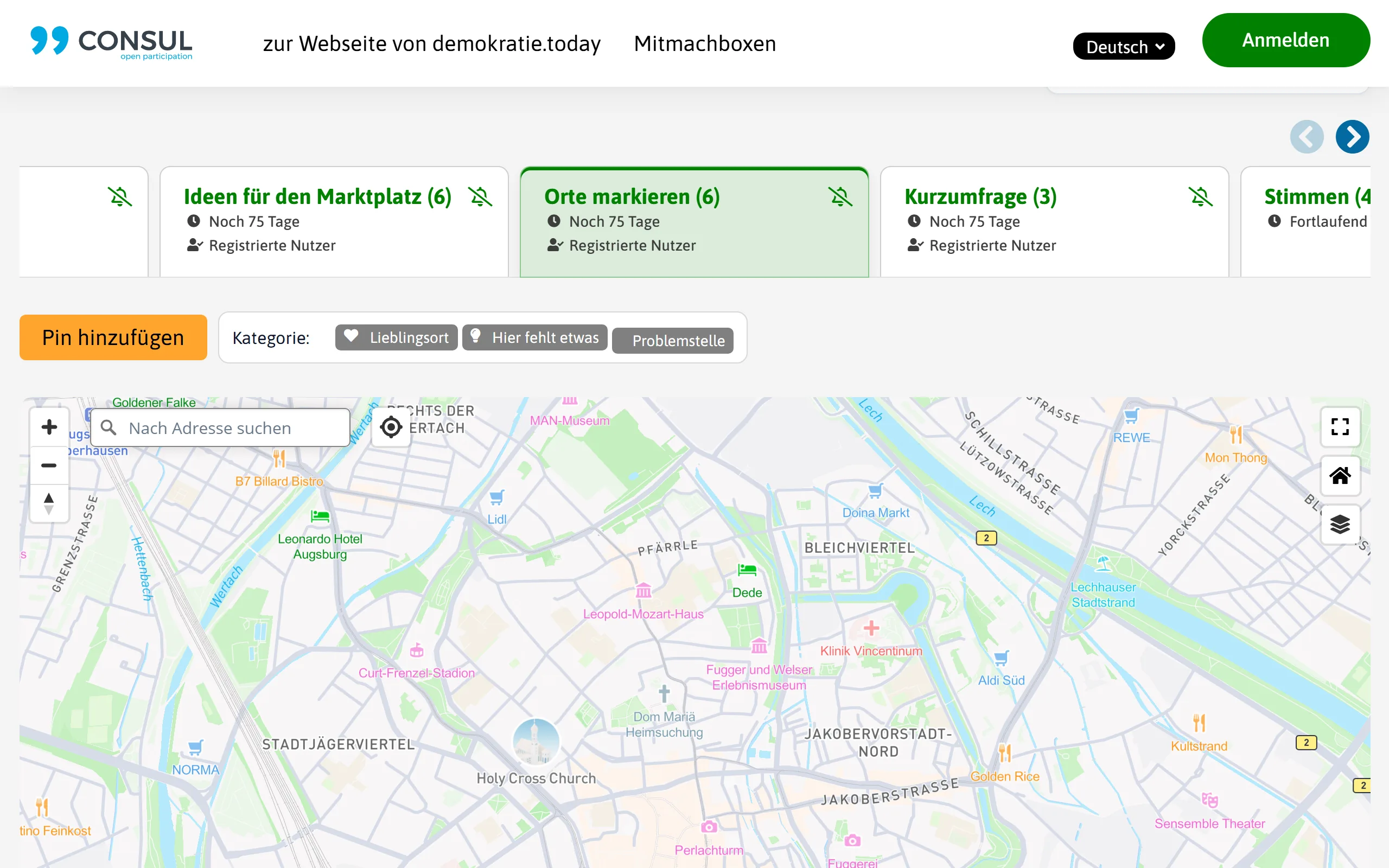
- Open the project and select the tab with the map.
- Click “Add a new pin”. The administration can give the button a different text.
- On the “Create a new pin” page, select a category. The selection is required.
- Place the spot on the map.
- Click “Submit now”. You return to the project page, and your pin appears on the map.
Common pitfalls
If you see a notice instead of the button, you can’t take part right now. The notice gives the reason, such as “Adding points of interest is not enabled” or that you need to log in.
The administration can limit the number of pins per person. Once you reach the limit, the notice states the maximum number.
The administration can set pins to be allowed only within marked areas. If your pin lies outside, it is rejected with the notice “This entry does not lie entirely inside the permitted area.” Then place it inside the areas.