
Report a deficiency
Your goal
You want to report damage or a problem in public space to the administration.
What you need
- You have an account and are signed in.
The Deficiency reports module is not part of any participation project. Your municipality can give it its own name, for example “Notice portal”.
How it works
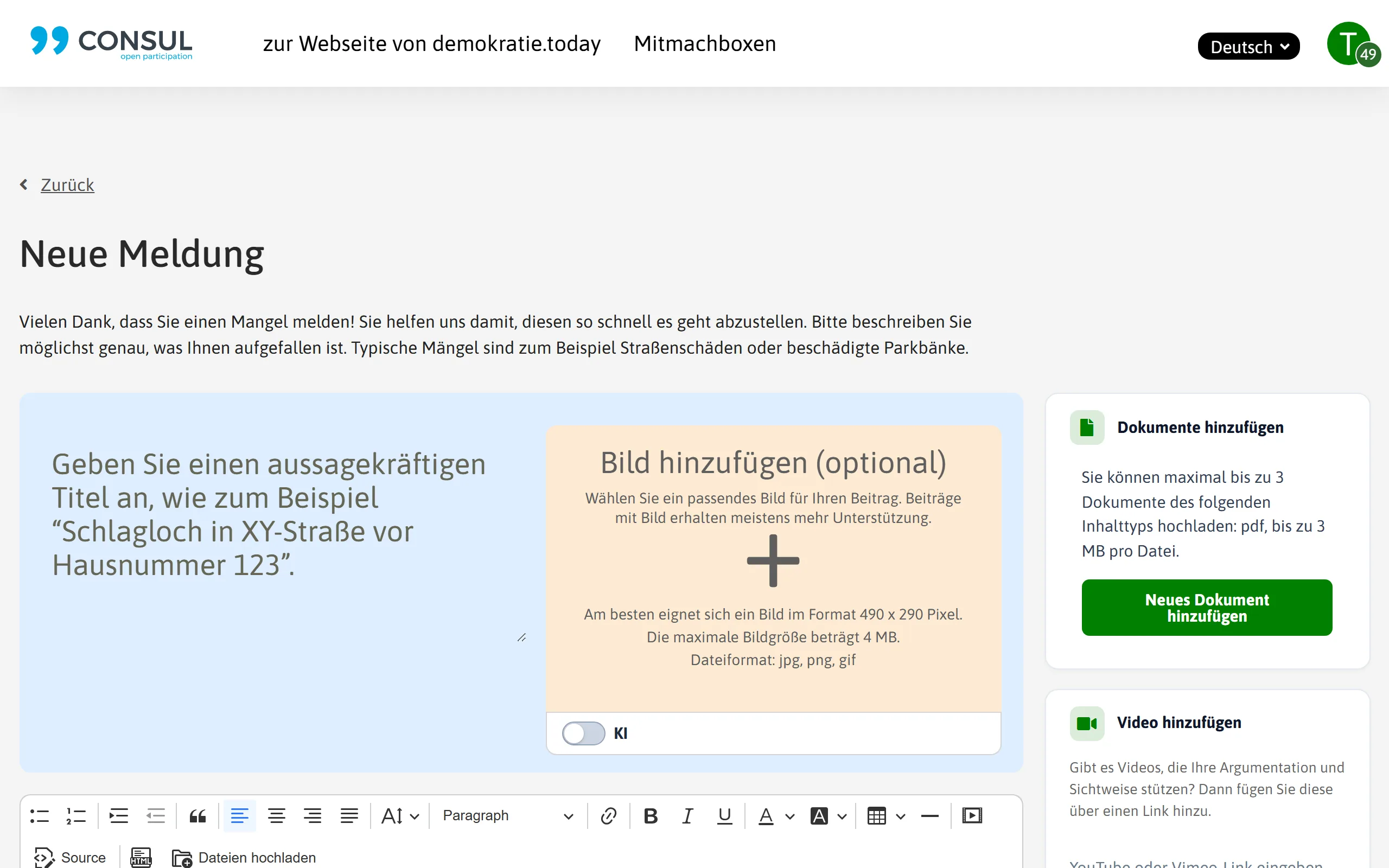
- Open Deficiency reports and click “Report a deficiency”. Your municipality can label the button differently. If a question appears first, choose the matching answer.
- Enter a meaningful title, for example “Pothole on XY Street in front of number 123”.
- Describe what the problem is and where it is. Do not name personal data of third parties.
- Add a cover image if needed. Depending on the setup, you can also attach documents or add a link to a YouTube or Vimeo video.
- Choose a “Category” and, if offered, a “Subcategory”. If a notice window appears, read it before you continue.
- If the form shows a map, place a pin to mark the exact location.
- Agree under “Privacy Policy & Terms of Use” and click “Submit now”. You receive a confirmation of receipt by email.
What happens next?
- Depending on the setup, the administration reviews new deficiency reports before they appear publicly. The confirmation of receipt tells you whether your deficiency report is already visible.
- If the status of your deficiency report changes, for example to “In progress” or “Done”, you receive an email.
- An “Official response” from the administration appears on the page of your deficiency report. You also receive an email with the subject “Official answer to your report”.
- Depending on the setup, you get an email with a short feedback form after your deficiency report is closed.
- Closed deficiency reports are archived after seven days. You can find them with the “Archive” filter.
Common pitfalls
You cannot edit a deficiency report after you submit it. As long as there is no official response, you can withdraw it on its page under “Author” by using “Remove your support”.
You cannot submit the deficiency report without a pin, unless your municipality has turned off this requirement. If your municipality assigns deficiency reports automatically, you do not choose a category.
If the administration is temporarily not accepting deficiency reports, you see “New reports cannot be submitted at the moment.”