
Guides
Guide
Citizens
Citizens
You want to propose your own idea on the idea platform and collect support for it.
Submit an idea
Your goal
You want to propose your own idea on the idea platform and collect support for it.
What you need
- Your platform offers an idea platform.
- You have an account and are logged in.
How it works
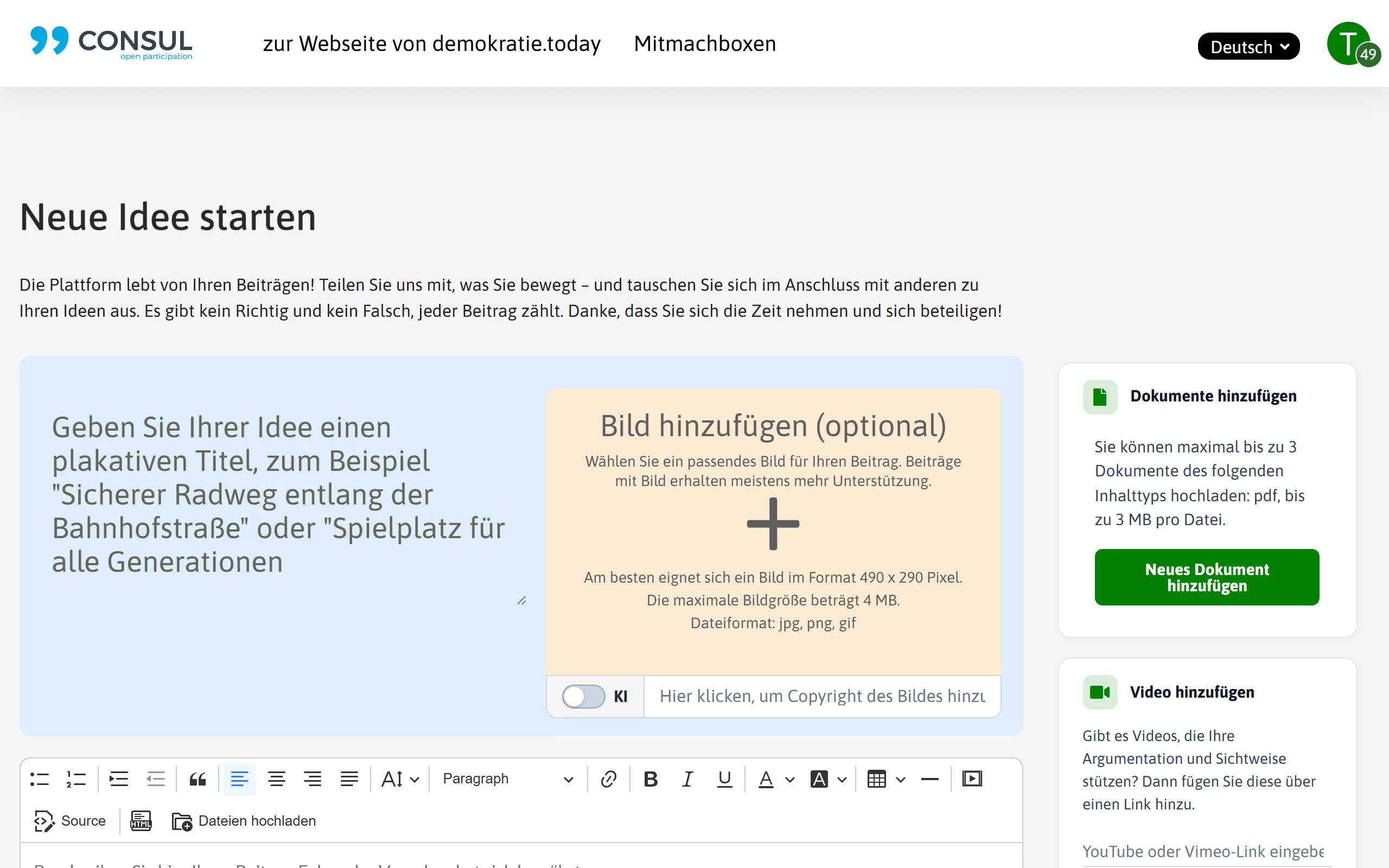
- Open the idea platform and click “New Idea”. If you are not logged in, the platform first takes you to the login page.
- Give your idea a short, clear title and describe it.
- If you like, upload an image and choose a category.
- Place a point on the “Map” if your idea relates to a location.
- Add what is offered: “Add documents” or “Add video” with a link to YouTube or Vimeo.
- Accept the privacy policy and terms of use, and click “Submit now”.
What happens next?
- You land on the page for your idea. It becomes public only after the administration has approved it. Until then, only you can see it, and only when you are logged in.
- After approval, others can support your idea, and the deadline starts. The page for the idea shows how much support is needed and how much time is left.
- When the deadline has passed, the idea appears in the overview under “Archived”.
Common pitfalls
If you created or edited an image wholly or partly with AI, turn on the “AI” switch for the image. The image then shows the public label “AI-generated image”.
Title and description are required. Category, image and map point are optional.
The administration decides whether documents, videos and comments are possible. If a field is missing, it is not turned on for your platform.