
Guides
Guide
Project manager
Project manager
You want to decide which participation phases the project has, when each one runs, and in what order they appear.
Plan the order of phases
Your goal
You want to decide which participation phases the project has, when each one runs, and in what order they appear.
Open the project area
What you need
- The project has been created.
- You have the “Administer project” permission in the project.
How to do it
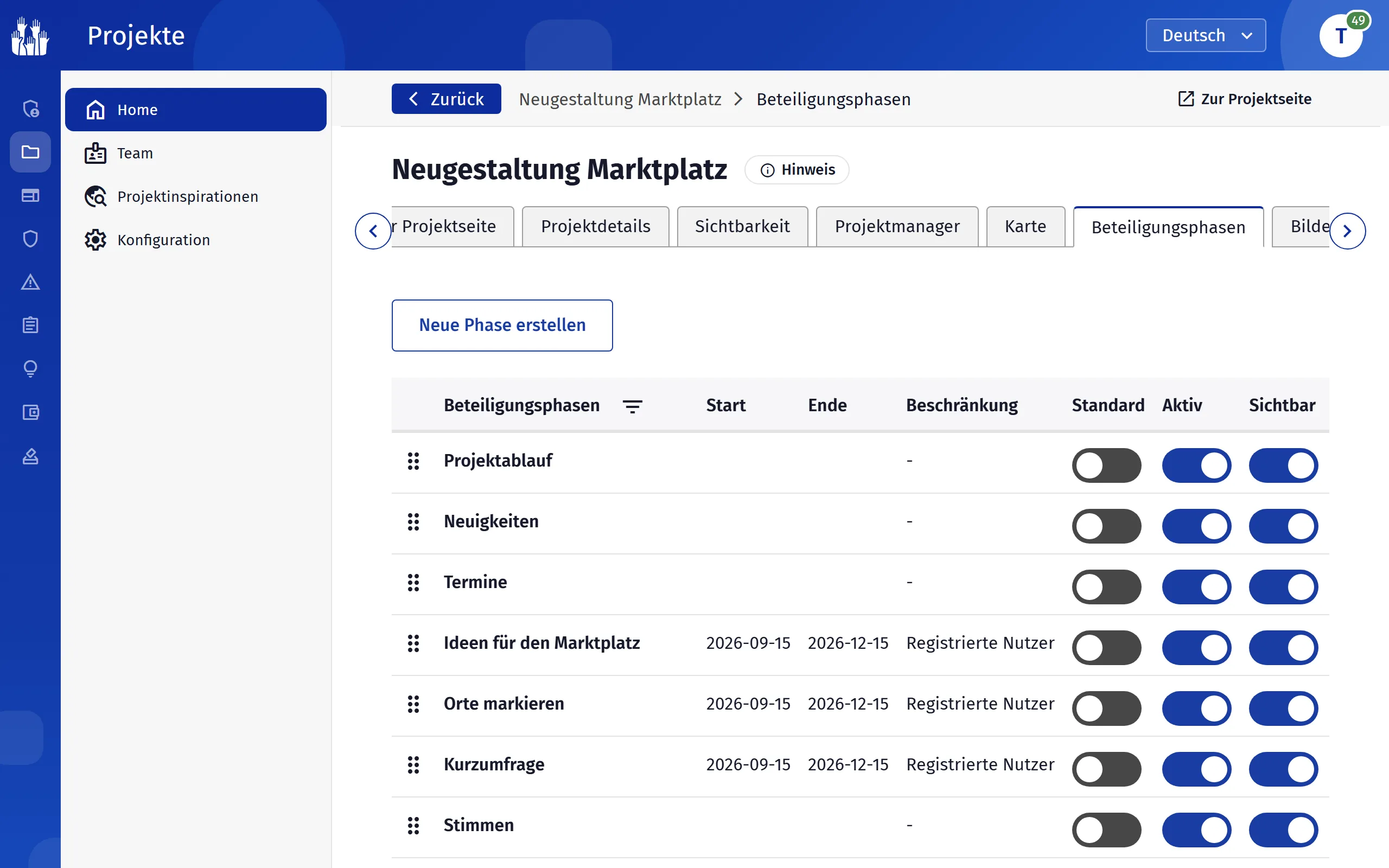
- In the project menu, open “Participation phases” and click “Create new phase”.
- Under “Participation module”, choose the type of phase and click “Create phase”. Create all your phases this way.
- For each phase, open the “Duration” tab from the actions. Enter a start and an end and click “Save”.
- Drag the phases in the list by the handle on the left into the order in which the tabs should appear in the project.
- For the phase that visitors should see first, switch on “Default”.
- Check “Active” and “Visible”, then look at the project with “User view”.
The decisions
- With or without a duration?
- With a start and an end, people can take part only in that period. Without dates, the phase runs as long as it is “Active”.
- What do visitors see outside the duration?
- Before the start, they see “This project phase has not yet started”. After the end, they see “This project phase has already expired”. They cannot take part then.
- Which phase opens first?
- The phase with “Default” switched on. There can be only one.
- Switch it off or just hide it?
- If “Active” is off, the phase is not available to visitors. If only “Visible” is off, its tab is missing in the project, but the phase can still be reached through its address.
- Is the phase tied to the project duration?
- No. You set the duration of each phase independently of the “Duration” in the “Project details”.
Common pitfalls
Administrators and project managers with “Administer project” can also take part outside the duration. So check the start and end with a regular account.
A new phase is “Active” right away. A poll starts in test mode, see Run a poll.
“Delete” in the actions removes the phase with all its content.
Without “Administer project”, the switches and the handle are locked.
Next steps
- For each phase, decide who can take part.
- Set up the phases, for example to collect ideas or let people vote.