
Guides
Guide
Project manager
Project manager
Citizens can submit their own proposals, support them, and comment on them.
Collect ideas from citizens
Your goal
Citizens can submit their own proposals, support them, and comment on them.
Open project area
What you need
- The project has been created.
- You have the “Administer project” right in the project.
How to do it
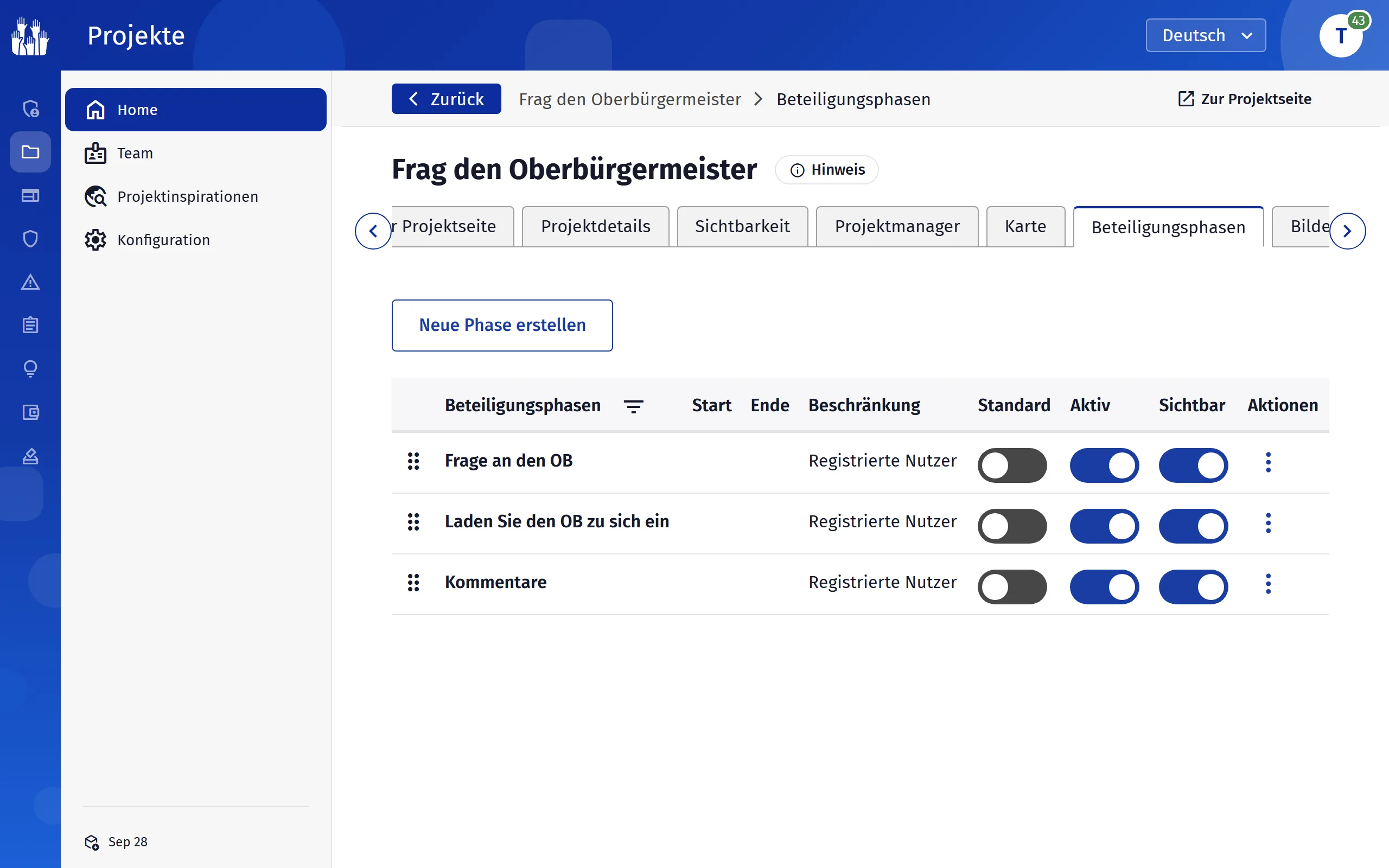
- In the project, open “Participation phases” and click “Create new phase”.
- Under “Participation module”, choose “Proposals” and click “Create phase”. The phase is active right away.
- Make the decisions below in the tabs of the phase.
- Check the project page with “User view”.
The decisions
- Who can take part?
- “Participation restriction” tab: guests without registration, registered or verified users, and if you like, by area or age.
- Visible right away or only after review?
- “Features” tab, “Admin approval” switch. When it is on, new proposals appear only after you approve them.
- What do submitters provide?
- “Form author” tab: “Cover image”, “Map”, “Documents”, “Video”, “Labels”, “Sentiments”. With “Anonymous contributions”, names stay hidden.
- How do others take part?
- “User functions” tab: “Support” or “Thumbs up and down”, plus “Comments”, “Follow”, “Share” and, if you like, a “Quorum”.
- Avoid duplicate ideas?
- “Form author” tab, “Check for similar contributions”: When someone submits, up to three similar proposals appear that they can support instead. If they prefer, they submit their own contribution with “Submit anyway”.
- Help with wording?
- “AI flow assistant” tab: The “Create AI draft” button turns a short idea into a draft. “AI voice assistant” tab: submit by voice.
The similarity check and the AI assistants need AI to be turned on.
During the phase
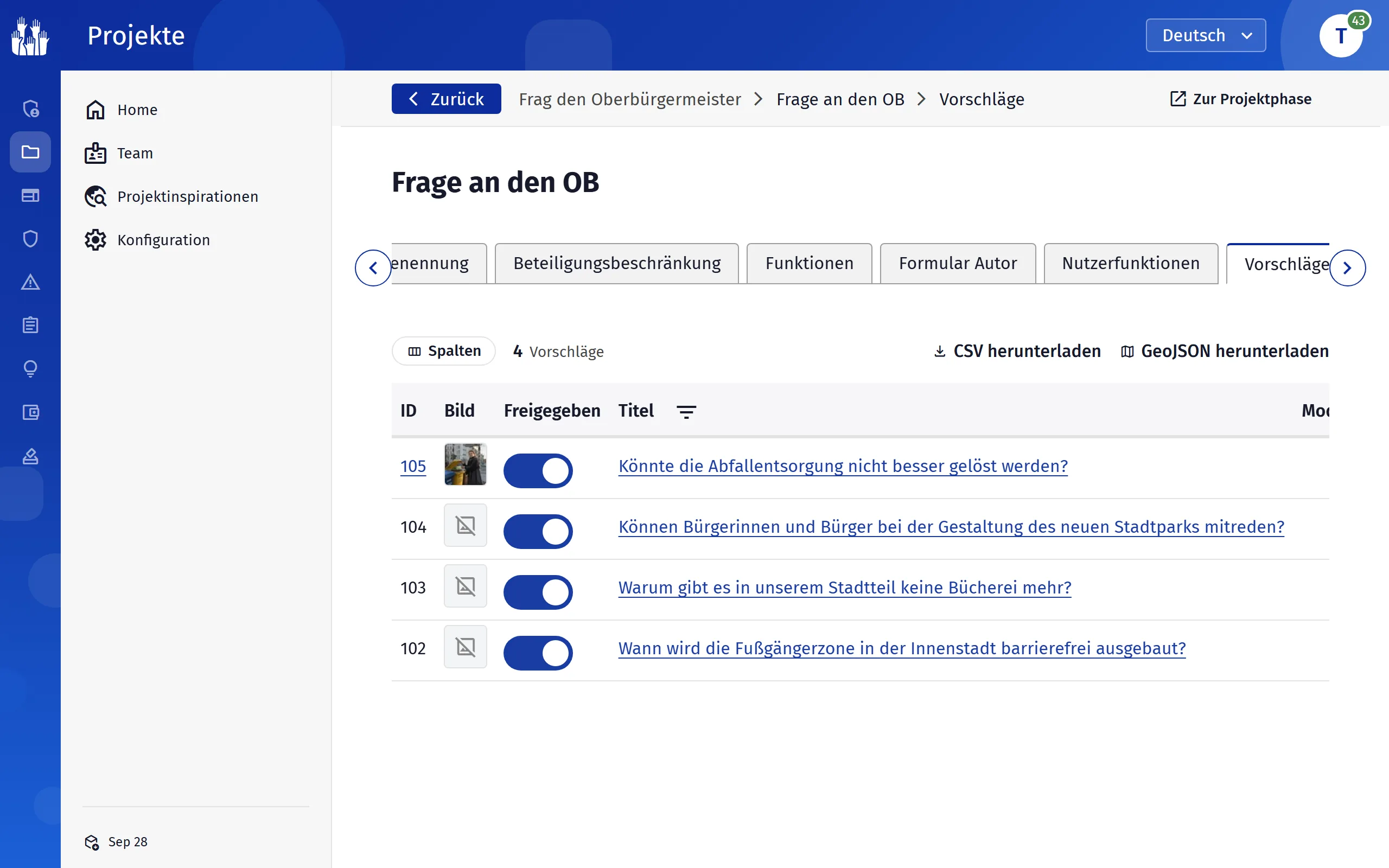
- In the “Proposals” tab, you see all submissions. With “Admin approval”, you release them with “Approved”.
- You take inappropriate contributions out with “Hide” and bring them back with “Restore”.
- In the detail view, you write an “Official response” from the administration and keep “Internal notes”.
- With “Download CSV” or “Download GeoJSON”, you export the current view.
You submit proposals that arrive in person or by mail on the person’s behalf using “On behalf of”. This requires the “Create contributions on behalf of others” right.
Pitfalls
An email about the official response is sent only if “Email notification on official answer (proposals)” is turned on in the platform-wide “System-E-Mails” (system emails).
If “Sentiments” are turned on and set up, submitters must choose one. Citizens cannot create their own labels or sentiments.