
Budget assessment
In the budget assessment, valuators review proposals from the participatory budget. They record whether a proposal meets the criteria and explain their judgment.
This area is only available if the participatory budget is enabled on your platform.
Who has access?
- Budget valuators See the proposals of running budgets that are assigned to them personally and made visible to valuators. They can only edit proposals assigned to them.
- Administrators See all proposals of running budgets and can edit any proposal.
The menu items
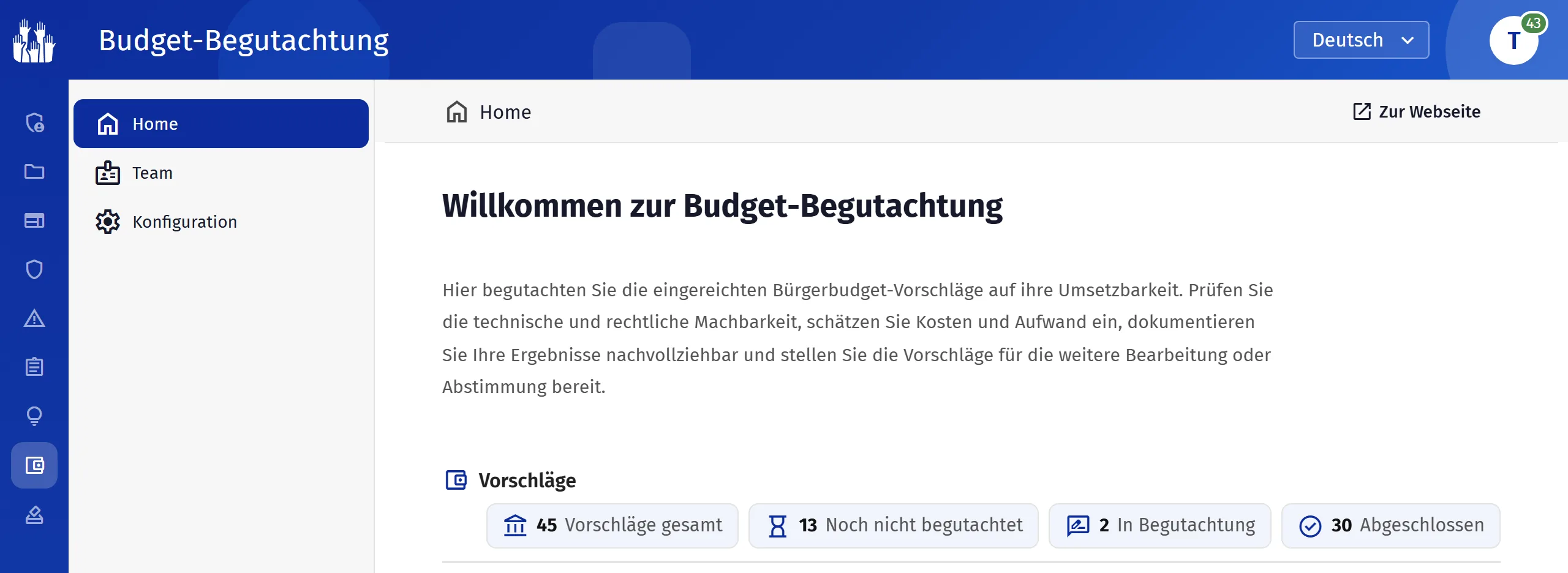
- Home The “Proposals” table with title, budget and assigned valuators. Use “Edit” to open the assessment form. Below it you see recent activity and the team.
- Team The “Budget valuators” list. Use “Add new budget valuator” to add registered users to the team. Use “Delete” to remove the role. Administrators only
- Konfiguration (configuration) On the “Dashboard settings” tab you maintain “Intro text”, “Notice message” and “Notice active” for the home page. On the “Contact persons” tab you maintain the contact persons. This works as it does in moderation.
Budget valuators also see the “Add team member” button in the “Team” box on “Home”. Still, only administrators add new valuators.
The figures on “Home”
The figures cover all participatory budget proposals on the platform, not just your own.
- “Total investments”
- All proposals from all budgets.
- “Not yet assessed”
- Open proposals with no valuator or valuator group assigned yet.
- “In assessment”
- Open proposals with an assigned valuator or valuator group.
- “Completed”
- Proposals whose valuation is finished.
The assessment form
- “More info”
- Author, budget, “Current phase”, creation date, a “Frontend” link to the proposal and the “Assigned valuators”. Depending on the phase settings, also “Implementation” and “User’s cost estimate (€)”.
- “Criteria review”
- “Feasible”, “Unfeasible” or “Not evaluated”, followed by the field for your explanation.
- “Valuation finished”
- Locks in the result and publishes it on the proposal.
Step by step: Assess a proposal and Finish an assessment
You can only change the form while the budget is in the submission phase or the internal review phase. In all other phases it is locked, including the “Valuating projects” phase.
As soon as you save “Feasible” or “Unfeasible”, the author can no longer edit the proposal. This applies even before the valuation is finished.
Good to know
- The assessment form has no field for costs. Administrators and project managers with the “Administer project” permission set the price on the proposal in the project.
- In the budget assessment, only personally assigned valuators count. Anyone assigned only through a valuator group does not see the proposal here.
- To learn how valuators get a proposal, see Appoint valuators for a participatory budget.