
Notifications
With a notification phase, you write announcements to a project’s subscribers, for example about interim results or changed dates. The announcement appears on the project page, and subscribers get an email about it.
Create a phase
- In the project, open “Participation phases” and click “Create new phase”.
- Under “Participation module”, select “Notifications” and click “Create phase”.
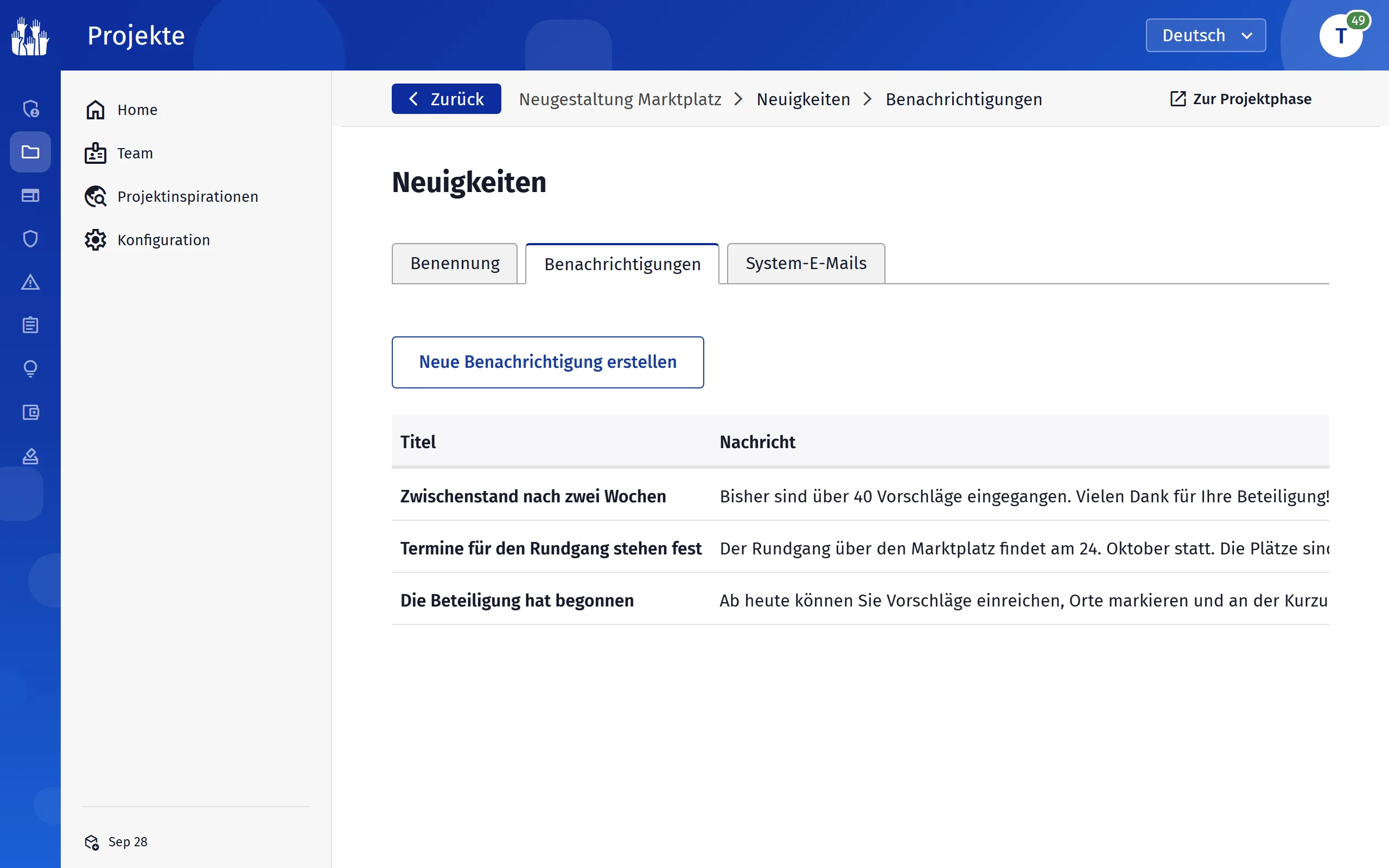
- In the “Notifications” tab, click “Create new notification” and write the first announcement.
Step by step: Notify a project’s subscribers
The tabs of the phase
- “Naming”
- The “Tab label” on the project page.
- “Notifications”
- All announcements with “Title”, “Message” and “Created on”, with “Edit” and “Delete” on each row.
- “System emails”
- The text of the “Notification of new project announcement”. Check it with “Send test email to me”.
Write an announcement
- “Subject”
- The headline of the announcement.
- “Message”
- The text. The field takes plain text, without formatting.
When you click “Create”, all subscribers of the phase immediately get an email and a notification in their account.
The email contains a link to the phase, not the text of the announcement. You set its wording in the “System emails” tab.
An edited announcement is not sent again, even if the button is labeled “Send notification” when you edit. The change appears only on the project page.
Who are the subscribers?
Subscribers are signed-in users who turned on notifications on the project page. There are two ways to do this:
- “Notifications” box in the sidebar With the toggle next to “Would you like to stay current?”, the person subscribes to all phases the project has at that moment.
- Bell on a phase In the phase bar, the person subscribes to or unsubscribes from a single phase.
Both appear only if the “Notifications” box is shown on the project page. It is shown by default. You hide or show it in the “Admin view” of the project page, like any area of the sidebar.
Someone who subscribed to the project does not automatically subscribe to a phase created later. So create the notification phase as early as possible.
The same subscribers also receive the messages from events and milestones, each for their phase. For a newsletter to a project’s subscribers, the recipient group has the source “Projekt subscribers (sidebar toggle)”. Send a newsletter
Livestreams also notify these subscribers, each for their phase.
Good to know
- A notification phase has no duration and no participation limit.
- Every email contains a link to the phase. There, the person ends the subscription with the bell.
- Here is what it looks like for citizens: Staying informed