
Reference
Reference
Participation phases
Participation phases
With a milestones phase, you show where a project stands. The project page displays the milestones as a timeline. If you want, progress bars in percent appear above it.
Milestones
With a milestones phase, you show where a project stands. The project page displays the milestones as a timeline. If you want, progress bars in percent appear above it.
Create a phase
- In the project, open “Participation phases” and click “Create new phase”.
- Under “Participation module”, select “Milestones” and click “Create phase”.
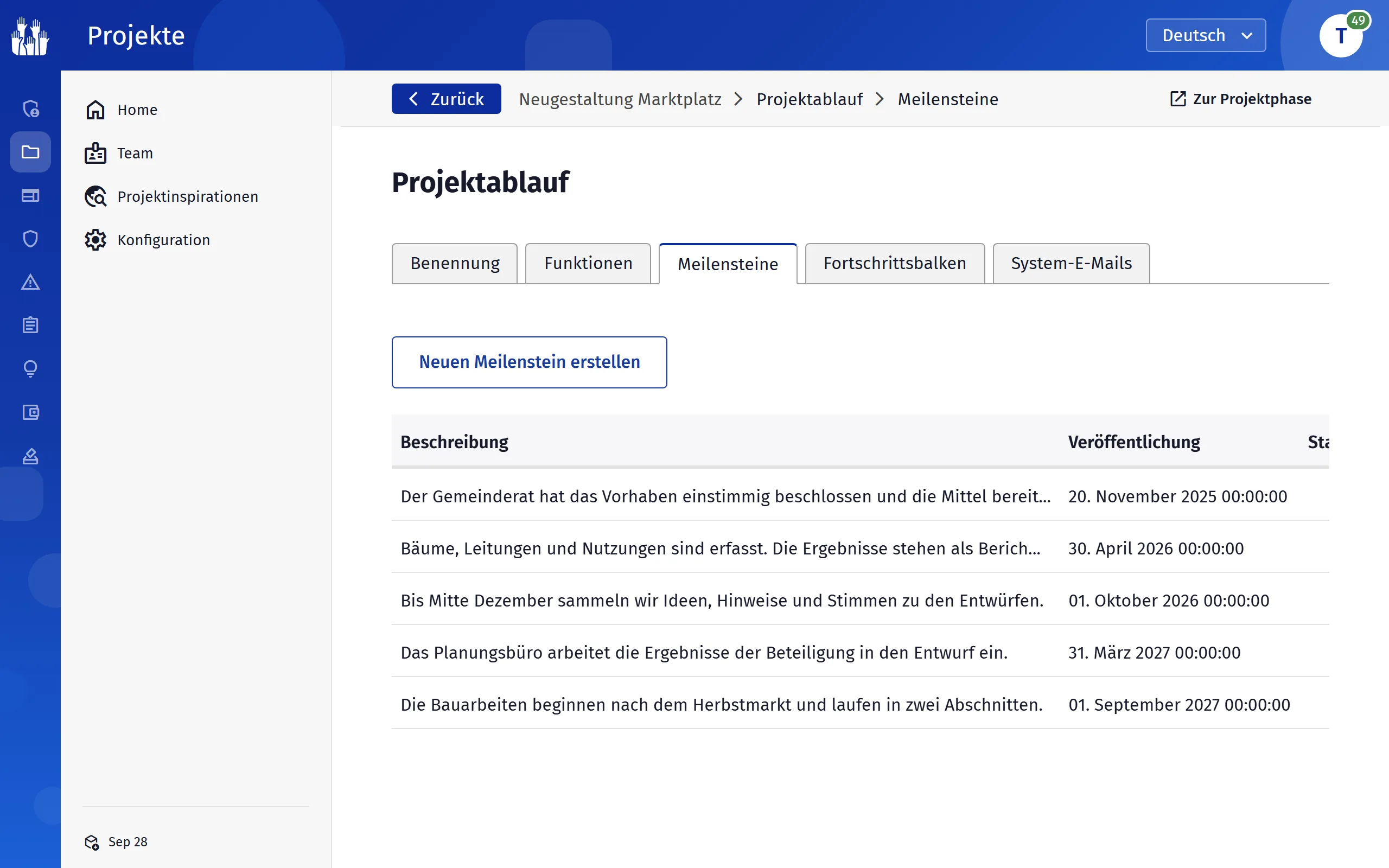
- In the “Milestones” tab, use “Create new milestone” to add the stages.
Step by step: Show project progress
The phase tabs
- “Naming”
- The “Tab label” on the project page.
- “Features”
- “Show newest milestones first” reverses the timeline. Without the switch, the oldest milestone is at the top.
- “Milestones”
- All milestones with “Description”, “Publication”, “Statuses” and “Image”.
- “Progress bars”
- Bars with a percentage value, created with “Create new progress bar”.
- “System emails”
- The text of the “Notification of new milestone”. Check it with “Send test email to me”.
Create a milestone
- “Current status (optional)”
- A label such as “In Planung” (in planning) or “Completed”. Administrators create the choices with the “Manage statuses” link.
- “Description”
- What has been achieved or is coming up. Without a status, the description is required.
- “Publication date”
- Preset to today. The timeline orders the milestones by this date.
- “Display date (optional)”
- Free text such as “Summer 2026”. It appears instead of the publication date.
- “Cover image”
- An image for the milestone.
A milestone appears on the project page right after you save it, even with a publication date in the future.
When you save a new milestone, an email goes out immediately to the subscribers of the phase. You can find out who they are under Notifications.
Progress bars
- “Type”
- “Primary” for overall progress, “Secondary” for individual areas.
- “Title”
- The label. It is required for a secondary bar.
- “Progress (%)”
- A value from 0 to 100.
Secondary bars appear on the project page only if there is also a primary bar.
Manage statuses
Under “Milestone statuses”, administrators use “Create new status” to create the labels. They apply to all projects on the platform.
Open “Milestone statuses”