
Reference
Reference
Introduction
Introduction
You build a participation project from phases. Which phase types you choose depends on what the participation should achieve. The names match the “Participation module” selection when you create a phase.
What Consul can do
You build a participation project from phases. Which phase types you choose depends on what the participation should achieve. The names match the “Participation module” selection when you create a phase.
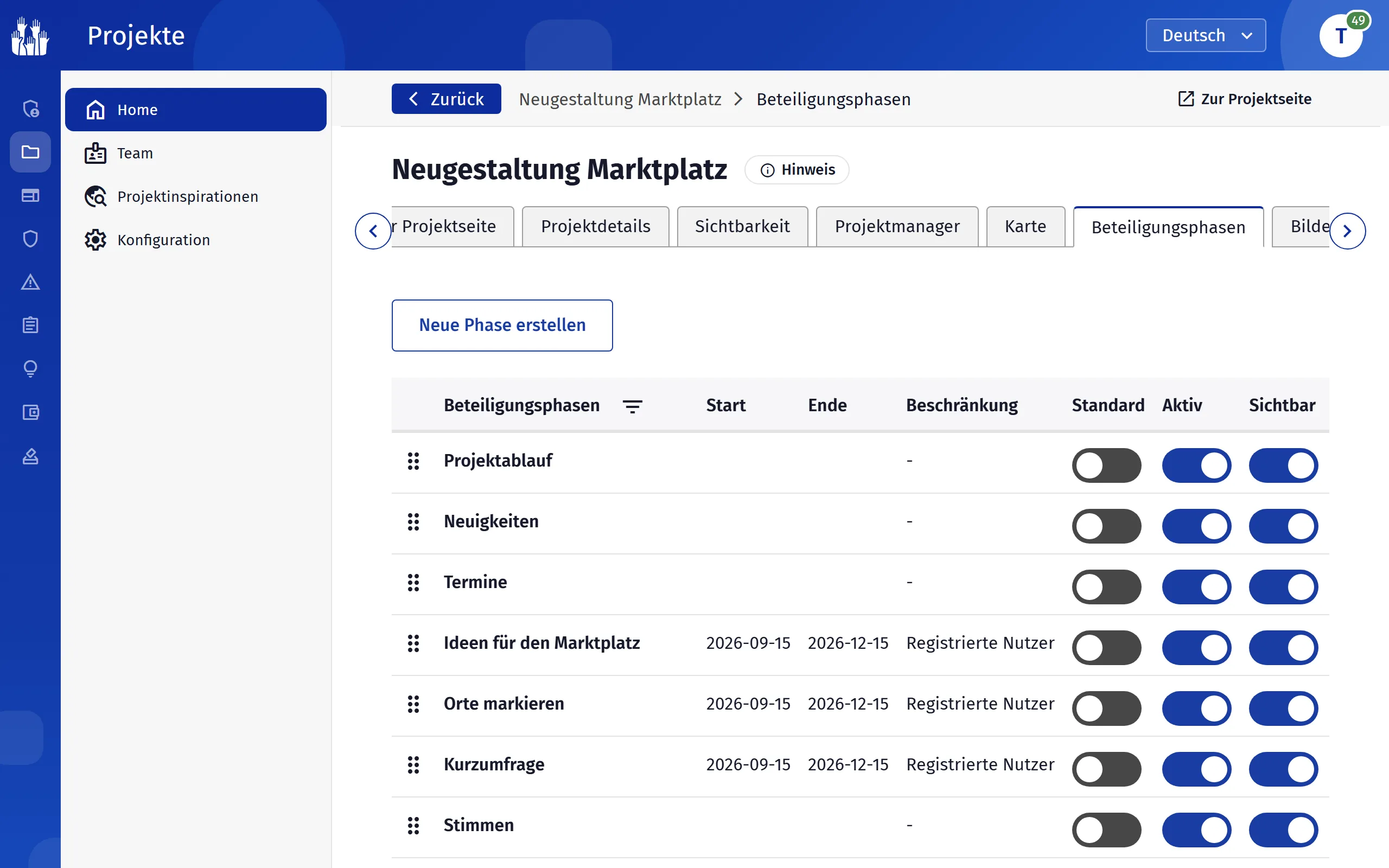
Have your say and submit
- Proposals Citizens submit ideas, support them and comment on them. Proposals
- Comments Open a comment area on a topic. Comments
- Orte von Interesse (places of interest) Mark places on a map, using set categories. Places of interest
Decide and vote
- Poll Ask questions for people to vote on, including scales, map questions and votes on site. Polls
- Short survey Set questions with answer options. Short survey
- Participatory budgeting Participatory budgeting: submit proposals, have them assessed and vote on the budget. Participatory budgeting
Ask and collect
- Formular (form) Your own form with fields, for example for registrations or feedback. Forms
- Mitmachbox A survey on a box in a public space, with no phone or account needed. If you want, people can also answer the survey online on the project page. Mitmachbox
Work on texts together
- Text editing The administration puts a draft text up for discussion. Citizens comment on individual passages. Text editing
Inform and support
- Events Dates such as workshops or town meetings, with registration if you want. Events
- Livestream Embed a broadcast in the project page. Livestream
- Milestones Show where a project stands and what you have already achieved. Milestones
- Stimmen (statements) Show selected statements for and against a project. Statements
- Benachrichtigungen (notifications) Publish news about the project. Notifications
- Newsfeed Embed a news feed in the project page. Newsfeed
- Iframe Embed another tool, such as an external map or survey. Iframe
Outside projects
Some participation runs continuously rather than as a project. It has its own areas:
- Deficiency reports Report damage and problems in public spaces. Deficiency reports
- Ideenmanagement (idea management) Collect and process ideas from citizens. Idea management
- Topic pages Your own pages on key topics that bring together several projects. Topic pages
Examples of participation projects
- Idea competition
- “Proposals” phase for submitting, then a “Poll” on the best ideas.
- Participatory budgeting
- “Participatory budgeting” phase: collect proposals, have the administration assess them, vote on the budget.
- Planning participation
- “Text editing” or “Comments” on the draft, plus “Events” and “Milestones” for the schedule.
- Survey
- A “Poll” or “Short survey”, with votes on site through polling officers if needed.
How a project comes together
- Create a project and fill the project page.
- Bring your team into the project.
- Create phases, for example collect ideas or run a poll.
- Support the participation and moderate and answer contributions.
- Evaluate and export results.