
Reference
Reference
Idea management
Idea management
In idea management, you handle the ideas that citizens submit on the idea platform. You approve ideas, assign them to a case officer, write official responses, and edit ideas as needed.
Idea management
In idea management, you handle the ideas that citizens submit on the idea platform. You approve ideas, assign them to a case officer, write official responses, and edit ideas as needed.
Who has access?
- Administrators and idea administrators Access to all menu items.
- Case officers See the list of ideas and edit ideas. They cannot delete ideas.
- Case officers with “Manage all” The same rights as idea administrators.
If “Required assignment to officer” is turned on, case officers without “Manage all” see only the ideas assigned to them.
The menu items
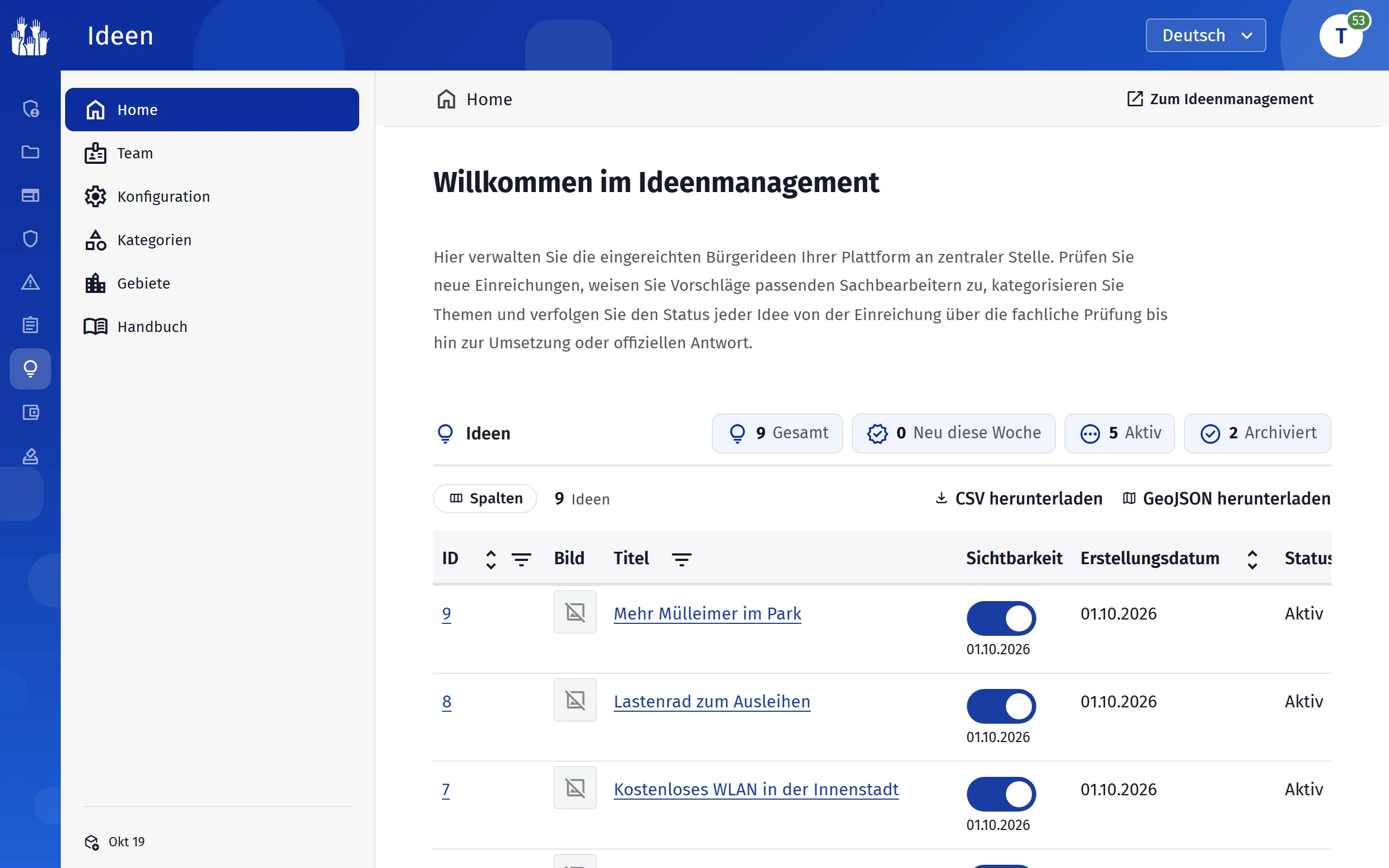
- Home List of ideas with the figures “Total”, “New this week”, “Active”, and “Archived”. Sort, filter, and export with “Download CSV” or “Download GeoJSON”. Below that, you see recent activity and the team. An idea in detail
- Team You make registered users case officers and grant the “Manage all” option. Go to the page Only administrators, idea administrators, and case officers with “Manage all”
- “Konfiguration” (configuration) Features of the idea platform, the introductory text and notice on this start page, and the contact persons. Go to the page Only administrators, idea administrators, and case officers with “Manage all”
- “Kategorien” (categories) Create categories with a color, an icon, and a default case officer. Change the order by drag and drop. Go to the page Only administrators, idea administrators, and case officers with “Manage all”
- “Gebiete” (areas) The areas come from the registered addresses. You assign a default case officer to each area. Go to the page Only administrators, idea administrators, and case officers with “Manage all”
Step by step
To learn how citizens use the idea platform, see the citizen manual.
Good to know
- A new idea is not public until you approve it in the “Visibility” column.
- You cannot delete categories that still have ideas assigned to them.
- You can change the case officer for each individual idea in the “Administer” tab.
- On some platforms, this area has its own name. The heading and menu then show that name.