
Guides
Guide
Idea management
Idea management
You want to prepare the idea platform for citizens so that every new idea lands with the right person.
Set up idea management
Your goal
You want to prepare the idea platform for citizens so that every new idea lands with the right person.
Open idea management
What you need
- The idea platform is enabled on your platform.
- You are an administrator, idea administrator or case officer with “Manage all”.
How to do it
- Open “Team”. Find each colleague by their full email address and click “Add”.
- Open “Categories” and click “New category”. Enter “Name”, “Color”, “Icon” and “Default officer” and click “Create”.
- Use the handle on the left to put the categories in the order you want them to appear in the form.
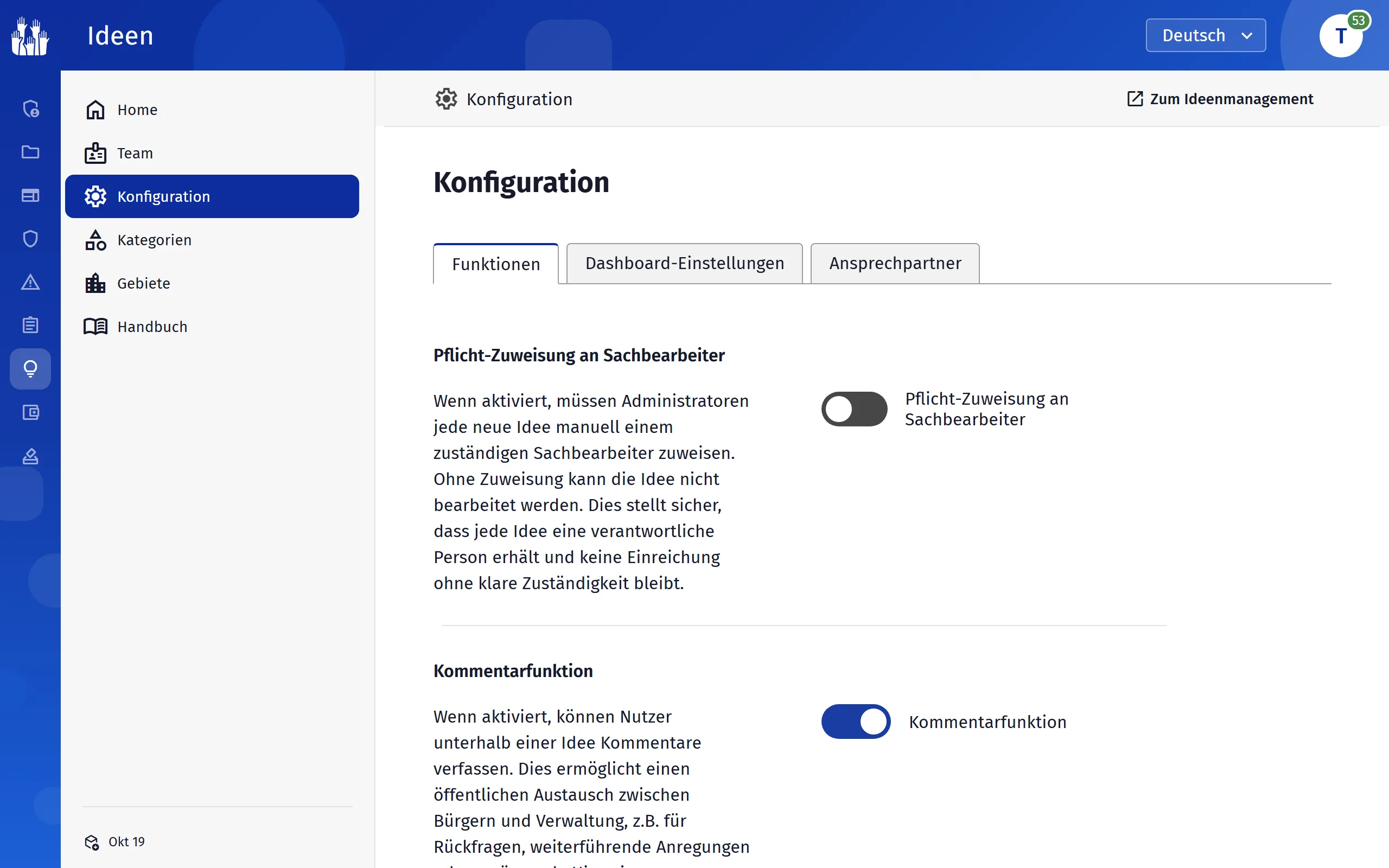
- Open “Configuration”, tab “Features”, and set the switches.
- On the “Dashboard settings” tab, enter an introductory text and a notice message for your team. On the “Contact persons” tab, click “Create new contact person” to add contacts.
- Submit a test idea on the platform and check that it arrives at the right case officer on “Home”.
The decisions
- Who gets which ideas?
- Through the category’s “Default officer”. They get an email for every new idea in the category. Assign ideas
- Does every case officer see everything?
- Without “Required assignment to officer”, yes. With the switch on, case officers without “Manage all” see only their own ideas.
- Who can help manage idea management?
- Anyone with “Manage all” under “Team”. These people see all menu items and all ideas.
- What can submitters attach?
- “Additional documents”, “Embed external video” and “User-drawn maps” extend the form. With “Comments”, signed-in users can comment on an idea.
Pitfalls
The “Default officer” under “Areas” is currently not applied when an idea is submitted. Set responsibility through the categories instead.
Every new idea stays invisible until someone on the team approves it, even if “Administrator approval” is off. Plan who reviews new ideas regularly. Review and publish a new idea
Only people who already have an account on the platform can join the team.
Create the categories before the first ideas come in. A category with ideas can no longer be deleted.