
Polling officers
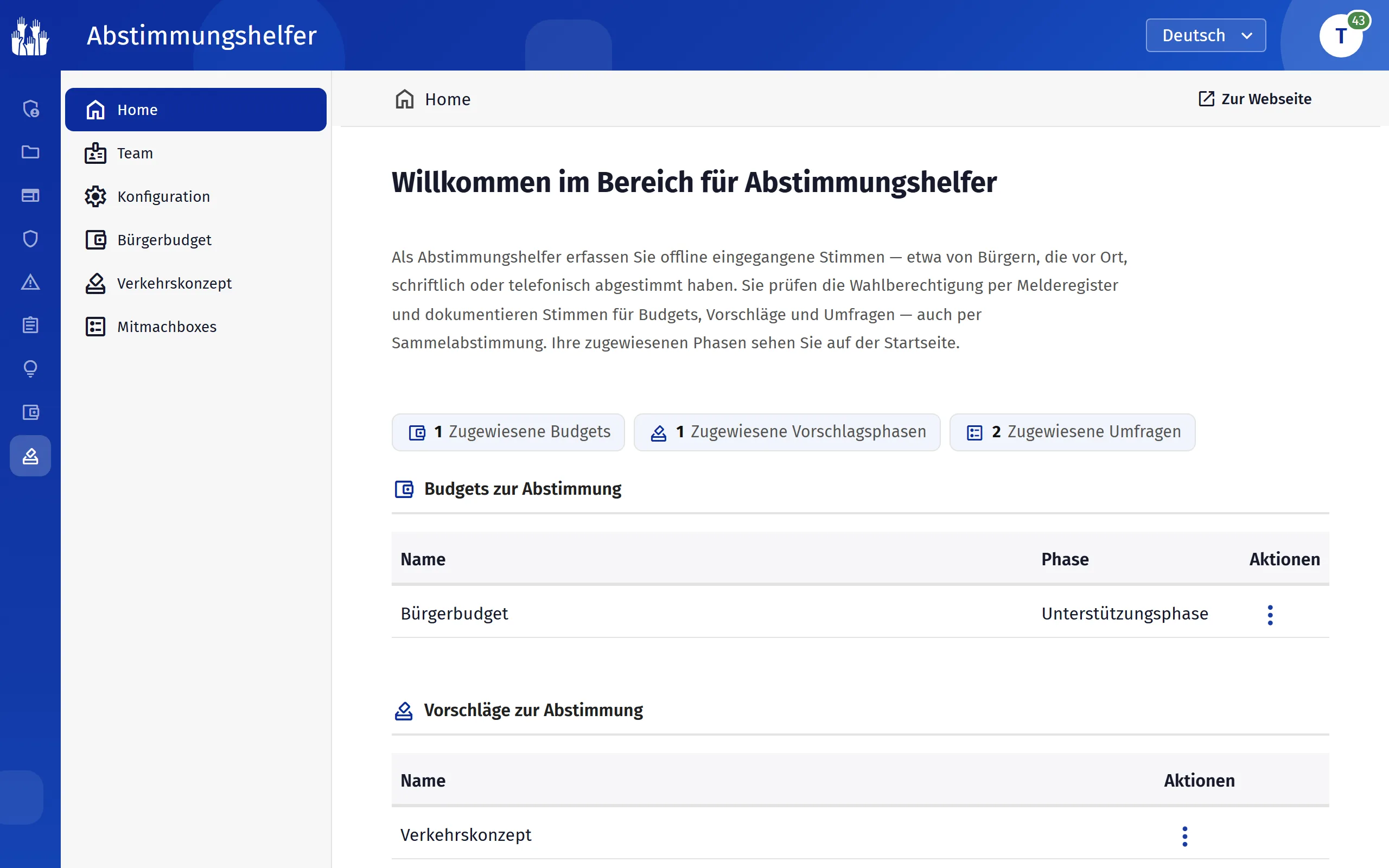
Polling officers record votes here from citizens who vote in person instead of online. You see the budgets, proposal phases and surveys assigned to you. You cast an offline vote for each person.
Who has access?
- Polling officers Open the area, record votes for the polls assigned to them and maintain the “Configuration”.
- Administrators Open the area and manage the team. They record votes only if they are also registered as polling officers.
The menu items
- Home The numbers “Assigned budgets”, “Assigned proposal phases” and “Assigned polls” and the tables for them. If nothing is assigned to you, “No assigned votes yet” appears.
- Team You add registered users as polling officers or invite them with “Invite as polling station manager”. Administrators only
- Configuration On the “Dashboard settings” tab, you maintain “Intro text”, “Notice message” and “Notice active” for the home page. On the “Contact persons” tab, you maintain the contact persons. This works the same way as in moderation.
- One entry per poll Shows the name of the project and takes you straight to the “Add offline vote” page. Polling officers only
The tables on the home page
- “Budgets to vote on”
- With the “Active phase” column and the “Open” action. Step by step: Vote in person in the participatory budget
- “Proposals to vote on”
- With the “Vote” and “Bulk voting” actions.
- “Polls to vote on”
- With the “Vote” action.
Which polls appear?
- A poll appears as soon as you are assigned to it in the project, on the “Polling officers” tab of the phase.
- It stays until and including the “Lock date” of the phase. From the next day on, it disappears from “Home” and from the menu.
- A budget appears only while it is in the support phase, the assessment phase, or the poll and its review.
Project managers set the assignment and the “Lock date”, see Run a poll. If a “Lock date” is set, you can record votes until then, even outside the dates of the phase.
Add offline vote
On the “Add offline vote” page, you enter the person’s first name, last name, gender, date of birth and address.
- “Mark as verified”
- The person counts as verified.
- “Continue without verification”
- You skip the details. The platform creates a new, anonymous person.
If first name, last name, date of birth and postal code match an existing entry, the platform uses that entry.
Step by step: Record a vote in person and Correct a recorded vote
Surveys in test mode already accept offline votes. These votes are test votes. When the poll goes live, the platform deletes them.
Bulk voting
- In the “Proposals to vote on” table, click “Bulk voting”.
- Enter the number of votes for each proposal.
- Save with “Update”.
Step by step: Record a bulk vote