
Release, changes, archive
Nothing goes public until an administrator releases it. This applies to new plans and to every later change.
Statuses
- “Draft”
- Newly created or never released. Not visible to the public.
- “Published”
- Released. Listed in the public municipal plans.
- “Archived”
- Removed from the public list. The detail page stays available at its address and appears in the archive of the municipal plans.
Submit and release
- The case officer clicks “Submit for release”. All required fields must be filled in at this point.
- Every administrator gets an email “Vorhaben zur Freigabe eingereicht” (plan submitted for release) with a link to the plan.
- An administrator reviews the plan and clicks “Release”. It goes public immediately.
Step by step: Create and submit a plan, Release a plan
There is no step to reject or withdraw a submission. Administrators can also release a draft without it being submitted.
Change a published plan
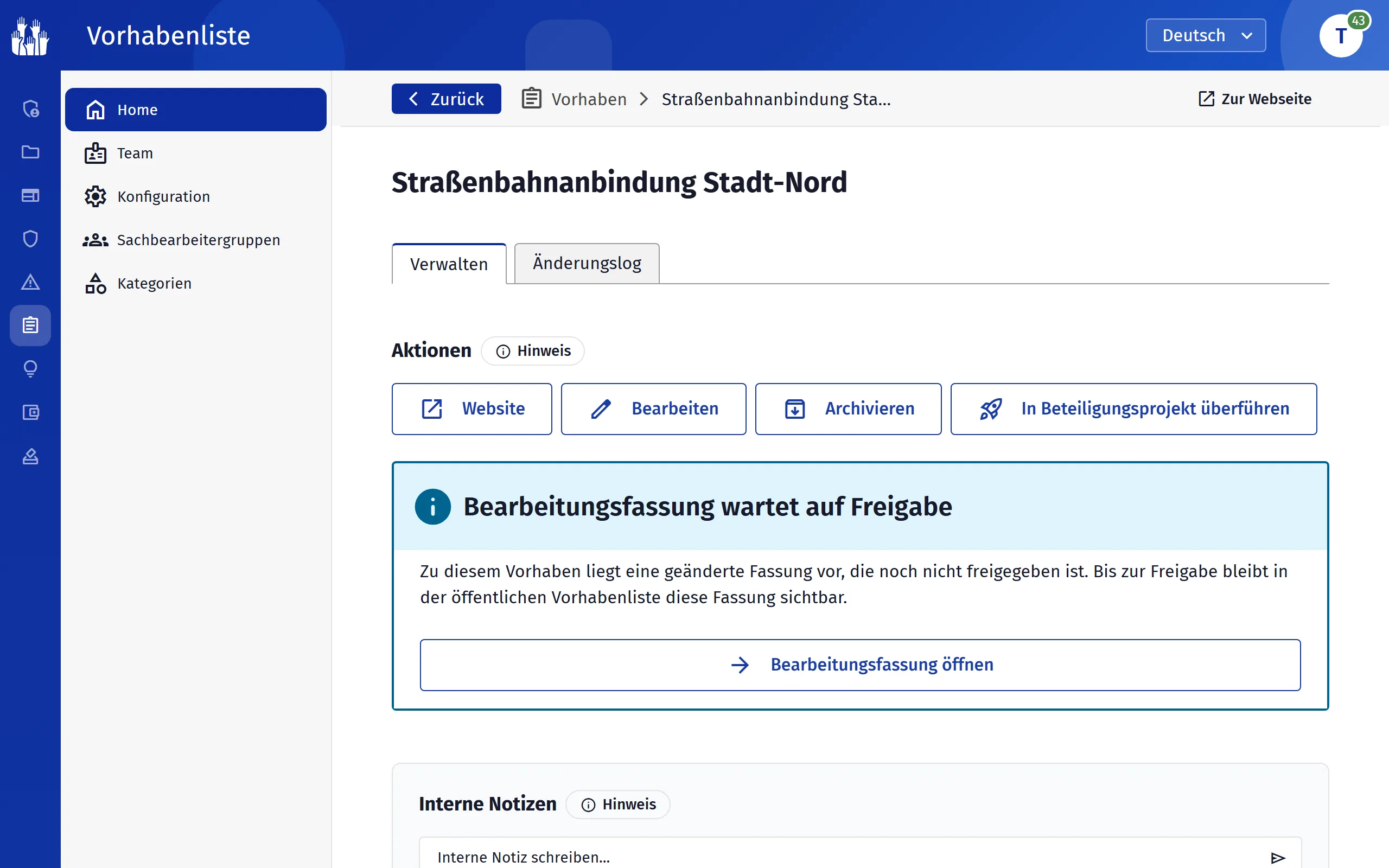
When you edit a published or archived plan, you work in an editing version. The public page stays unchanged until the editing version is released.
- As long as an editing version exists, the detail page always opens it. At the top it shows “Changes against the released version”, field by field.
- A plan has at most one editing version. You submit and release it like a draft.
- On release, the changes are applied to the plan. Its address stays the same, so links to it keep working.
- “Discard changes” deletes the editing version. The released version stays as it is.
Step by step: Update a published plan
Version number and update date
The platform sets both itself. You don’t enter either one anywhere.
- A new plan starts at 0.1. The first release sets 1.0.
- Every change to the content raises the number after the dot by one: 1.9 is followed by 1.10. For a draft, every save with a change counts. For a published plan, every release of an editing version counts.
- The same change sets “Updated on” to today’s date. It is shown publicly with the plan.
- Content means all texts, the information on citizen participation, the contact fields, the system mailbox, the districts, categories and links.
Order, responsibility, status and archive date change neither the version number nor the update date.
Archiving
- “Archive”
- For published plans. The plan disappears from the public overview immediately and appears in the archive.
- “Archive date”
- In the “Administration” section of a published plan, saved with “Save archive date”. It takes effect immediately, without release. An empty field removes the date again.
- “Take out of the archive”
- A plan that was already released appears in the public overview again, without a new release.
The archive date only archives if “Archive plans automatically” is turned on under “Configuration”.
You also change an archived plan through an editing version. After release, it stays archived. Step by step: Archive a plan
Deleting
Only administrators delete plans, on “Home” with “Delete” in the row. The notes on the plan are deleted with it. Projects that came from the plan remain, but no longer refer to it.
Who can do what?
- Case officers Create plans. For their own plans: edit, submit, set an archive date, archive, take out of the archive, delete notes. Discard an editing version as long as it is not submitted.
- Administrators Everything case officers can do, on all plans. Also release, delete, discard any editing version and convert a plan into a project.