
Setup
Switch it on, add case officers, and create groups and categories. Only administrators can open the menu items on this page.
Step by step: Set up the municipal plans
Configuration
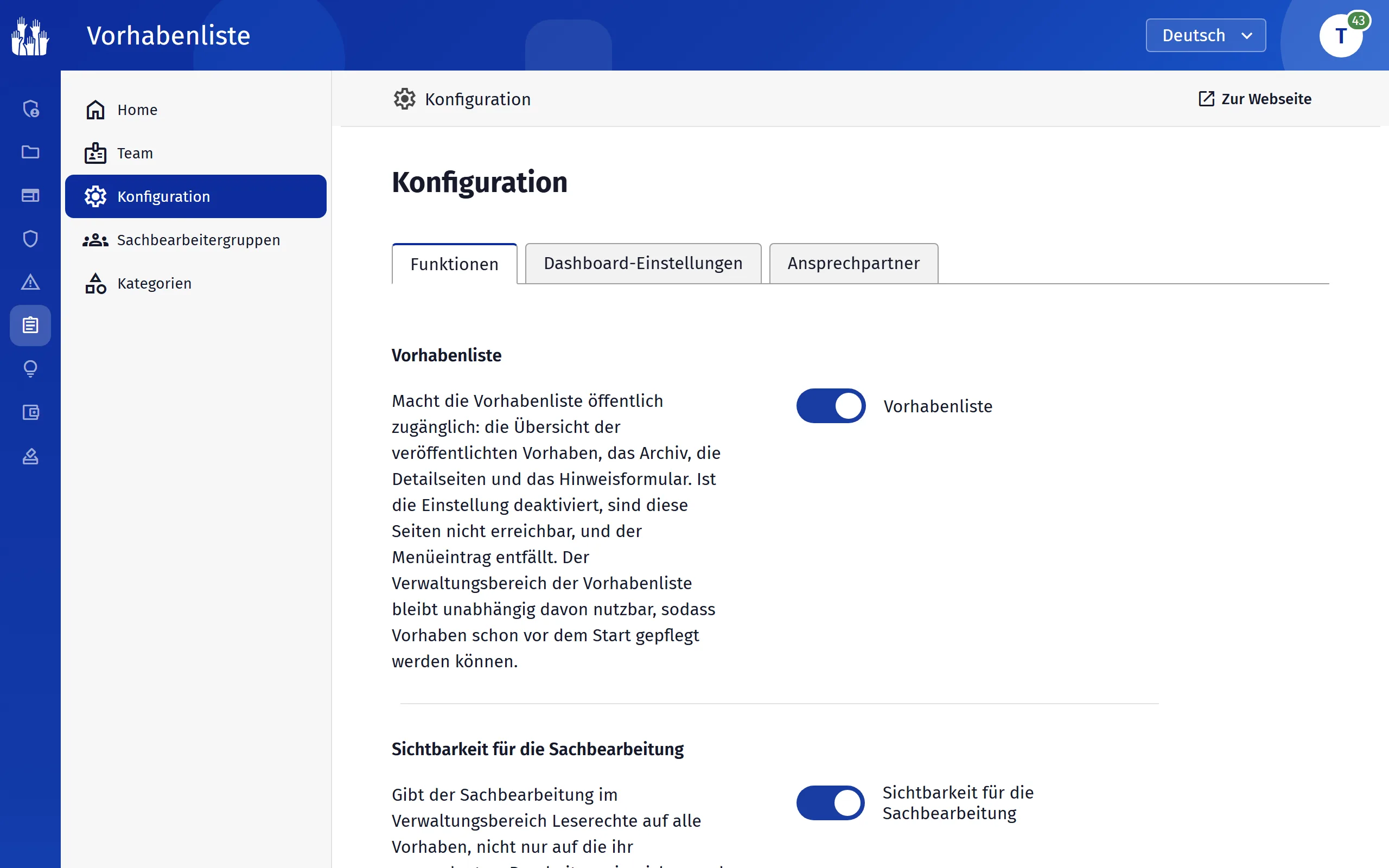
The “Configuration” page has three tabs.
“Features” tab
- “Municipal plans”
- Makes the municipal plans public: overview, archive, detail pages and notice form. If the switch is off, these pages are not reachable. You can still use the administration area.
- “Visibility for officers”
- Case officers see all plans, not just their own, and can change the order of the list. They can still edit, submit and archive only the plans they are responsible for.
- “Archive plans automatically”
- A published plan is archived on its “Archive date”. The platform checks this daily at 3:30 a.m. Without this switch, an archive date does nothing.
Other tabs
- “Dashboard settings”
- “Intro text” and “Notice message” for “Home” in this area, not for the public page. You show the notice message with “Notice active”.
- “Contact persons”
- The contact persons shown on “Home” next to the intro text.
Team
Under “Team”, the “Officers” page opens. Search for a person by email address and click “Add”.
Only people with an account on the platform can be added as case officers. There is no email invitation here.
Anyone who is a case officer can open the “Municipal plans” area, create plans, and manage the plans that they or their group are responsible for.
Case officer groups
- Click “New officer group”.
- Enter a “Name”, for example “Urban planning department”. The name is visible only in the administration.
- Under “Members”, check the people and click “Create”.
A person can belong to several groups. If a group is responsible for a plan, all members edit it. Each member receives notices from citizens by email.
Categories
- Click “New category”, enter a “Name” and click “Create”.
- Drag the categories by the handle on the left into the order you want.
Citizens filter the public list by these categories, under the heading “Topic”. Every plan needs at least one category before it can be submitted.
People, groups and categories that still have plans assigned cannot be deleted.
Districts
You don’t create districts here. They come from the registered addresses on the platform. A plan needs at least one and at most four districts.
If there are no districts, the form shows “No districts yet”. A plan then cannot be submitted.
Main menu
You add the municipal plans to the main menu as a system page. It is available there only once “Municipal plans” is switched on. Design the home page and navigation