
Public view
Citizens see the published plans without logging in. For each plan, they can send a notice to the responsible office.
The public pages exist only if “Municipal plans” is turned on in the “Configuration”. Drafts and working versions are never visible to the public.
The overview
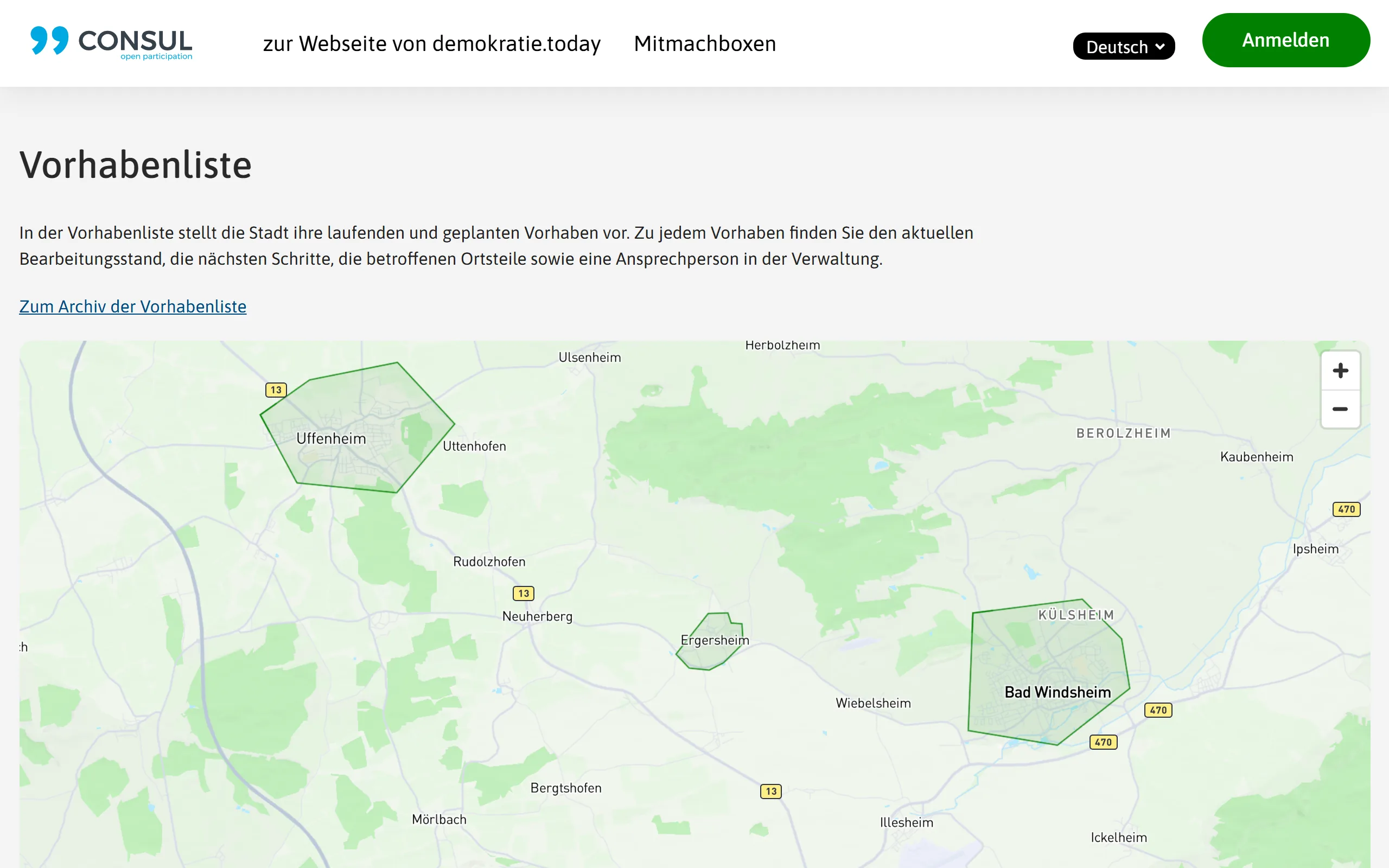
The “Municipal plans” page shows all published plans. “Go to the municipal plans archive” takes you to the “Municipal plans archive”, which has the same filters.
- Map
- The districts as areas and the location of the plans. Clicking a district filters the list. The map appears only if areas are stored for districts.
- Search
- Searches title, description, resolution, processing status, next steps and further information. Matches in the title come first.
- Sorting
- Without a search term, the “Editorial order” applies. You set it with “Set order”. You can also sort by update date, title, category or location.
- Filter
- “District”, “Topic”, “Citizen participation” (formal, informal), “Label” and “Updated on” as a date range.
- View
- As tiles or as a table with the columns “Plan”, “Date”, “Category”, “Location” and “Label”.
- “new entry”, “updated entry”
- A plan counts as new for 30 days after you create it. After that, it counts as updated for 30 days after each change to its content. Archived plans carry neither.
The page of a plan
The header shows title, categories, districts, “Updated at” and the version. These blocks follow:
- “Worum es geht” (what it is about)
- The “Short description”.
- “Where does the plan stand?”
- A timeline made of “Last resolution”, “Current processing status” (marked “Now”) and “Planned timing, next steps”. Empty fields are left out.
- “Weitere Informationen zum Vorhaben” (further information on the plan)
- Only if the field is filled in.
- “Citizen participation”
- “Formal” and “Informal” with yes or no and the reason. If a participation project for the plan is publicly visible, “Go to the project” appears here.
- “Location”
- The map, with “Approximate location” and the address below it.
- “Your notice on this plan”
- The notice form. Only for published plans, not for archived ones.
The sidebar shows the “Contact person”, “At a glance” with area, costs and participation, “Links & documents” and “Questions or comments?” with the button “Submit a notice”.
Notices from citizens
Nobody needs an account to submit a notice. The form asks for “Name (optional)”, “Email” and “Your notice” with at most 5,000 characters.
Each notice goes out as an email “Neuer Hinweis zum Vorhaben” (new notice on the plan) to:
- the responsible person or every member of the responsible case officer group,
- and also the “System mailbox for notices”, if one is entered.
The notice also appears on the detail page in the administration area. Plans and their fields
If nobody is responsible for a plan and no system mailbox is entered, no email goes out for the notice.
Link to participation projects
When a plan becomes a participation project, the two link to each other. The plan page links to the project as soon as it is publicly visible. The project page shows “Related plan” in the sidebar as long as the plan is public.
Step by step: Turn a plan into a participation project