
Reference
Reference
Municipal plans
Municipal plans
In municipal plans, the administration publishes its current and planned plans: with status, next steps, affected districts, and a contact person. Case officers maintain the plans. Administrators approve them.
Municipal plans
In municipal plans, the administration publishes its current and planned plans: with status, next steps, affected districts, and a contact person. Case officers maintain the plans. Administrators approve them.
Who has access?
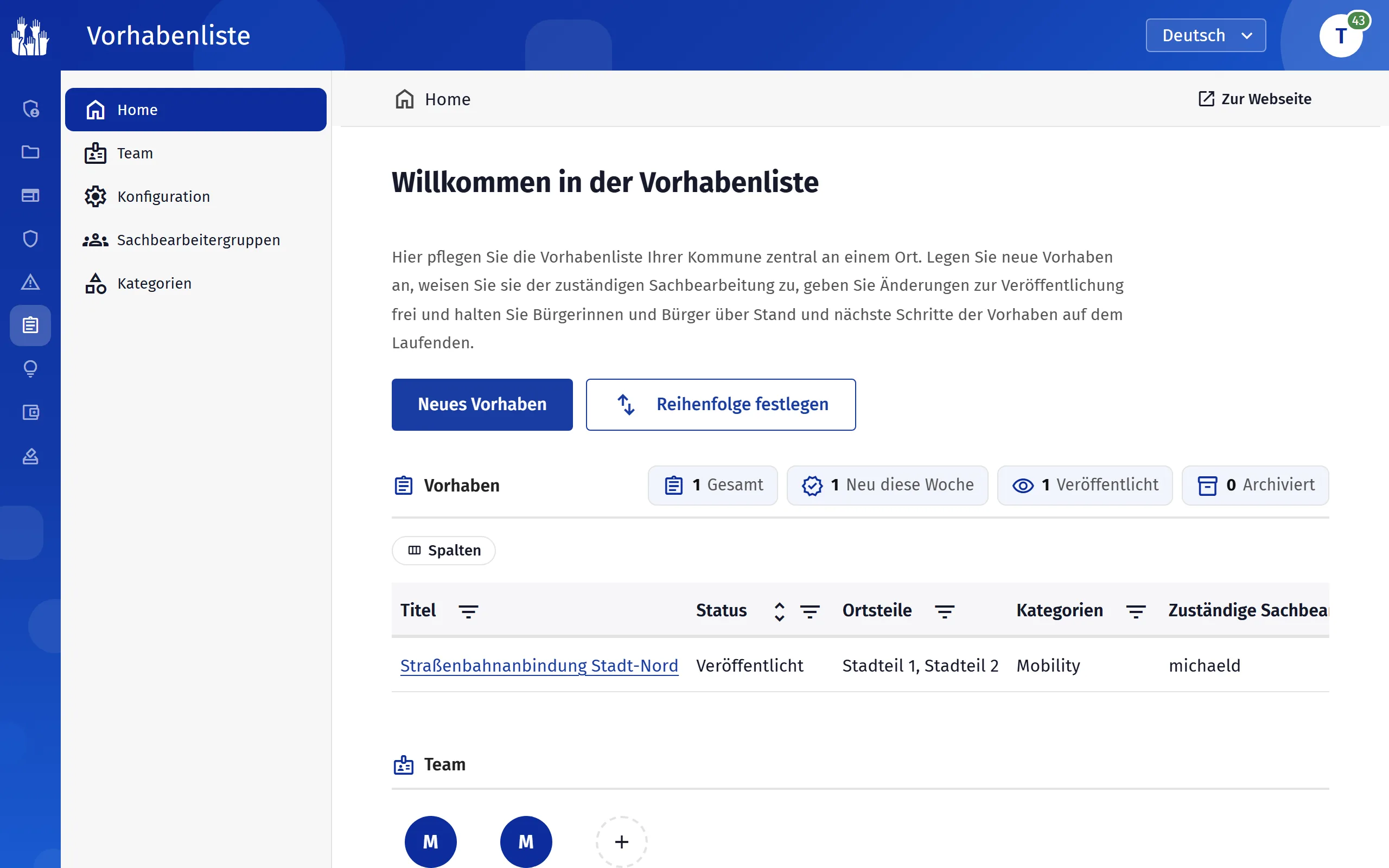
- Administrators and everyone who is added to the case officers under “Team”. Both see the “Municipal plans” area in the bar on the left.
- Case officers see only “Home”, and there only the plans that they or their case officer group are responsible for. With “Visibility for officers”, they see all plans but still edit only their own.
- All other menu items, approving, deleting, and converting a plan into a participation project are reserved for administrators.
The menu items
- Home The table of all plans with key figures, “New plan” and “Set order”. Below it: the latest activity and the team. Plans and their fields
- Team The “Officers” page: add or remove people who have an account. Go to setup Administrators only
- Konfiguration (configuration) Turn on municipal plans publicly, set the rights of case officers, set automatic archiving, and choose the start page of this area. Go to setup Administrators only
- Sachbearbeitergruppen (case officer groups) Combine several case officers into one responsible unit. Go to setup Administrators only
- Kategorien (categories) The topics that citizens filter by. Go to setup Administrators only
The path of a plan
A new plan is a draft and is not visible to the public. The case officer submits it for approval, and the administrator approves it. From then on, it appears in the public municipal plans.
Later changes are made in an edit version. They become public only with the next approval. When a plan is done, it moves to the archive. All the details: Approval, changes, archive
The pages in this area
- Setup Turn on municipal plans, set up the team, groups, categories, and the start page of the area. Go to page
- Plans and their fields The table on “Home”, the form, and the detail page of a plan. Go to page
- Approval, changes, archive Status, edit version, version number, and archive date. Go to page
- Public view What citizens see and how their comments reach you. Go to page
Good to know
- You can use the admin area before municipal plans is public. This lets you maintain plans before the launch.
- When municipal plans is turned on publicly, the link “Go to plan list” at the top of the area leads to the public page.