
Guides
Guide
Municipal plans
Municipal plans
Case officers should be able to maintain plans, and citizens should be able to find them by topic and district.
Set up municipal plans
Your goal
Case officers should be able to maintain plans, and citizens should be able to find them by topic and district.
Open “Configuration”
What you need
- You are an administrator.
Steps
- Under “Team”, search for each person by email address and click “Add”.
- Under “Officer groups”, create the responsible offices with “New officer group” and check their “Members”.
- Under “Categories”, create the topics with “New category”. Drag them by the handle into the order you want.
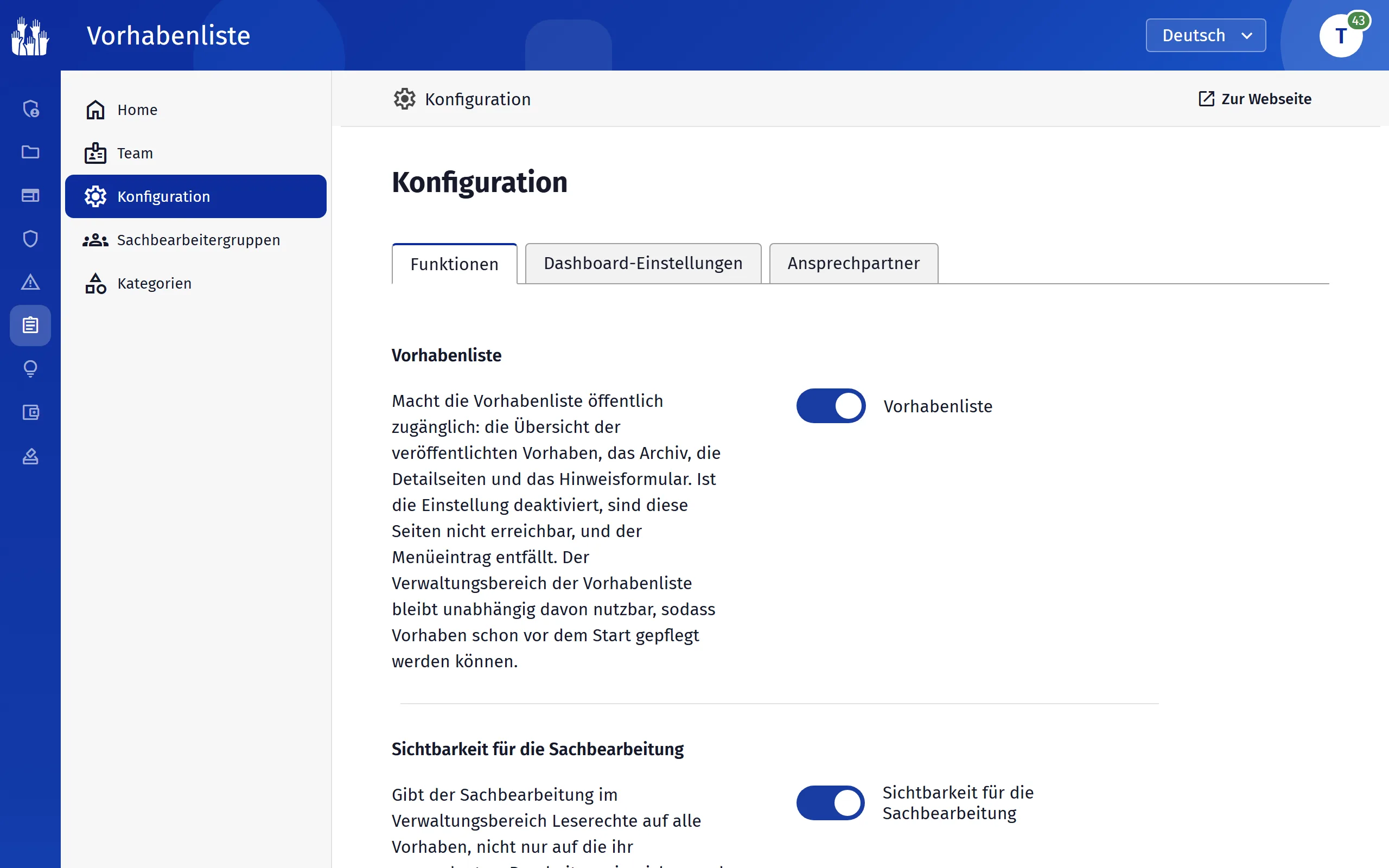
- In “Configuration”, on the “Features” tab, set “Visibility for officers” and “Archive plans automatically”.
- On the “Dashboard settings” tab, enter an “Intro text” for “Home” if you need one.
- On the “Features” tab, switch on “Municipal plans” as soon as the first plans are approved. Municipal plans are now public.
The decisions
- Individuals or groups?
- If a group is responsible, all members work on the plan and all of them get notices by email. A person can be in several groups.
- Do case officers see everything?
- Without “Visibility for officers”, they see only the plans they or their group are responsible for. With the switch on, they see all plans and can set the order of the list. In any case, they can edit only their own plans.
- Archive by hand or automatically?
- With “Archive plans automatically”, a published plan moves to the archive on its “Archive date”. Without the switch, case officers archive by hand.
- When does the list go online?
- You can maintain and approve plans while “Municipal plans” is off. That way you start with a filled list.
Next steps
- Add municipal plans to the navigation as a system page. Design the home page and navigation
- Create the first plan. Create and submit a plan
Pitfalls
Only people who already have an account on the platform can join the case officers. You can’t invite them by email here.
You don’t create districts in municipal plans. They come from the registered addresses. Without districts, you can’t submit a plan.
You can’t delete people, groups and categories that still have plans assigned.