
Update a published plan
Your goal
You want to bring the processing status, next steps or other details of a published plan up to date.
Open municipal plans
What you need
- You are responsible for the plan or you are an administrator.
- The plan is published or archived.
How to do it
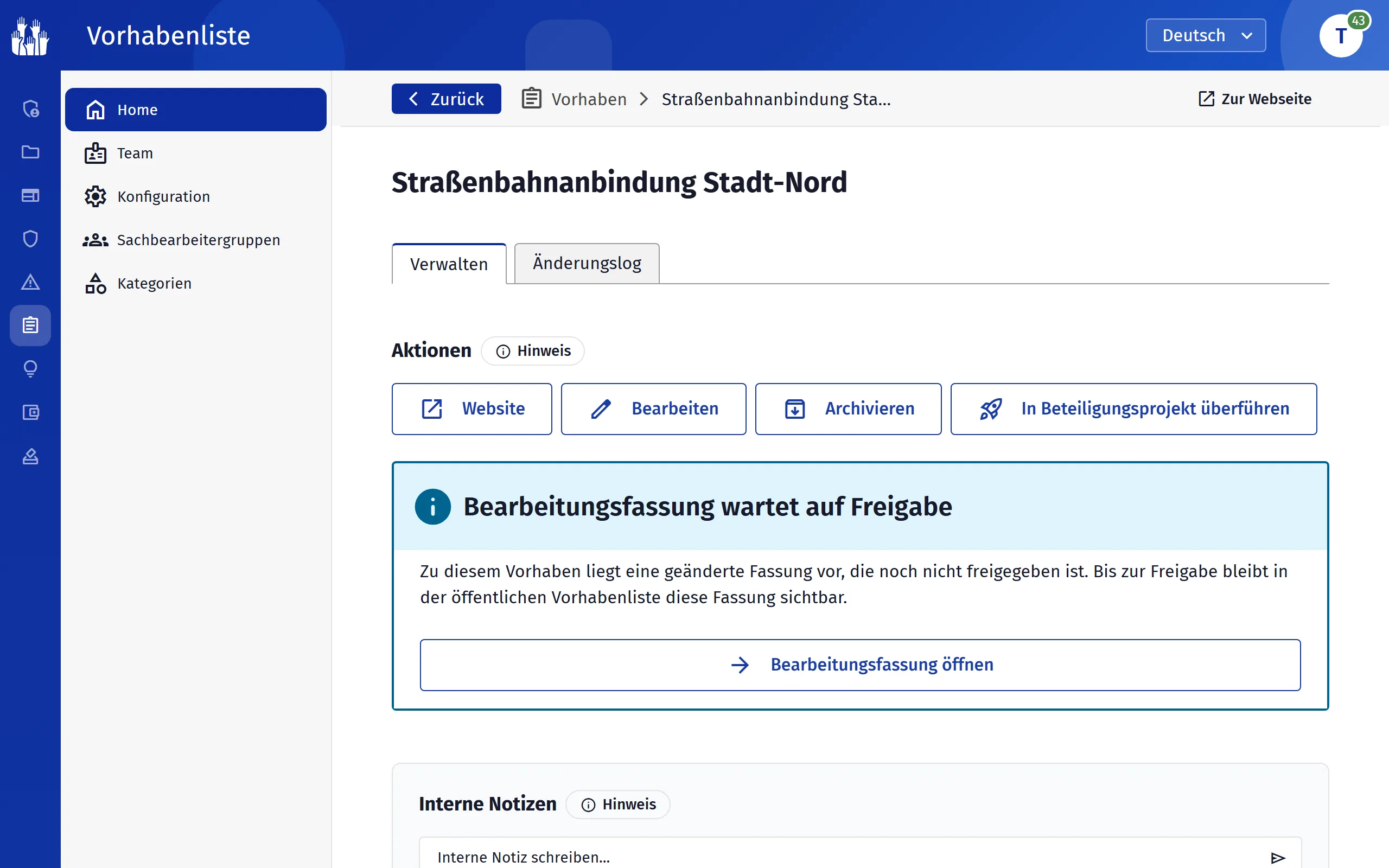
- Open the plan on “Home” and click “Edit” under “Actions”. This creates a working version.
- Change the details and click “Save”.
- On the detail page, check “Changes against the released version”.
- Click “Submit for release”. All administrators receive an email.
- Once an administrator releases it, your changes are public.
Until release, citizens see the previous version. The public page does not change while you work.
The decisions
- What do you keep up to date?
- Mainly “Current processing status” and “Schedule / next steps”. Both appear publicly in the timeline “Where does the plan stand?”.
- Changed your mind?
- “Discard changes” deletes the working version with all its changes. Case officers can do this as long as they have not submitted the version.
- Is the plan finished?
- Then archive it instead of changing it. Archive a plan
Common pitfalls
If you submit a working version with no changes, you see “This version contains no changes against the released version and was not submitted.”
Just clicking “Edit” creates the working version, even if you then choose “Cancel”. As long as it exists, the detail page always opens it, and “Archive” is missing. Have the version released or discard it.
Each plan has only one working version. If two people work on it, they work in the same version.
The platform sets the version number and the update date itself when the plan is released. Order, responsibility and archive date do not count as a change to the content.