
Guides
Guide
Municipal plans
Municipal plans
A completed plan should disappear from the public list but stay available with all its details.
Archive a plan
Your goal
A completed plan should disappear from the public list but stay available with all its details.
Open municipal plans
What you need
- You are responsible for the plan, or you are an administrator.
- The plan is published.
How to do it
Archive right away
- Open the plan on “Home”.
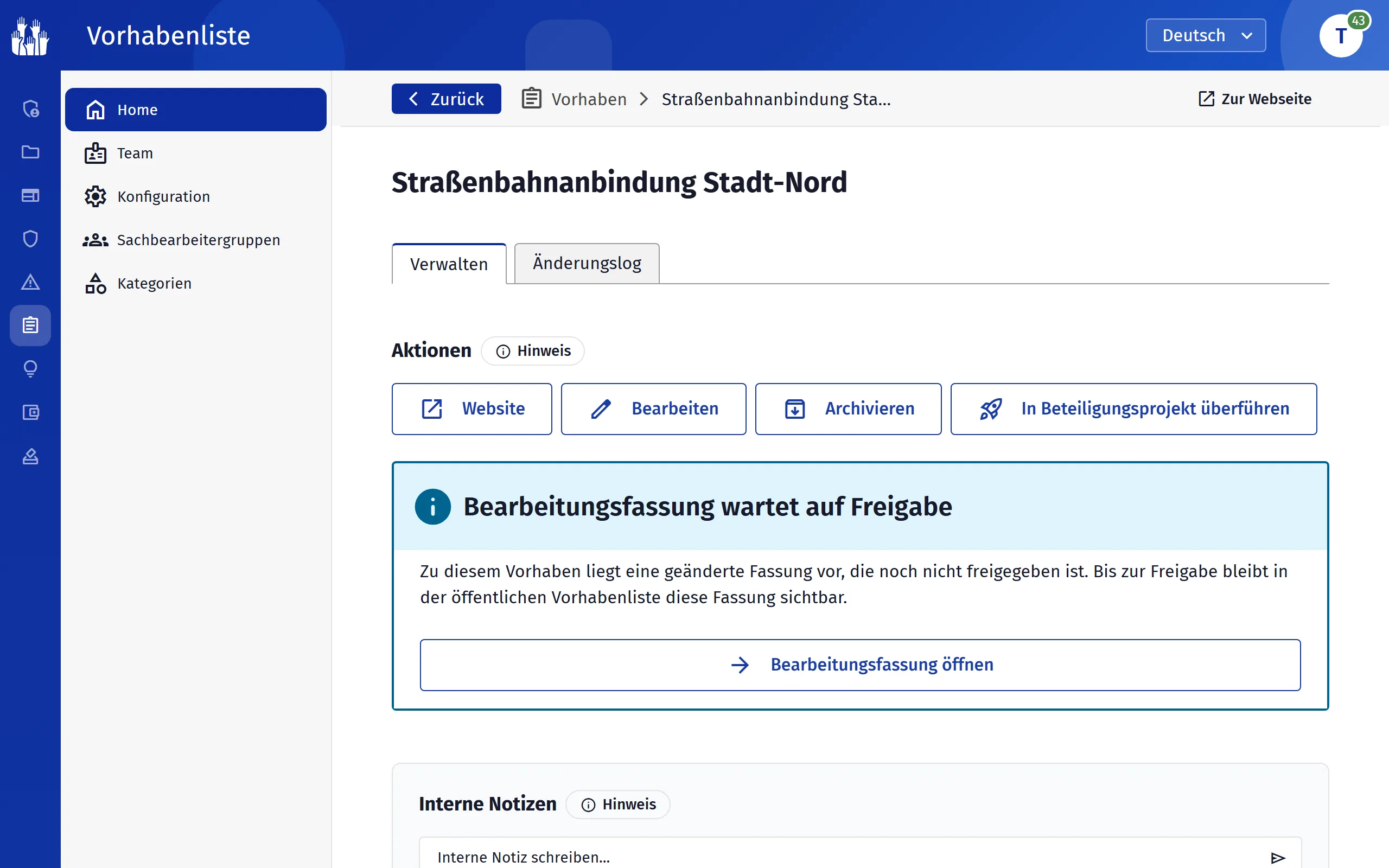
- Under “Actions”, click “Archive”. The plan is now in the “Municipal plans archive”.
Archive on a set date
- Open the plan. In the “Administration” section, enter the “Archive date”.
- Click “Save archive date”. The date applies immediately, without approval.
- On the archive date, the platform archives the plan by itself.
The archive date only works if an administrator has turned on “Archive plans automatically” under “Configuration”. An empty field removes the date again.
What changes publicly?
- The plan disappears from the overview and appears in the archive, with the same filters.
- Its page stays available at the same address and carries the “completed” label.
- The notice form is removed. The archive has no “new entry” or “updated entry” labels.
The decisions
- Bring it back?
- “Take out of the archive” returns an approved plan to the overview without a new approval.
- Add something later?
- You also change an archived plan through “Edit” and a new approval. It stays archived afterward.
Common pitfalls
“Archive” is missing as long as the plan has a working version. Have it approved first, or discard it with “Discard changes”.
Drafts cannot be archived. If something should never be published, an administrator deletes it on “Home”.